Auto File NameAuto File Name
SettingsSettings
When it is recognized that the fiber edge surface is in the image, Auto Focus,
Auto Capture, Auto Analyze On Capture, and saving a file are performed
automatically.
Auto MeasurementAuto Measurement is available for G0306A, G0306B, and G0382A.
Auto FocusAuto Focus
When it is recognized that the fiber edge surface is in the image, autofocus and
capture are performed.
If it cannot be recognized that the fiber
edge surface is in the image, VIP may
not perform autofocus. In that case, get a
focus using << or >> button on G0382A.
Auto FocusAuto Focus is available for G0382A.
Auto CaptureAuto Capture
When it is recognized that the fiber edge surface is in focus, the image is
captured automatically.
Auto CaptureAuto Capture is available for G0306A, G0306B, and G0382A.
Auto Analyze On CaptureAuto Analyze On Capture
Executes Auto Analyze when the image has been captured.
Auto File Name GenerationAuto File Name Generation
File name is generated automatically when saving the file. Selecting the check
box activates Auto File Name SettingsAuto File Name Settings.
Auto Exposure SettingAuto Exposure Setting
The value can be set when Auto MeasurementAuto Measurement is selected. Set target value of
auto exposure in the range of 160 to 190.
File LocationFile Location
Touch the BrowseBrowse button to select a folder to save files.
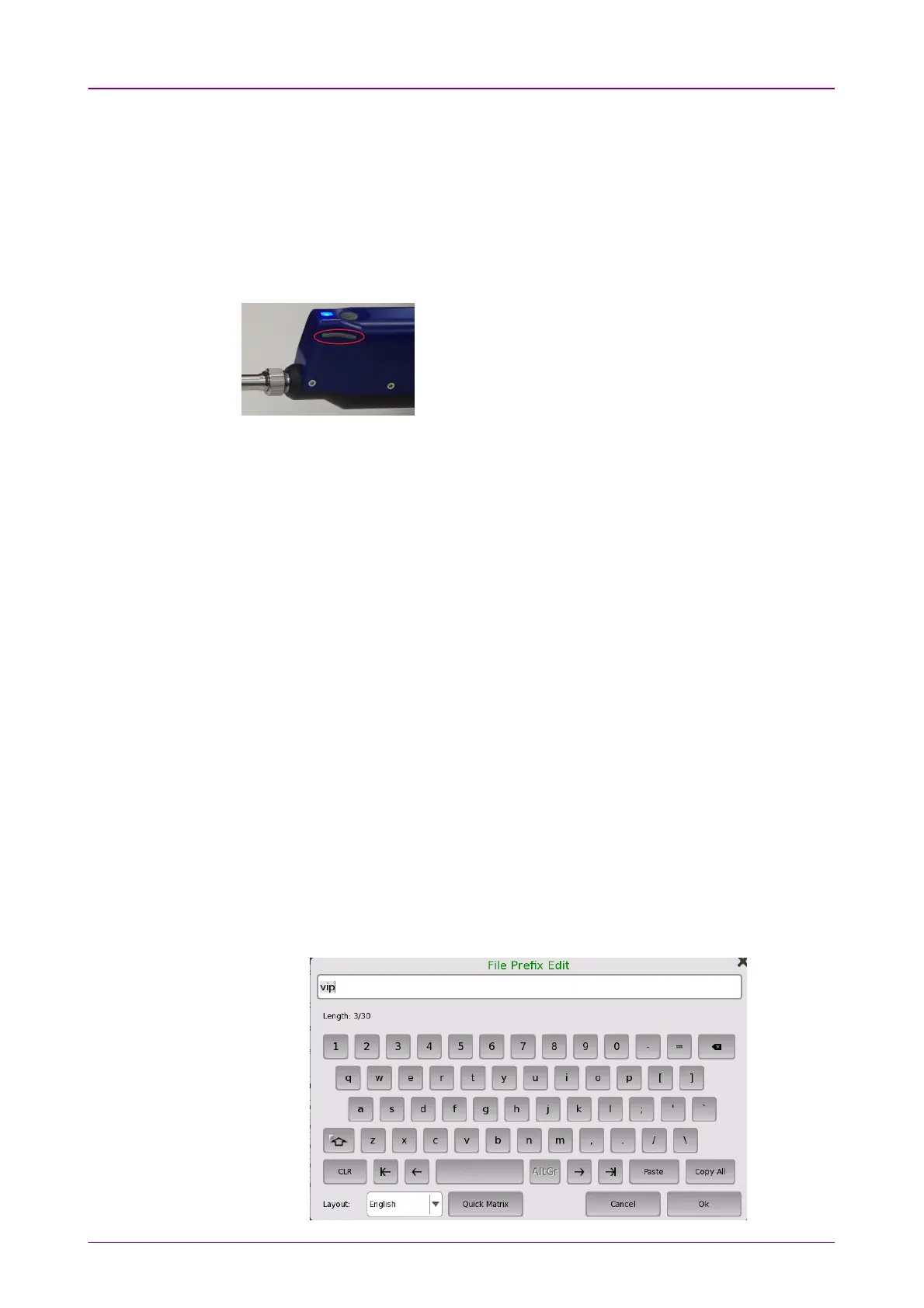
File PrefixFile Prefix
Touch the field and set the string used in the file name. Touching Quick MatrixQuick Matrix
at bottom of File Prefix EditFile Prefix Edit dialog box opens Input TextInput Text dialog box to register
string.














 To Next Page