Moves to the topic when touching the help icon.
Back
Forward
Shows/hides the search box and buttons at bottom.
Searches backward.
Searches forward.
If Case SensitiveCase Sensitive is selected, searches distinguishing the upper case and the
lower case.
ReportReport
Touch this icon to create a report containing the current application results and
settings.
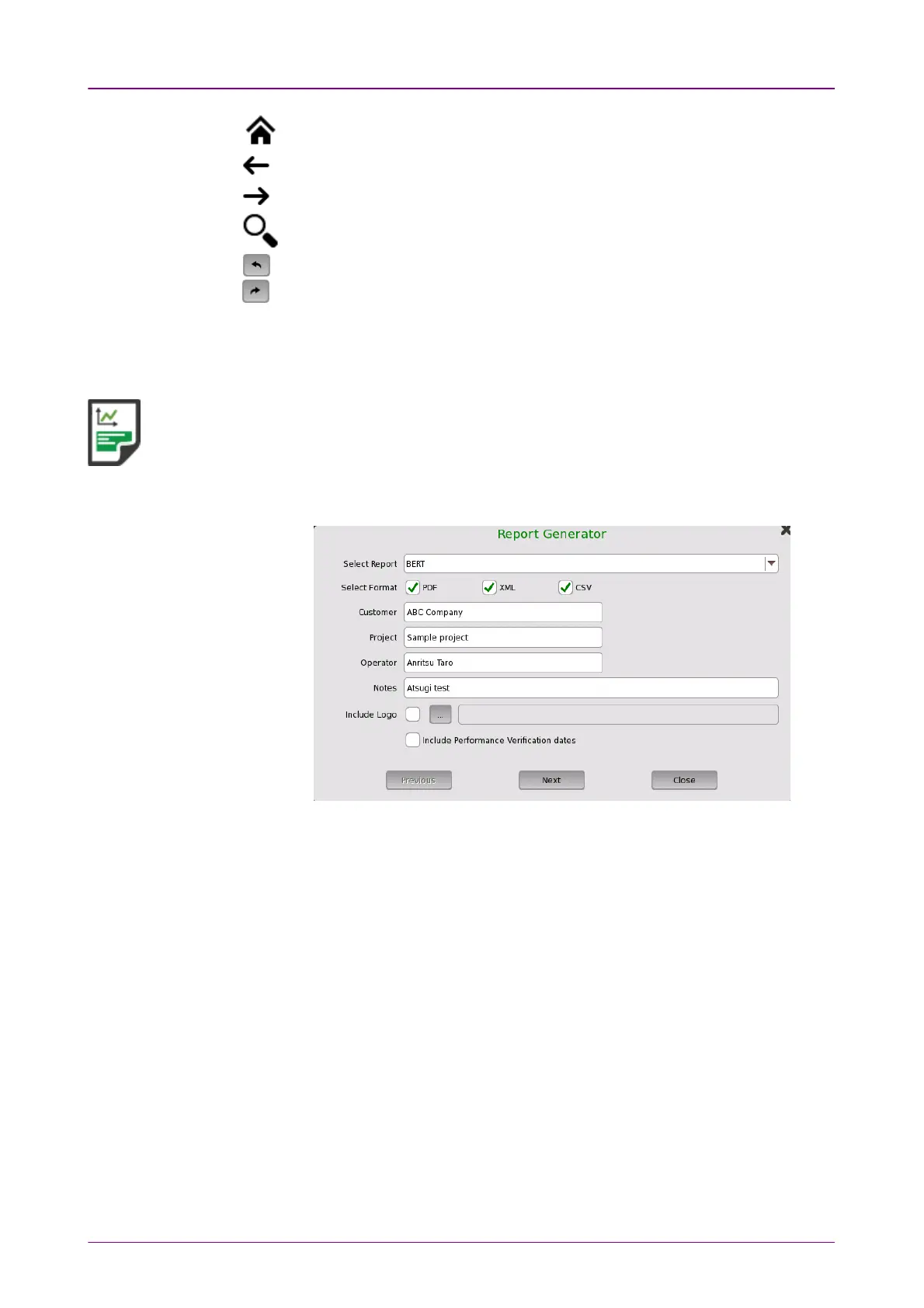
1. Touch the Select FormatSelect Format field to select the format of the report file.
The application name is shown in Select ReportSelect Report field.
2. Touch fields of CustomerCustomer, ProjectProject, OperatorOperator and NotesNotes to set strings. These
contents are output in the report.
3. To print a logo in the report, select the Include LogoInclude Logo check box. Touching ......
button launches the dialog box selecting a file.
4. Select Include Performance Verification datesInclude Performance Verification dates check box to print Performance
Verification dates in the report.
5. Touch NextNext button.














 To Next Page