DRAFT
September 1, 2004 11:39 am, CH_Basic.fm
Preparing TaqMan Low Density Arrays for Use
Applied Biosystems 7900HT Fast Real-Time PCR System and SDS Enterprise Database User Guide 4-13
Laboratory Setup
The centrifuge system is designed to be placed on a standard laboratory bench. It
requires access to 115 VAC, 60 Hz electrical power. Consult the owner’s manual
should for specific operating and site preparation instructions.
Setting the
Bucket Type for
the Low Density
Array.
1. Power on the centrifuge.
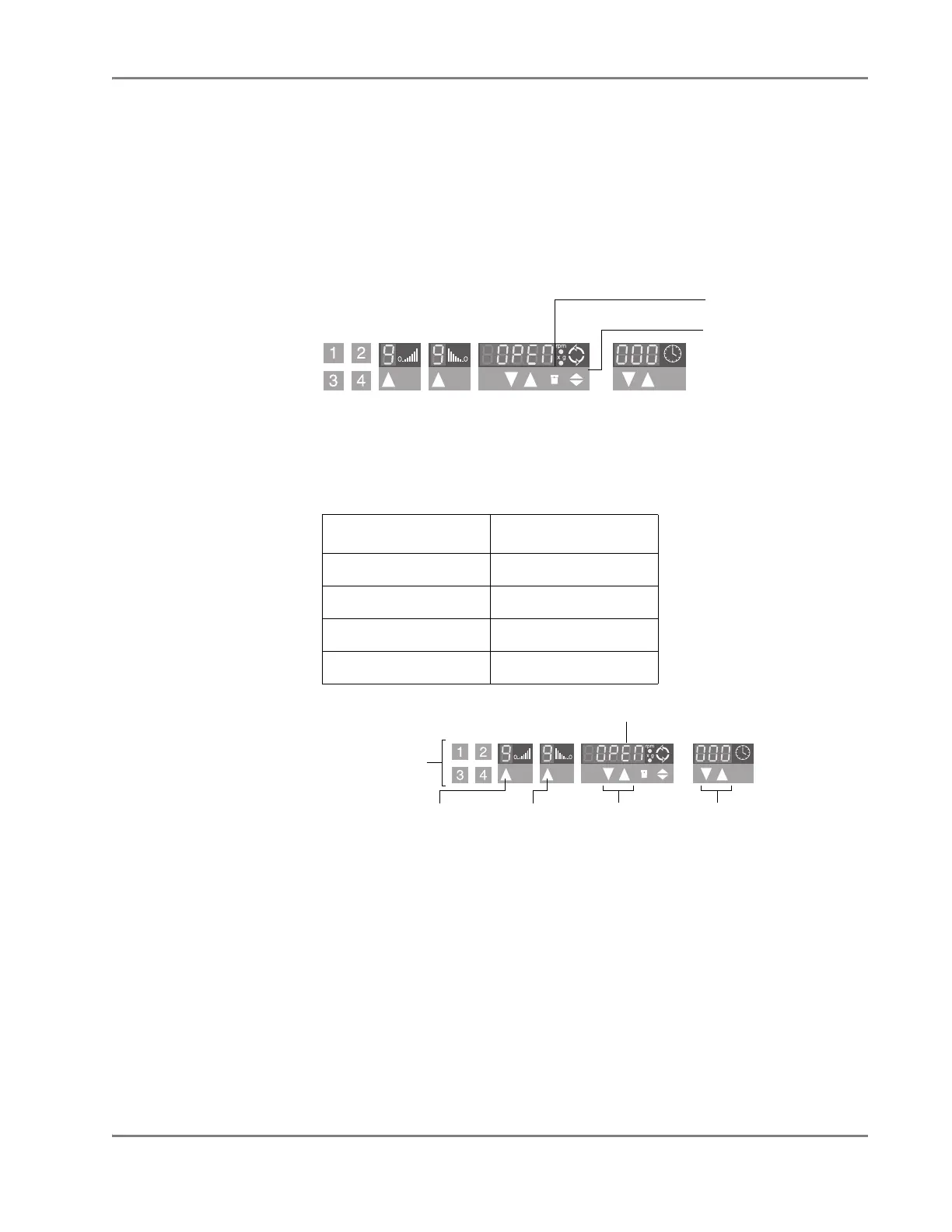
2. Following the instructions in the Sorvall Legend T Centrifuge operator’s
manual, use the front panel controls on the centrifuge to set the bucket type for
the centrifuge to 15679
IMPORTANT! Be sure to set the correct bucket type. Setting the correct bucket
type ensures that the maximum rotational speed stays within the manufacturer’s
specified limits.
3. Using the front panel controls, set the following operational parameters:
4. Power off the centrifuge.
Parameter Value
Up ramp rate 9
Down ramp rate 9
Rotational speed 1200 rpm (331 × g)
Centrifugation time 1 min
Bucket type control
Scrolling control
Buttons 1–4 are
programming
buttons.
Up ramp
rate control
rpm indicator
Down ramp
rate control
rpm
controls
Time
controls












 To Next Page