14-32 BE1-951 BESTCOMS Software 9328900990 Rev L
COPYING SETTINGS FROM GROUP TO GROUP
There are a lot of settings in any BE1-numerical systems product and the differences between Group 0
and any other group settings may be minimal. It would be convenient if there were a way to copy settings
from Group 0 to another group and then just change only those settings that are different. With
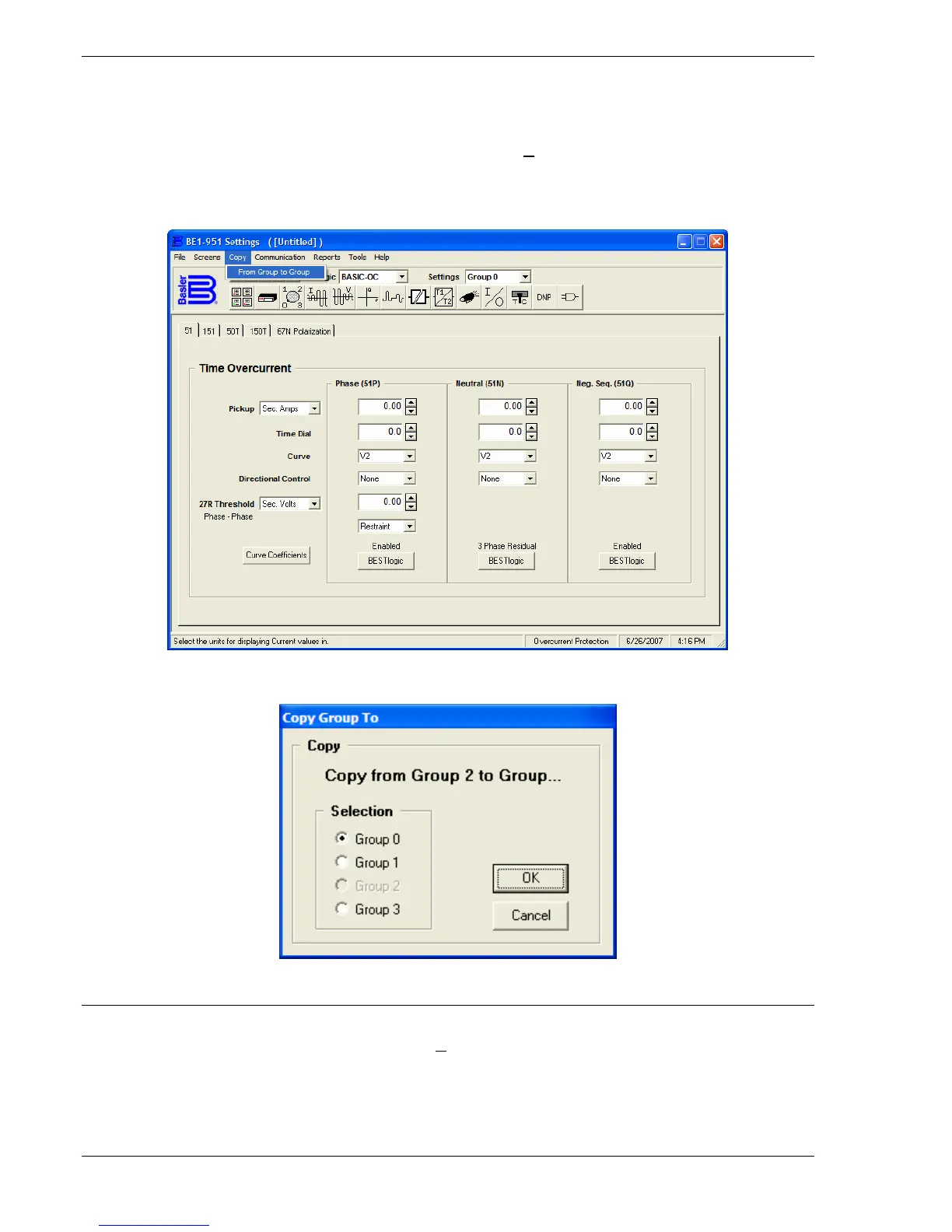
BESTCOMS, there is an easy way to do that. Pull down the C
opy menu from the pull-down menu as
shown in
Figure 14-44. There is only one choice, Copy From Group to Group. When you select this
choice, a dialog box opens (
Figure 14-45) allowing you to select the Copy to Group. After you OK the
copy routine, another dialog box opens to inform you that the copy routine is complete.
Figure 14-44. From Group to Group from Copy Pull-down Menu
Figure 14-45. Copy Group To Dialog Box
DOWNLOADING OSCILLOGRAPHY FILES
To download an oscillography file, pull down the Reports menu from the pull-down menu as shown in
Figure 14-46 and select Oscillography Download. When you select this choice, you may get a
communication error if you are not configured to an actual relay. If you have communication with the
relay, a dialog box opens (
Figure 14-47) allowing you to View/Download Relay Fault Files. If there have
been no fault events triggered, you may create one by clicking on the Trigger button in the
View/Download Relay Fault Files dialog box.



 To Next Page