1.4.4 Calling PTZ Functions
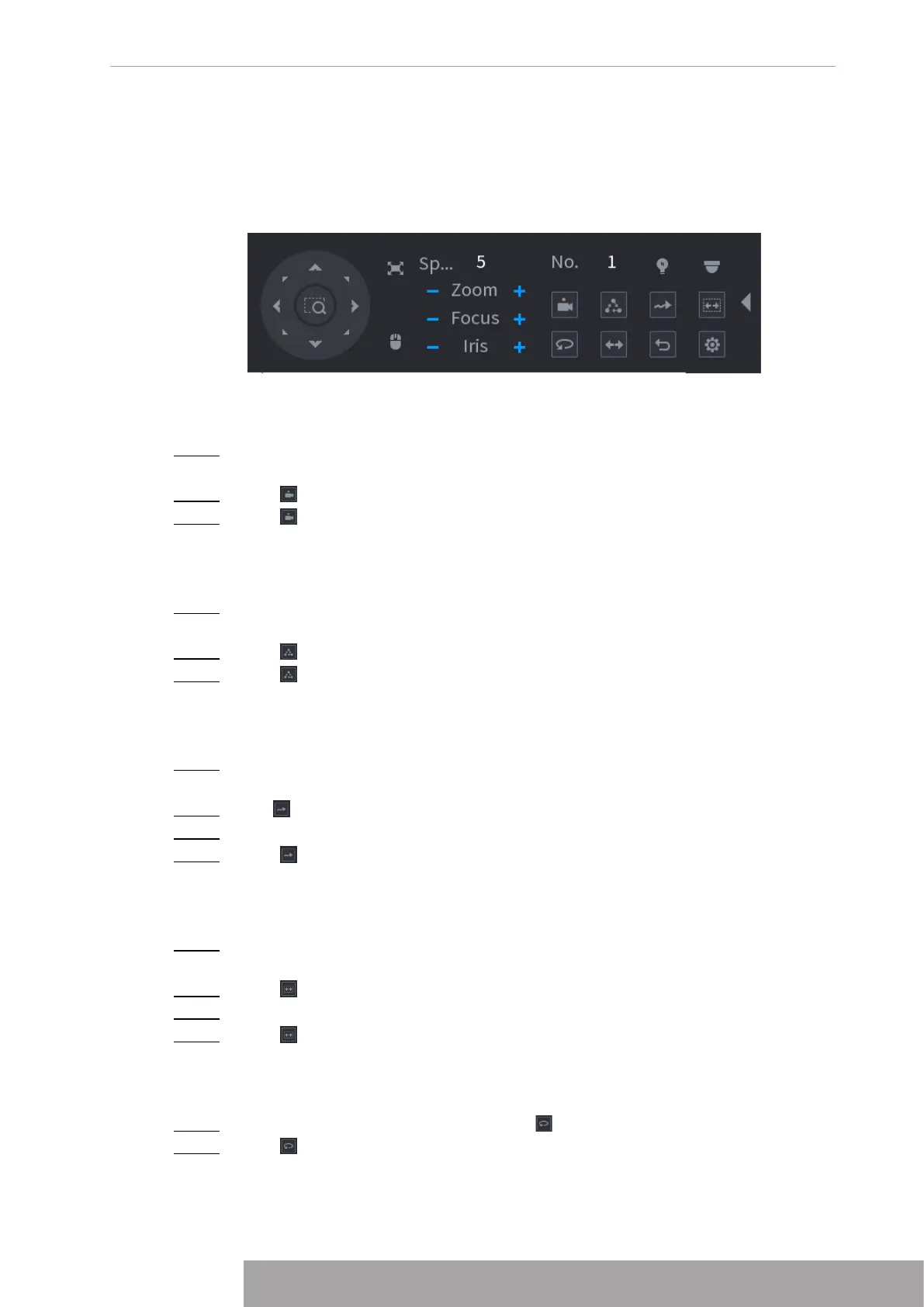
After you have configured the PTZ settings, you can call the PTZ functions for monitoring from
the Expanded PTZ Control Panel. See Figure 4-100.
Figure 4-100
1.4.4.1 Calling Presets
Step 1 On the expanded PTZ control panel, in the
No.
box, enter the value of the preset that
you want to call.
Step 2 Click to call the preset.
Step 3 Click again to stop calling the preset.
1.4.4.2 Calling Tours
Step 1 On the expanded PTZ control panel, in the
No.
box, enter the value of the tour that
you want to call.
Step 2 Click to call the tour.
Step 3 Click again to stop calling the tour.
1.4.4.3 Calling Patterns
Step 1 On the expanded PTZ control panel, in the
No.
box, enter the value of the pattern that
you want to call.
Step 2 Call to call the pattern.
Step 3 The PTZ camera moves according to the configured pattern repeatedly.
Step 4 Click again to stop calling the pattern.
1.4.4.4 Calling AutoScan
Step 1 On the expanded PTZ control panel, in the
No.
box, enter the value of the border that
you want to call.
Step 2 Click .
Step 3 The PTZ camera performs scanning according to the configured borders.
Step 4 Click again to stop auto scanning.
1.4.4.5 Calling AutoPan
Step 1 On the expanded PTZ control panel, click to start moving in horizontal direction.
Step 2 Click again to stop moving.
Copyright © NSS Sp. z o.o.
91 User‘s Manual



 To Next Page