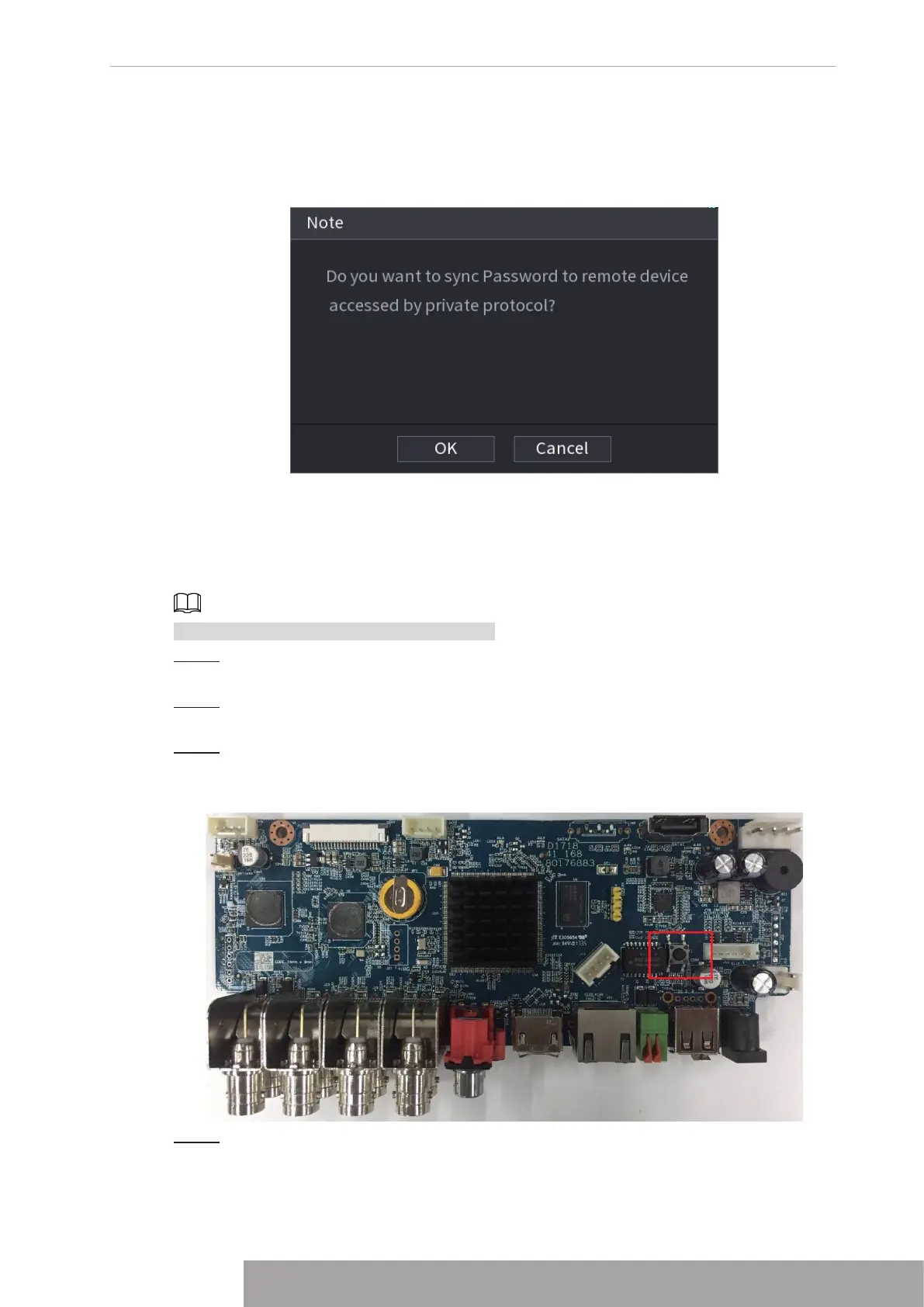
A pop-up message is displayed asking if you want to sync the password with the
remote devices. See Figure 4-14. Click
OK
to synchronize password to remote
devices.
Figure 4-14
1.1.3.3 Reset Button
You can always use the reset button on the mainboard to reset the Device to the factory default
settings.
Reset button is for some series products only.
Step 1 Disconnect the Device from power source, and then remove the cover panel. For
details about removing the cover panel, see "3.4 HDD Installation".
Step 2 Find the reset button on the mainboard, and then connect the Device to the power
source again.
Step 3 Press and hold the reset button for 5 seconds to 10 seconds. See Figure 4-15 for the
location of the reset button.
Figure 4-15
Step 4 Reboot the Device.
After the Device is rebooted, the settings have been restored to the factory default.
You can start resetting the password.
Copyright © NSS Sp. z o.o.
13 User‘s Manual



 To Next Page