Click to modify the corresponding user information, click to delete current
user.
1.16 Output and Display
1.16.1 Display
You can configure the display effect such as displaying time title and channel title, adjusting
image transparency, and selecting the resolution.
Step 1 Select
Main Menu
>
DISPLAY
>
Display
.
The
Display
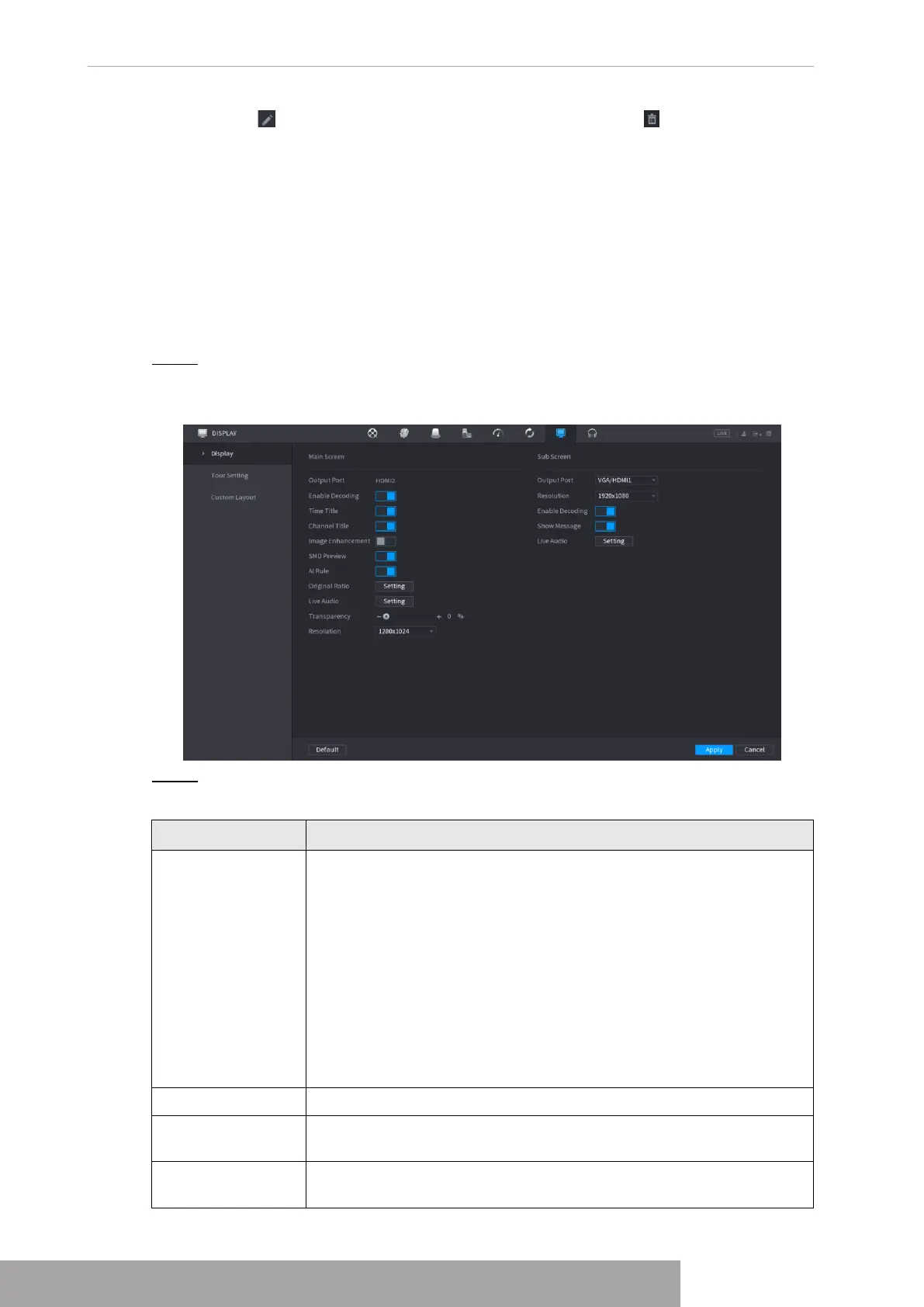
interface is displayed. See Figure 4-290.
Figure 4-290
Step 2 Configure the settings for the display parameters.
Table 4-95
Parameter Description
Main Screen/Sub
Screen
Configure the output port format of both screens.
● When sub screen is disabled, the format of main screen is
HDMI/VGA simultaneous output.
● When sub screen is enabled, the format of main screen and sub
screen are non-simultaneous outputs.
◇
When output port of sub screen is set to
HDMI
, the output port
of main screen is set to
VGA
by the device.
◇
When output port of sub screen is set to
VGA
, the output port
of main screen is set to
HDMI
by the device.
Enable Decoding After it is enabled, the device can normally decode.
Time Title/Channel
Title
Select the check box and the date and time of the system will be
displayed in the preview screen.
Transparency
Set the transparency of the local menu of the NVR device. The higher
the transparency, the more transparent the local menu.
Copyright © NSS Sp. z o.o.
User‘s Manual 278



 To Next Page