● The default ONVIF user is
admin
. It is created after you initialize the NVR.
● For some series product, the ONVIF user password is modified when you are initializing the
admin password.
Step 1 Select
Main Menu
>
ACCOUNT
>
ONVIF User
.
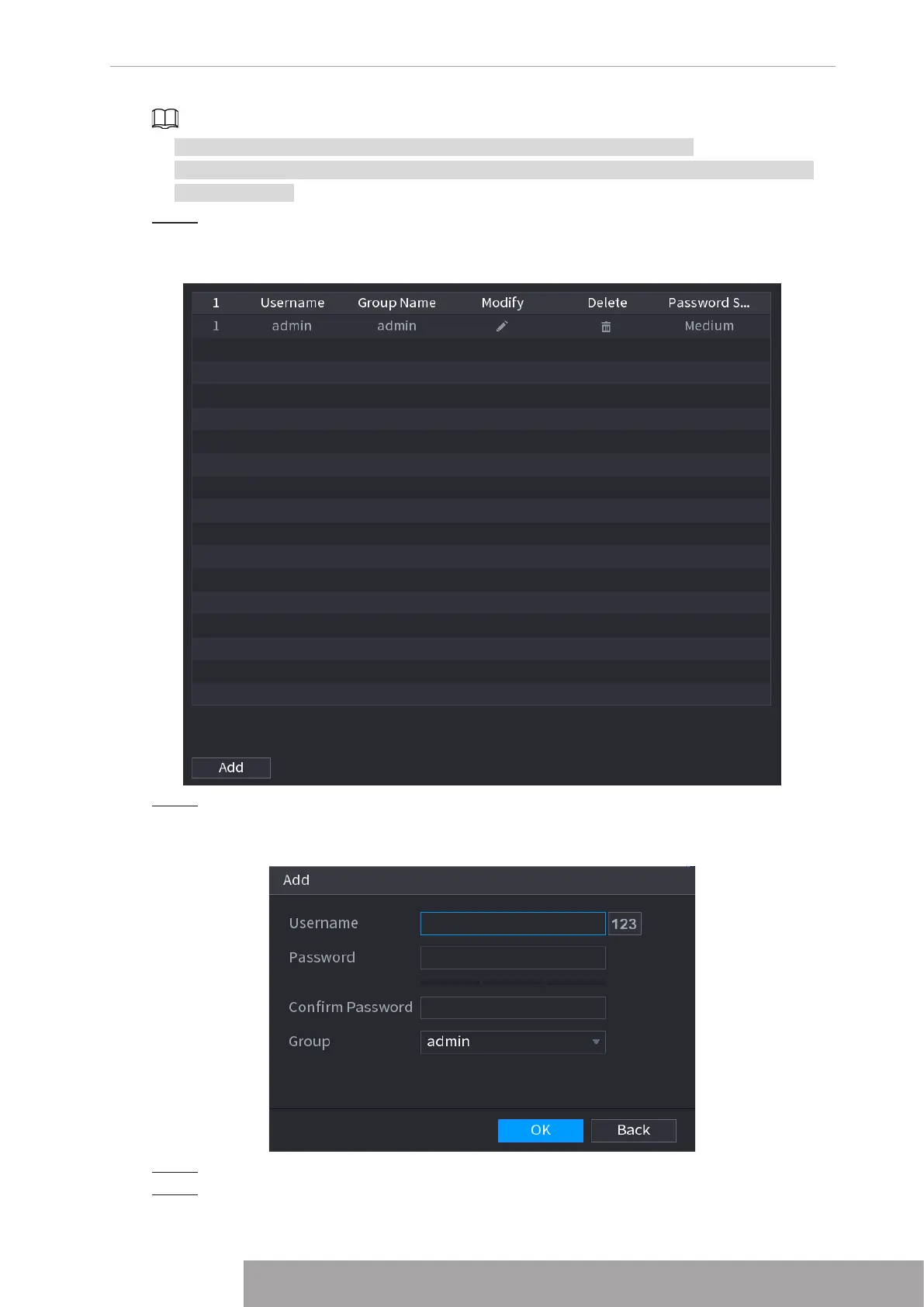
The
ONVIF User
interface is displayed. See Figure 4-288
Figure 4-288
Step 2 Click
Add
.
The
Add
interface is displayed. See Figure 4-289.
Figure 4-289
Step 3 Set user name, password and then select group from the drop-down list.
Step 4 Click
OK
to complete setup.
Copyright © NSS Sp. z o.o.
277 User‘s Manual



 To Next Page