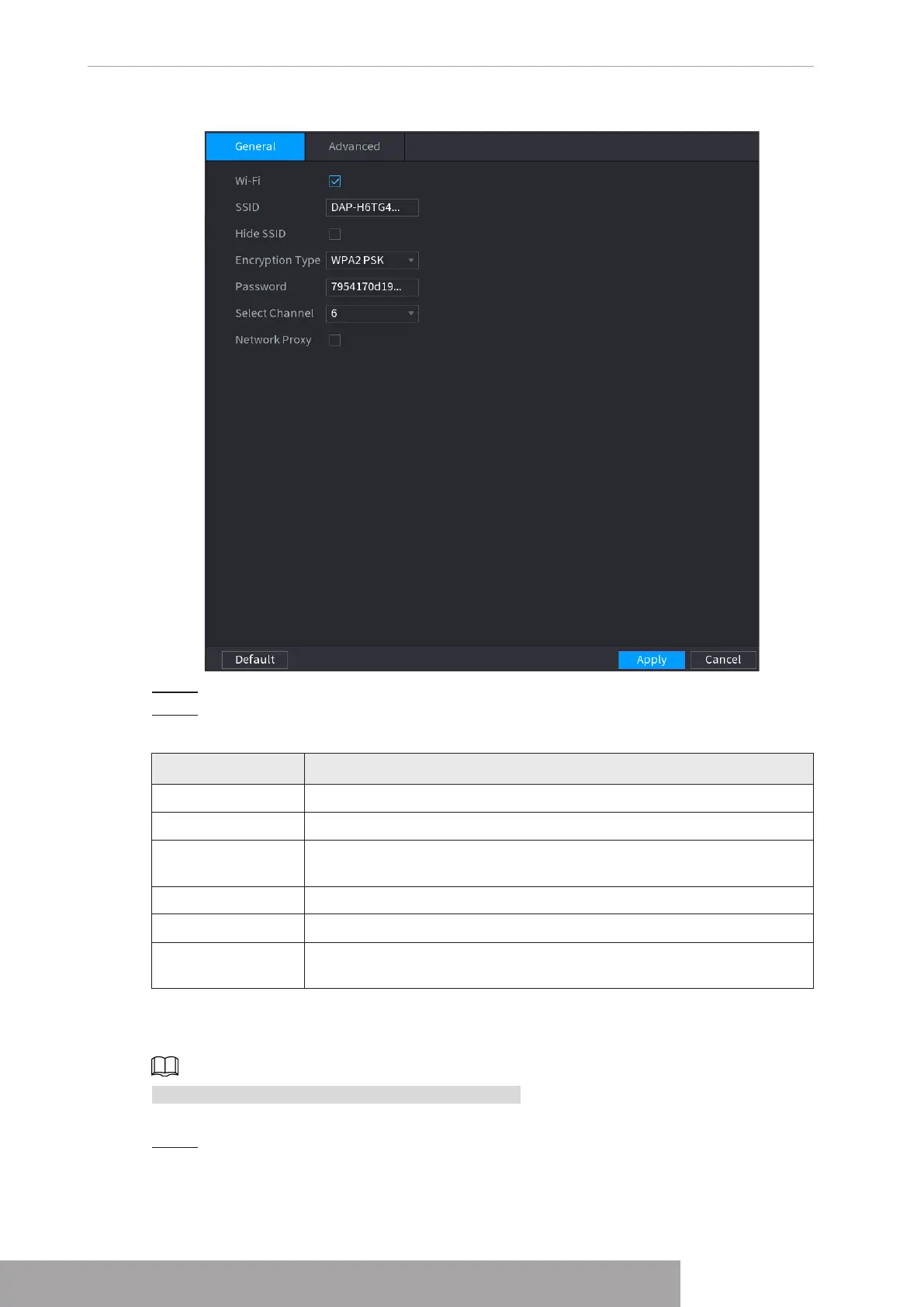
Figure 4-225
Step 2 Select
Wi-Fi
to enable Wi-Fi.
Step 3 Configure parameters. For details, see Table 4-68.
Table 4-68
Parameter Description
SSID Wi-Fi name for the device.
Hide SSID You can hide the Wi-Fi name when select this option.
Encryption Type
Select an encryption mode. The device provides WPA2 PSK and
WPA PSK.
Password Set the Wi-Fi password for the device.
Select Channel Select the channel for device communication.
Network Proxy
Enables the external network access through the device for a wireless
IPC.
1.11.4.2 Advanced Settings
This function is supported on select wireless models.
You can configure IP address, subnet mask, default gateway, DHCP server of the device.
Step 1 Select
Main Menu
>
NETWORK
>
Wi-Fi AP
>
Advanced
.
The
Advanced
interface is displayed. See Figure 4-226.
Copyright © NSS Sp. z o.o.
User‘s Manual 220



 To Next Page