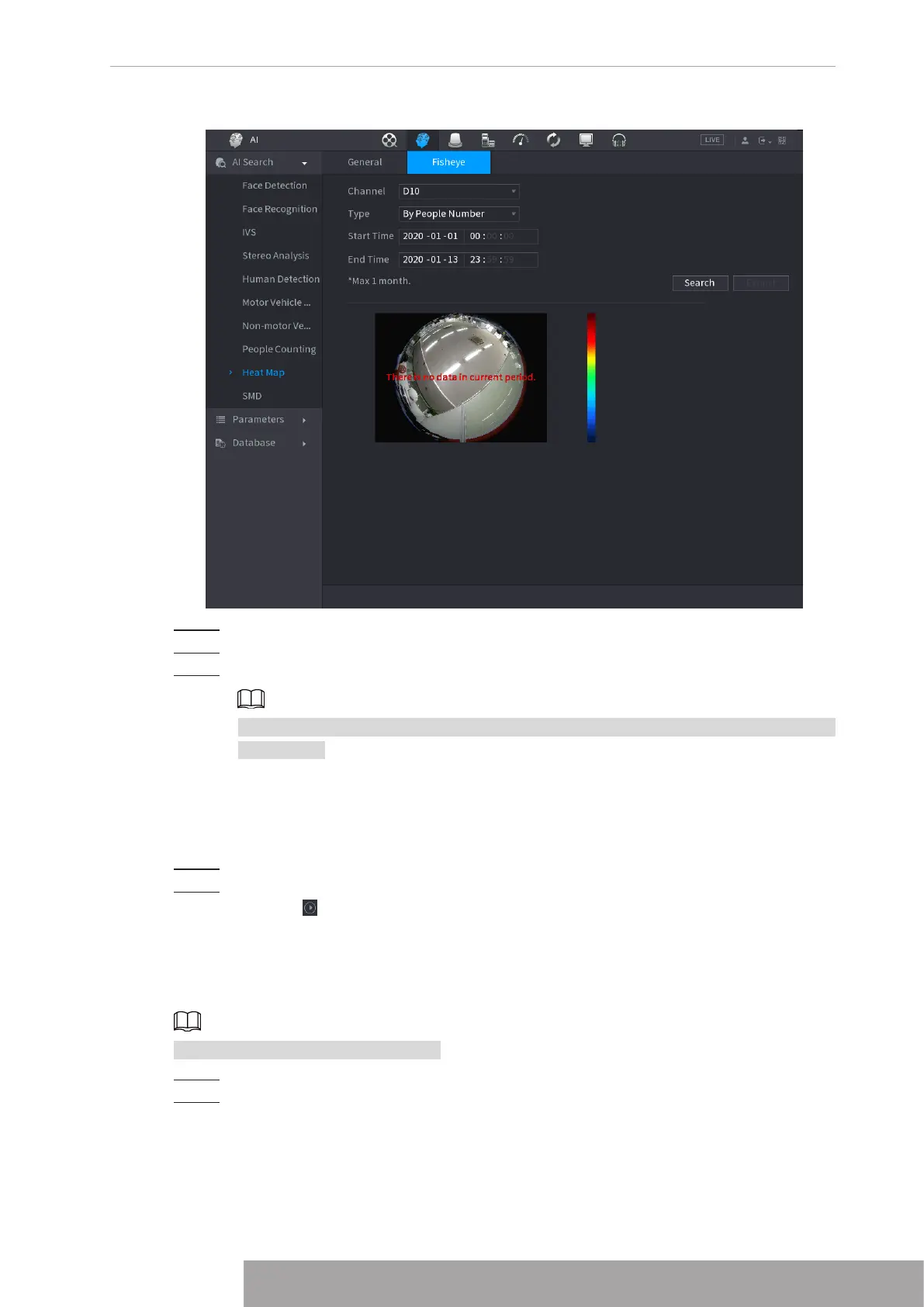
Figure 4-131
Step 2 Set
Channel
,
Type
,
Start Time
,
End time
.
Step 3 Click
Search
.
Step 4 System displays heat map report.
Click
Export
and then select saved path, click
Save
to save the heat map report to the
USB device.
1.7.1.10 SMD
You can search and play back videos that triggered SMD alarms.
Step 1 Select
Main Menu
>
AI
>
AI Search
>
SMD
.
Step 2 Select channel, type, start time and end time, and then click
Search
.
● Click to play back the video.
● Select a video and click
Export
to export video file to a USB flash drive.
1.7.1.11 Analytics List
This function is for select models only.
Step 1 Select
Main Menu
>
AI
>
AI Search
>
Analytics List
.
Step 2 Set the values of
Start Time
and
End Time
and select channel(s).
Copyright © NSS Sp. z o.o.
121 User‘s Manual



 To Next Page