System supports MP3 and PCM audio format.
Step 4 Click
OK
to start importing audio files from the USB storage device.
If the importing is successful, the audio files will display in the
File Management
interface.
1.17.2 Audio Play
You can configure the settings to play the audio files during the defined time period.
Step 1 Select
Main Menu
>
AUDIO
>
Schedule
.
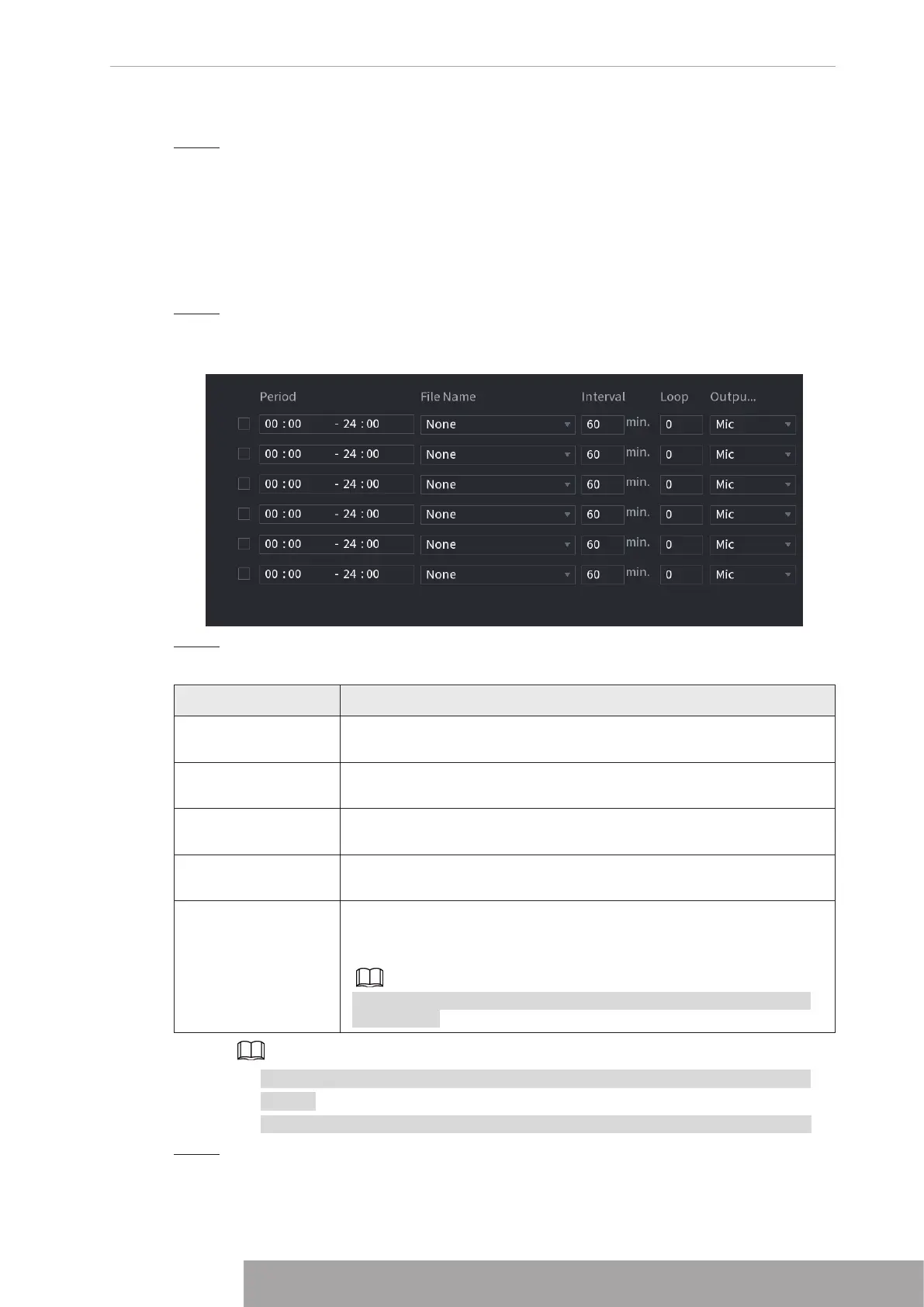
The
Schedule
interface is displayed. See Figure 4-297.
Figure 4-297
Step 2 Configure the settings for the schedule parameters. See Table 4-97.
Table 4-97
Parameter Description
Period
In the
Period
box, enter the time. Select the check box to enable the
settings. You can configure up to six periods.
File Name
In the
File Name
list, select the audio file that you want to play for
this configured period.
Interval
In the
Interval
box, enter the time in minutes for how often you want
to repeat the playing.
Loop
Configure how many times you want to repeat the playing in the
defined period.
Output
Includes two options: MIC and Audio. It is MIC by default. The MIC
function shares the same port with talkback function and the latter
has the priority.
Some series products do not have audio port. The actual product
shall prevail.
● The finish time for audio playing depends on audio file size and the configured
interval.
● Playing priority: Alarm event > Audio talk > Trial listening > Schedule audio file.
Step 3 Click
Apply
to complete the settings.
Copyright © NSS Sp. z o.o.
285 User‘s Manual



 To Next Page