Step 3 Connect the Device with the LAN port on the router to connect into the LAN.
Step 4 Select
Main Menu
>
NETWORK
>
TCP/IP
, configure the IP address into the router IP
address range, or enable the DHCP function to obtain an IP address automatically.
1.11.9.2 Configuration UPnP
Step 1 Select
Main Menu
>
NETWORK
>
UPnP
.
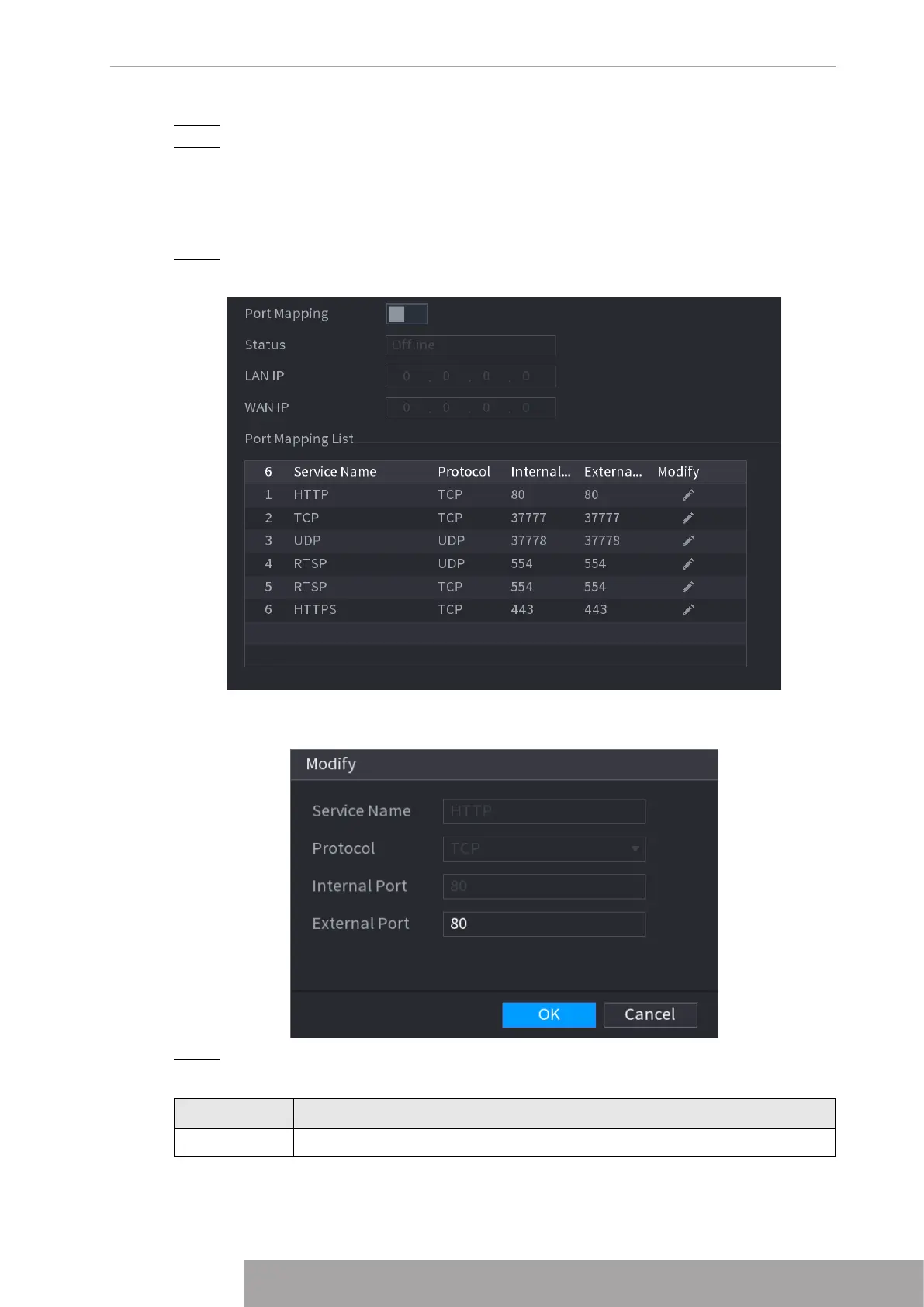
The UPnP interface is displayed. See Figure 4-233.Figure 4-233
Figure 4-234
Step 2 Configure the settings for the UPnP parameters. See Table 4-72.
Table 4-72
Parameter Description
Port Mapping Enable the UPnP function.
Copyright © NSS Sp. z o.o.
227 User‘s Manual



 To Next Page