Parameter Description
Duration
Set the minimum time that the object stays until the alarm is
triggered.
Filter target
Click to filter the target. Check the blue wireframe and adjust
the size of the area with the mouse.
Each rule can set 2 target filters (maximum size and minimum
size), that is, when the passing target is smaller than the minimum
target or larger than the maximum target, no alarm will be
generated. The maximum size should not be smaller than the
minimum size.
3) Draw a rule. Left click mouse to draw a zone, until you draw a rectangle, you can
right click mouse.
4) Click
OK
to complete the rule setting.
Step 3 Click , you can refer to "1.7.2.4.1 Tripwire" to set other parameters.
Step 4 Click
Apply
to complete the setup.
1.7.2.5 Video Structuring (Metadata)
The device can detect and extract key features from the human body, motor vehicle, and
non-motor vehicles in the video, and then build a structured database. You can search any
target you need with these features.
After enable the video structuring function, the corresponding smart plan can become valid.
Make sure the connected camera supports video structuring (metadata) function.
Step 1 Select
Main Menu
>
AI
>
Parameters
>
Video Metadata
.
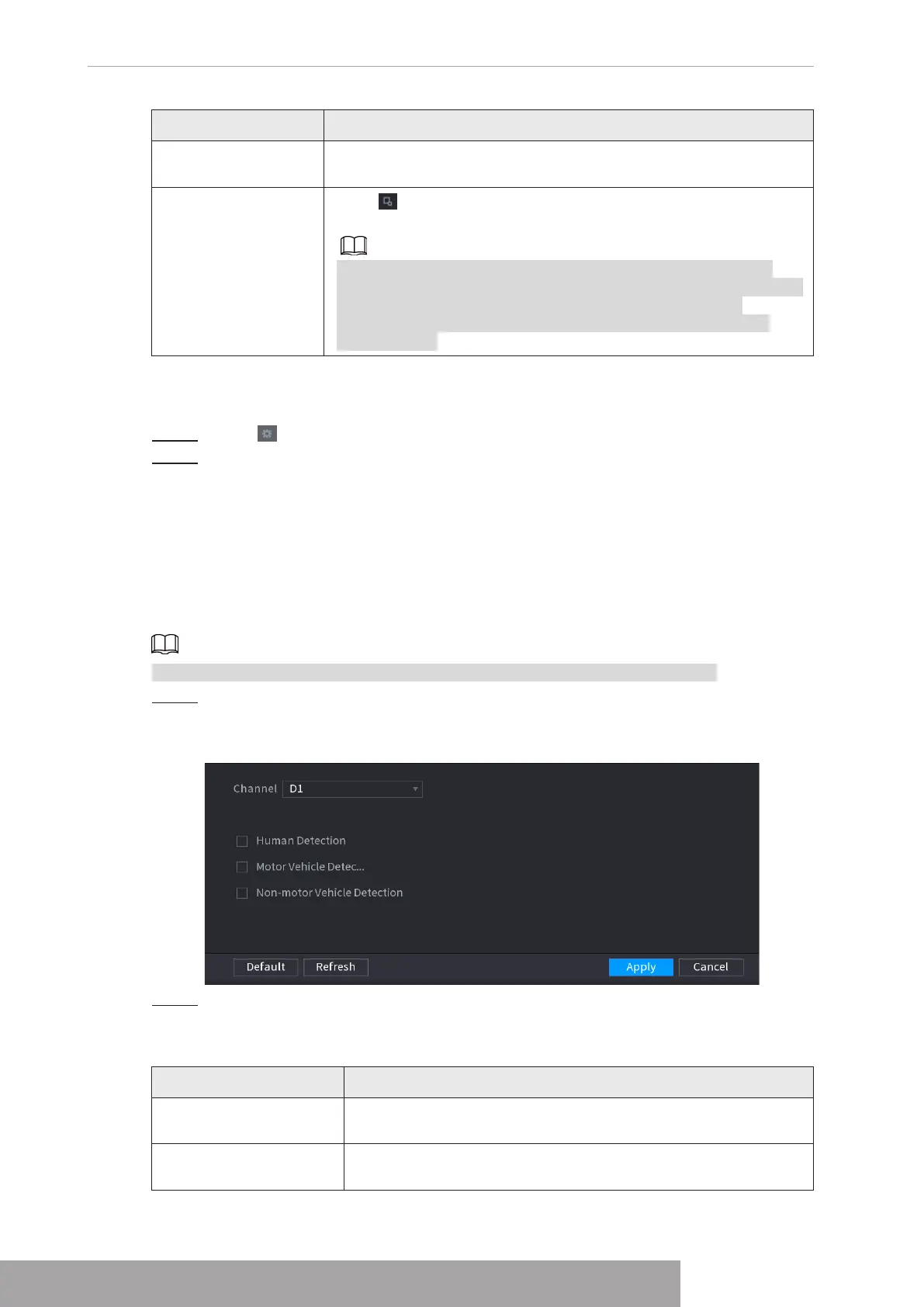
The
Video Metadata
interface is displayed. See Figure 4-159
Figure 4-159
Step 2 In the
Channel
list, select a channel that you want to configure video structuring
function, and then enable it. See Table 4-45
Table 4-45
Parameter Description
Human Detection
Select
Human Detection
and then check the box to enable this
function.
Face Detection
Select
Face Detection
and then check the box to enable this
function.
Copyright © NSS Sp. z o.o.
User‘s Manual 146



 To Next Page