1.2 Camera
1.2.1 Connection
Select
Main Menu
>
Camera
>
Camera List
>
Camera List
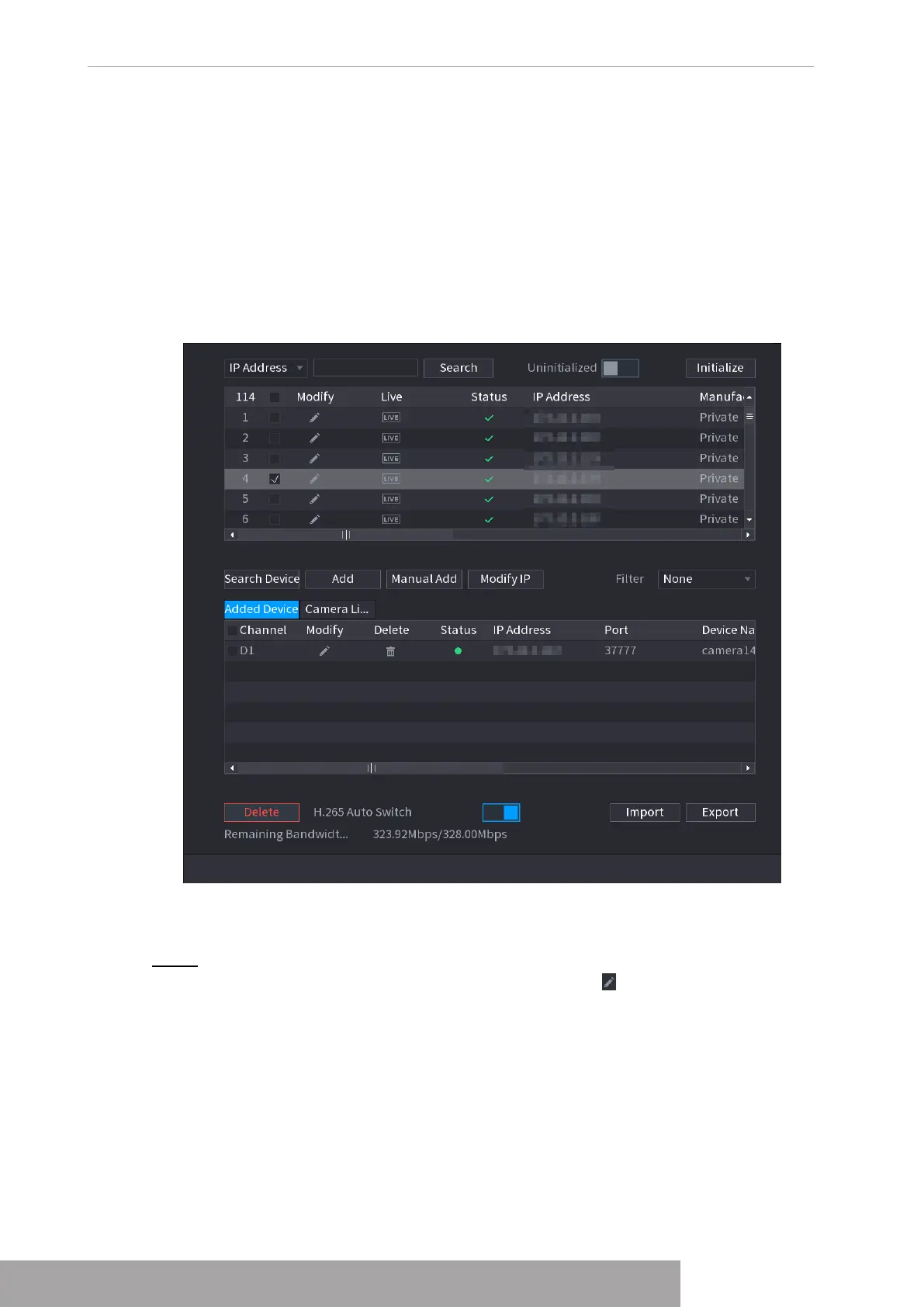
, you can add remote devices. See
Figure 4-44.
After adding remote devices to the NVR, you can view the video on the NVR, and manage and
storage the video file. Different series products support different remote device amount.
Figure 4-44
1.2.1.1 Changing IP address
Step 1 Select
Main Menu
>
Camera
>
Camera List
>
Camera List
, check the box before
the camera name and then click
Modify IP
or click the before the camera name.
The
Modify IP
interface is displayed. See Figure 4-45.
Copyright © NSS Sp. z o.o.
User‘s Manual 40



 To Next Page