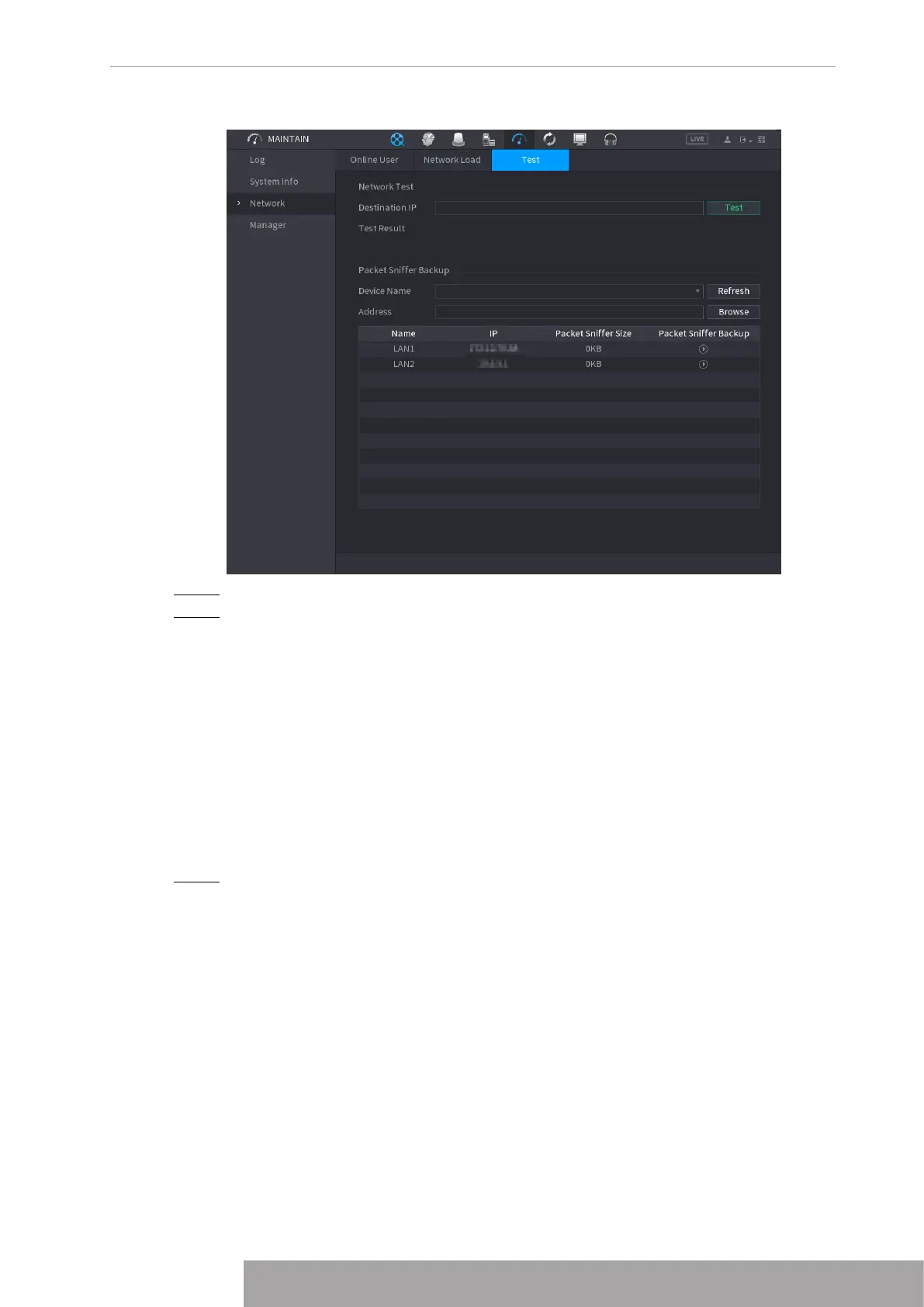
Figure 4-214
Step 2 In the
Destination IP
box, enter the IP address.
Step 3 Click
Test
.
After testing is completed, the test result is displayed. You can check the evaluation
for average delay, packet loss, and network status.
1.10.4 Maintenance and Management
1.10.4.1 Device Maintenance
When the Device has been running for a long time, you can configure the auto reboot when the
Device is not working. You can also configure the case fan mode to reduce noise and extend
the service life.
Step 1 Select
Main Menu
>
MAINTAIN
>
Manager
>
Maintenance
.
The
Maintenance
interface is displayed. See Figure 4-215.
Copyright © NSS Sp. z o.o.
207 User‘s Manual



 To Next Page