NTP Server
is enabled.
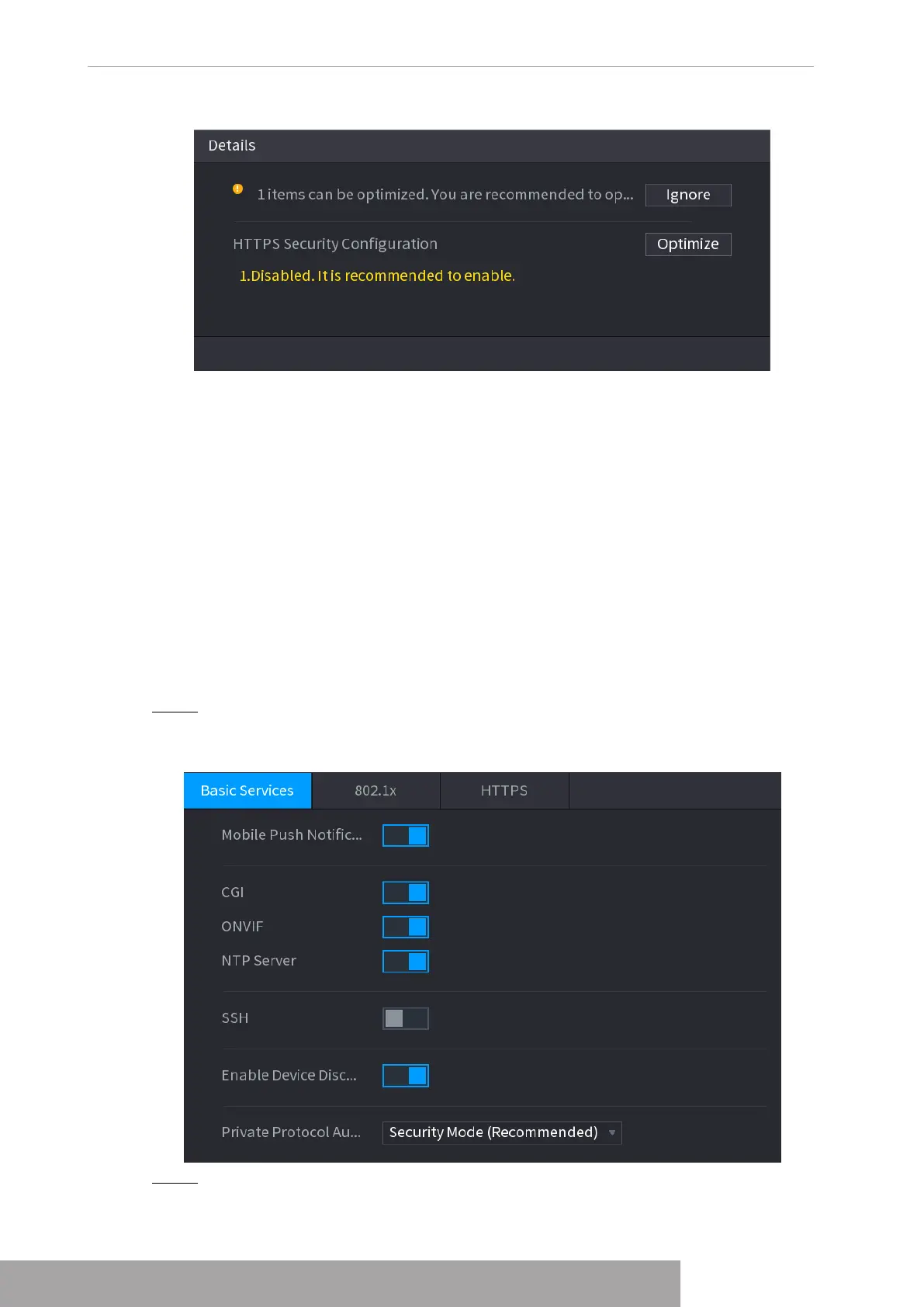
Table 4-84 Basic service parameters
Mobile Push
Notifications
After enabling this function, the alarm triggered by the NVR can
be pushed to a mobile phone. This function is enabled by
default.
If this function is enabled, the remote devices can be added
through the CGI protocol. This function is enabled by default.
If this function is enabled, the remote devices can be added
through the ONVIF protocol. This function is enabled by default.
After enabling this function, a NTP server can be used to
synchronize the device. This function is enabled by default.
After enabling this function, you can use SSH service. This
function is disabled by default.
After enabling this function, the NVR can be found by other
devices trough searching.
Private Protocol
Authentication Mode
● Security Mode (Recommended): Uses Digest access
authentication when connecting to NVR.
● Compatible Mode: Select this mode when the client does not
support Digest access authentication.
Step 3 Click
Apply
to complete the settings.
1.14.2.2 802.1x
The device needs to pass 802.1x certification to enter the LAN.
Step 1 Select
Main Menu
>
SECURITY
>
System Service
>
802.1x
.
The
802.1x
interface is displayed. See Figure 4-269
Figure 4-267
Scanning Security Modules
This area shows the running status of security modules. For details about the security modules,
move mouse pointer on the icon to see the on-screen instructions.
Scanning Security Status
You can click
Rescan
to scan security status.
1.14.2 System Service
You can set NVR basic information such as basic services, 802.1x and HTTPS.
1.14.2.1 Basic Services
Step 1 Select
Main Menu
>
SECURITY
>
System Service
>
Basic Services
.
The
Basic Services
interface is displayed. See Figure 4-268.
Figure 4-268
Step 2 Select
Basic Services
and configure parameters.
There might be safety risk when
Mobile Push Notifications
,
CGI
,
ONVIF
,
SSH
and
Copyright © NSS Sp. z o.o.
User‘s Manual 258



 To Next Page