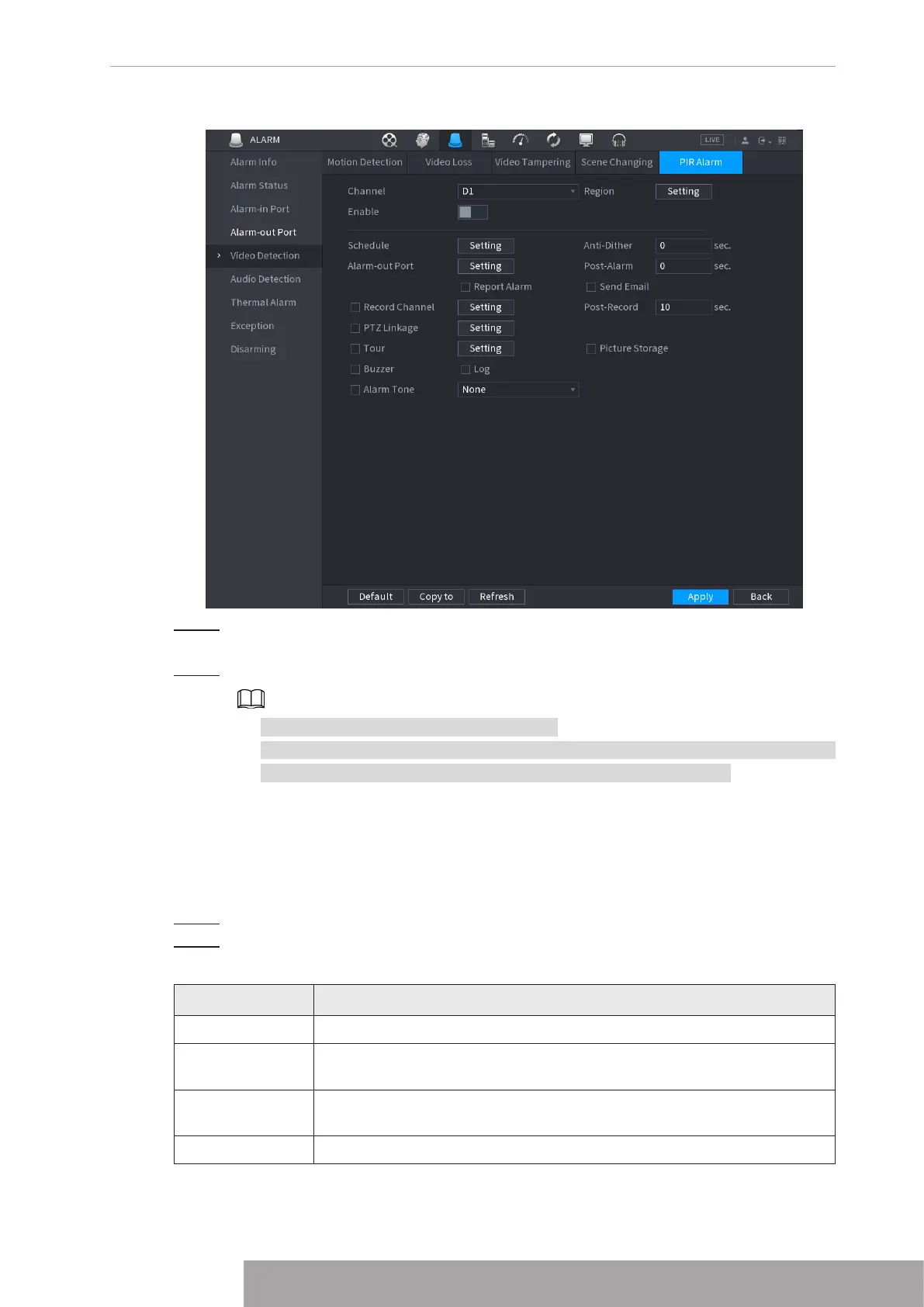
Figure 4-197
Step 2 To configure the settings for the PIR alarm parameters, see "1.8.5.1 Motion
Detection".
Step 3 Click
Apply
to complete the settings.
● Click
Default
to restore the default setting.
● Click
Copy to
, in the
Copy to
dialog box, select the additional channel(s) that you
want to copy the motion detection settings to, and then click
Apply
.
1.8.6 Audio Detection
System can generate an alarm once it detect the audio is not clear, the tone color has changed
or there is abnormal or audio volume changes.
Step 1 Select
Main Menu
>
ALARM
>
Audio Detection
.
Step 2 Configure parameters. See Table 4-59.
Table 4-59
Parameter Description
Channel In the Channel list, select a channel to set.
Audio Exception
Check the box here, system can generate an alarm once the audio input
is abnormal.
Intensity change
Check the box here, system can generate an alarm once the audio
volume becomes strong.
Period Define a period during which the function is active.
Copyright © NSS Sp. z o.o.
187 User‘s Manual



 To Next Page