1.2.6.1 Encode
You can set video bit stream parameters such as bit stream type, compression, resolution.
Some series products support three streams: main stream, sub stream 1, sub stream 2. The
sub stream maximally supports 1080p.
Step 1 Select
Main Menu
>
Camera
>
Encode
.
The
Encode
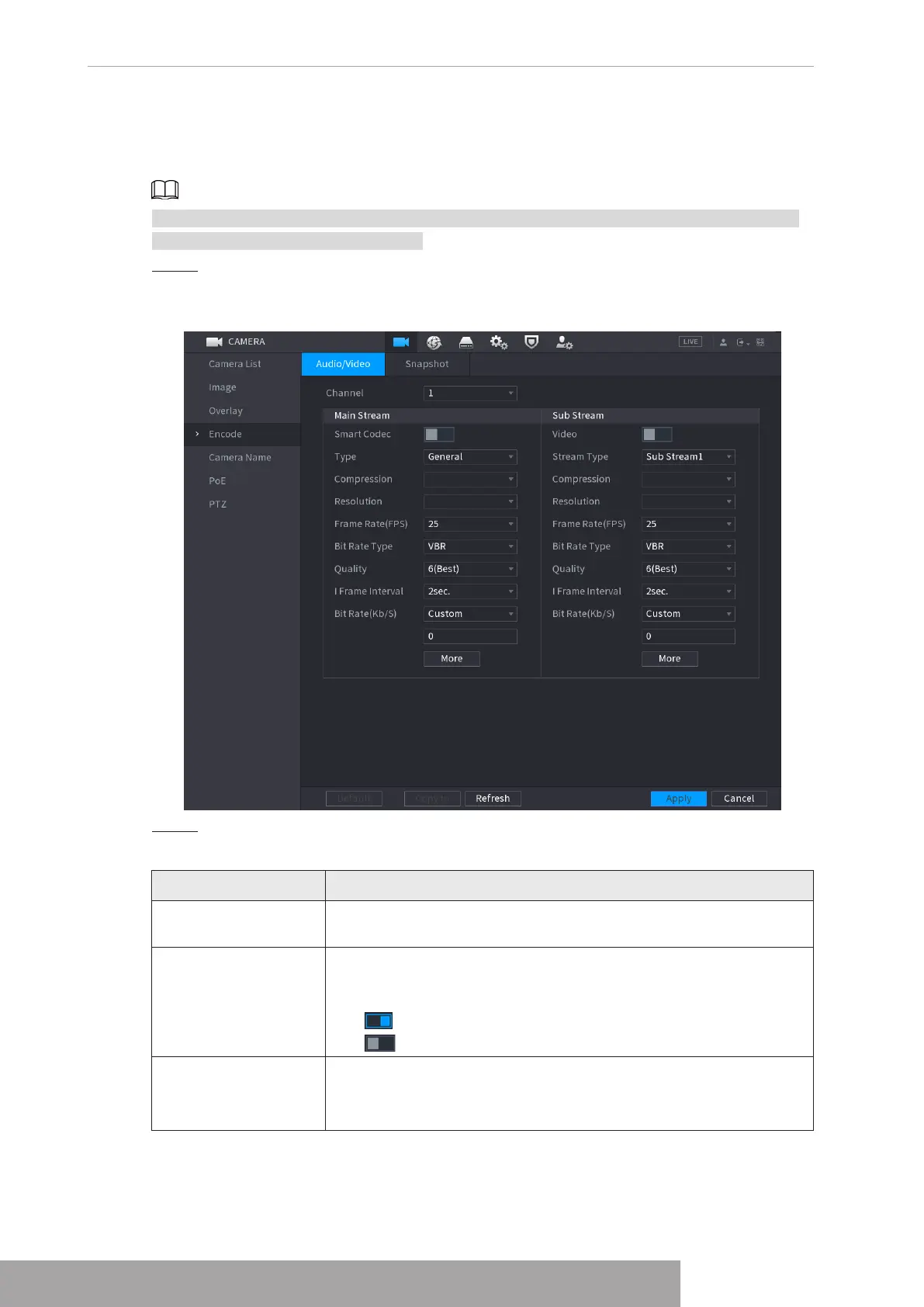
interface is displayed. See Figure 4-57.
Figure 4-57
Step 2 Configure parameters. See Table 4-16.
Table 4-16
Parameter Description
Channel
In the
Channel
list, select the channel that you want to configure
the settings for.
Smart Codec
Enable the smart codec function. This function can reduce the
video bit stream for non-important recorded video to maximize the
storage space.
● : Enabled.
● : Disabled.
Type
● Main Stream: In the
Type
list, select
General
,
MD
(Motion
Detect), or
Alarm
.
● Sub Stream: This setting is not configurable.
Copyright © NSS Sp. z o.o.
User‘s Manual 54



 To Next Page