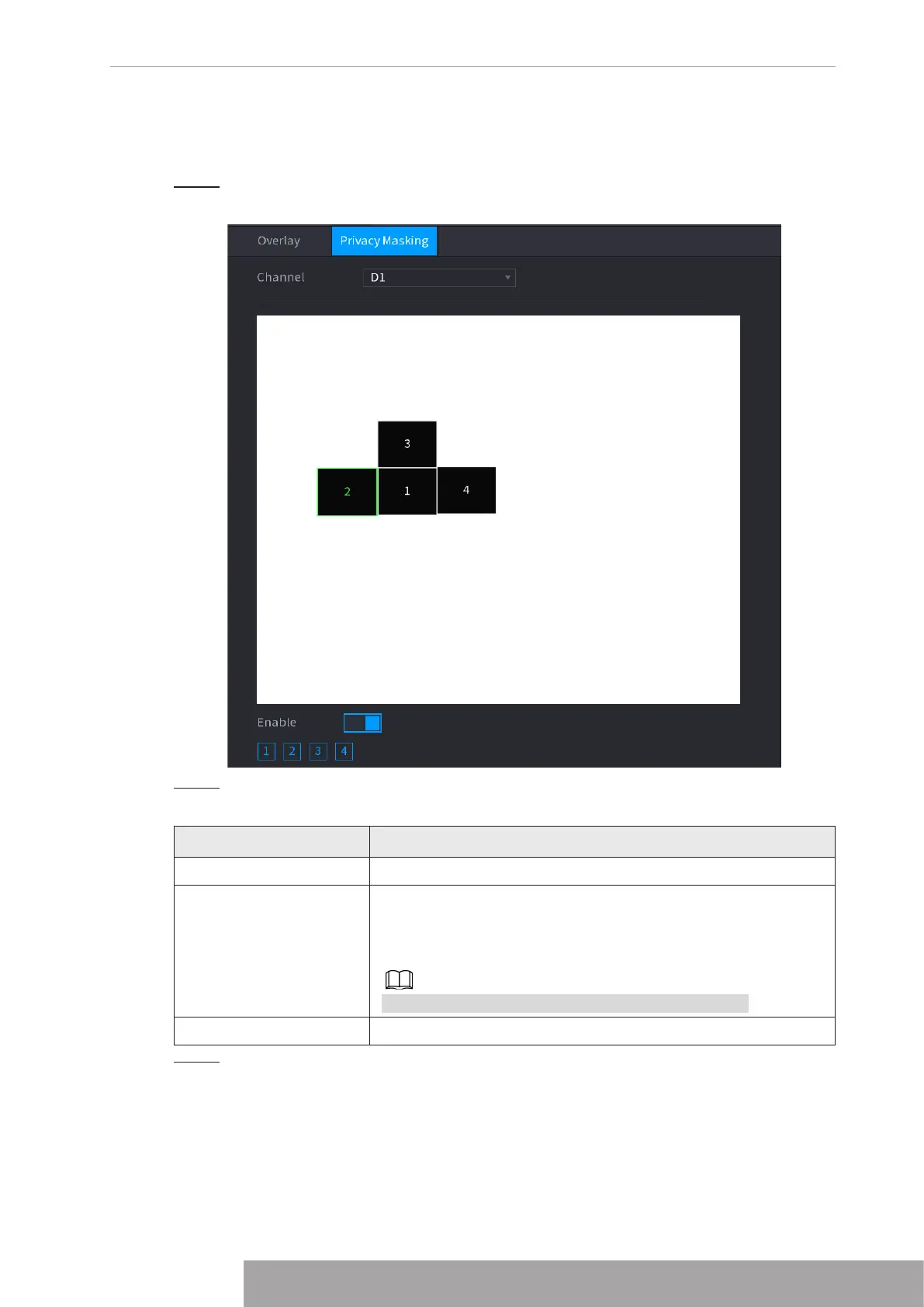
1.2.5.2 Privacy Masking
You can set the privacy masking area on the screen to guarantee the privacy of the area.
Step 1 Select
Main Menu
>
CAMERA
>
Overlay
>
Privacy Masking
.
Figure 4-56
Step 2 Configure parameters.
Table 4-15
Parameter Description
Channel Select a channel.
1, 2, 3, 4
Select
Enable
to enable privacy masking. The number
represents the number of masking areas. You can select a
number and drag masking areas to the screen, and you can
also change the size of areas or drag an area to other place.
You can drag up to 4 masking areas to one channel.
Default Set as device default configuration.
Step 3 Click
Apply
.
1.2.6 Encode
You can set video bit stream and image parameters.
Copyright © NSS Sp. z o.o.
53 User‘s Manual



 To Next Page