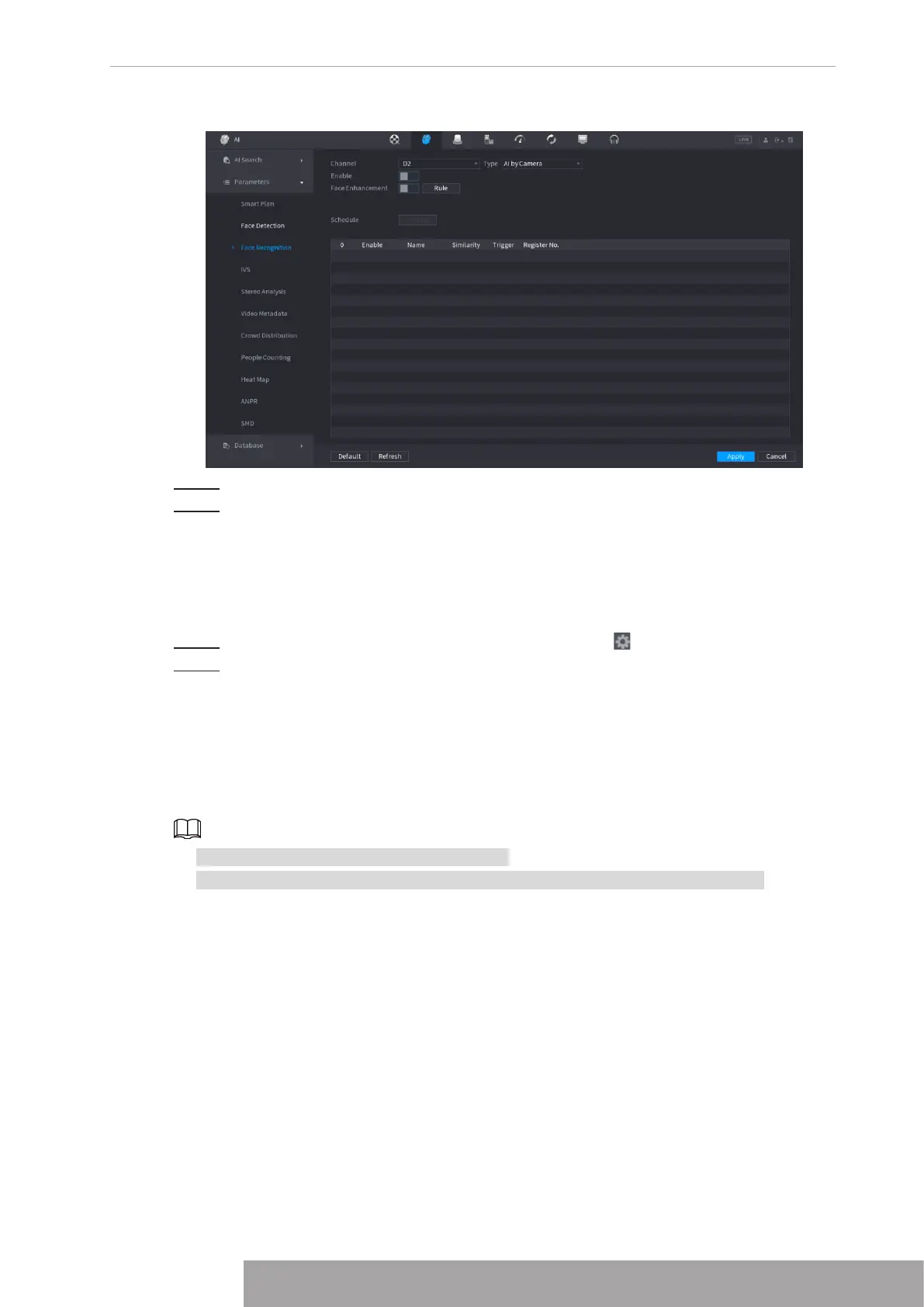
Figure 4-139 AI by camera
Step 3 Enable
Face Enhancement
. Then system displays human face at the enhanced way.
Step 4 Click
Rule
to draw areas to filter the target.
You can configure two filtering targets (maximum size and minimum size). When the
target is smaller than the minimum size or larger than the maximum size, no alarms
will be activated. The maximum size should be larger than the minimum size. Click to
drag the four angles to adjust the size, and you can also press and move the filtering
frame to the required position.
Step 5 Select target face database in the table list, and click to configure alarm linkage.
Step 6 Click
Apply
.
1.7.2.4 IVS (General Behavior Analytics)
The IVS function processes and analyzes the images to extract the key information to match
with the specified rules. When the detected behaviors match with the rules, the system
activates alarms.
● This function is for some series product only.
● IVS function and human face detection function cannot be valid at the same time.
The IVS function environment shall meet the following requirements.
● The object total size shall not be more than 10% of the whole video.
● The object size on the video shall not be more than 10pixels*10 pixels. The abandoned
object size shall be more than 15pixels*15 pixels (CIF resolution). The object width shall not
be more than 1/3 of the video height and width. The recommended height is 10% of the
video.
● The object and the background brightness different shall be more than 10 grey levels.
● The object shall remain on the video for more than 2 seconds. The moving distance is larger
than its own width and shall not be smaller than 15pixels (CIF resolution).
● The surveillance environment shall not be too complicated. The IVS function is not suitable
for the environment of too many objects or the changing light.
● The surveillance environment shall not contain glasses, reflection light from the ground, and
water. Free of tree branches, shadow, mosquito and bugs. Do not use the IVS function in
130
the backlight environment, avoid direct sunlight.
Step 1 Select
Main Menu
>
AI
>
Parameters
>
IVS
.
The
IVS
interface is displayed. See Figure 4-140.
Figure 4-140
Step 2 Select a channel from the dropdown list.
Click
Add
and then set corresponding rule. See Figure 4-141.
Copyright © NSS Sp. z o.o.
129 User‘s Manual



 To Next Page