Table 4-53
Icon Description
, Zoom in/zoom out.
, Adjust resolution.
Adjust height.
Electronic mouse. You can use this icon to move the mouse to
control PTZ direction.
Quick positioning key. Click this icon to select a place, and the
screen will be focused and centered on the selected place.
4) Click
Add
.
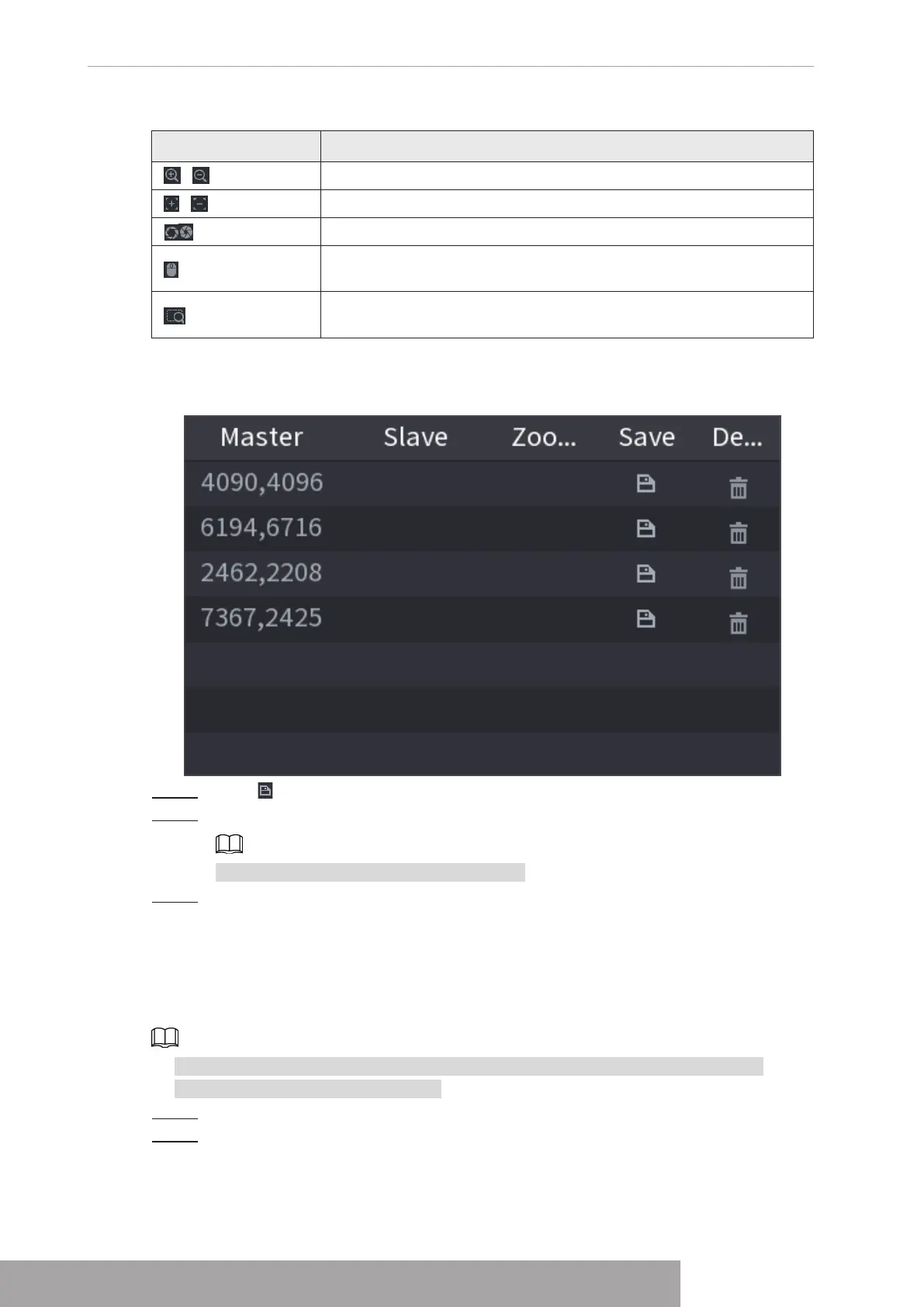
The calibration point will be displayed in the list at lower-right corner.
Figure 4-171
Step 5 Click to save the newly added calibration point.
Step 6 Repeat Step 2 to Step 5 to add more calibration points.
Set 3–8 calibration points for a speed dome.
Step 7 Click
Apply
.
1.7.2.12 Video Quality Analytics
When conditions such as blurry, overexposure, or the color changes appear on the screen, the
system activates the alarm.
● This function takes effect only when the remote IPC supports video quality analytics.
● This function is for select models only.
Step 1 Select
Main Menu
>
AI
>
Parameters
>
Video Quality Analytics
.
Step 2 Select a channel and click
Enable
.
Copyright © NSS Sp. z o.o.
User‘s Manual 162



 To Next Page