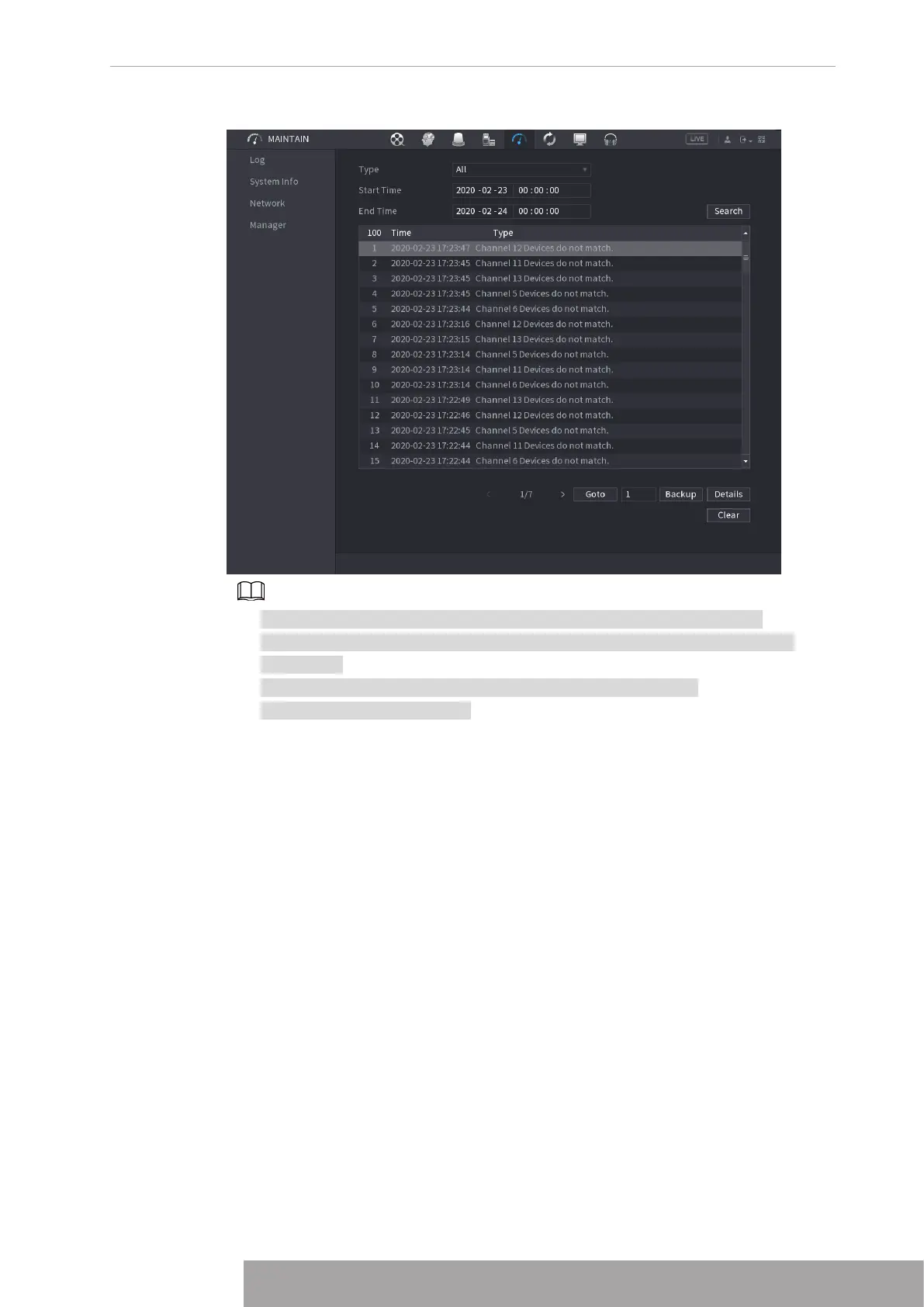
Figure 4-208
● Click
Details
or double-click the log that you want to view, the
Detailed
Information
interface is displayed. Click
Next
or
Previous
to view more log
information.
● Click
Backup
to back up the logs into the USB storage device.
● Click
Clear
to remove all logs.
1.10.2 System
1.10.2.1 System Version
Select
Main Menu
>
MAINTAIN
>
System Info
>
Version
.
You can view NVR version information. Slight different may be found on the user interface.
1.10.2.2 AI Algorithm Version
Select
Main Menu
>
MAINTAIN
>
System Info
>
AI Algorithm
.
You can view version information for AI functions such as face detection, face recognition, IVS,
and video metadata.
The interface prompts are different for different permission status of algorithms.
1.10.2.3 HDD Info
You can view the HDD quantity, HDD type, total space, free space, status, and S.M.A.R.T
information.
Select
Main Menu
>
MAINTAIN
>
System Info
>
Disk
, the
Disk
interface is displayed. See
Figure 4-209. Refer to Table 4-63 for detailed information.
Copyright © NSS Sp. z o.o.
201 User‘s Manual



 To Next Page