Icon Function Icon Function
Scan
Click the
AUX Config
icon to open
the PTZ functions settings
interface.
AUX Switch
Click the
Enter Menu
icon to open
the
PTZ Menu
interface.
1.4.3 Configuring PTZ Functions
1.4.3.1 Configuring Presets
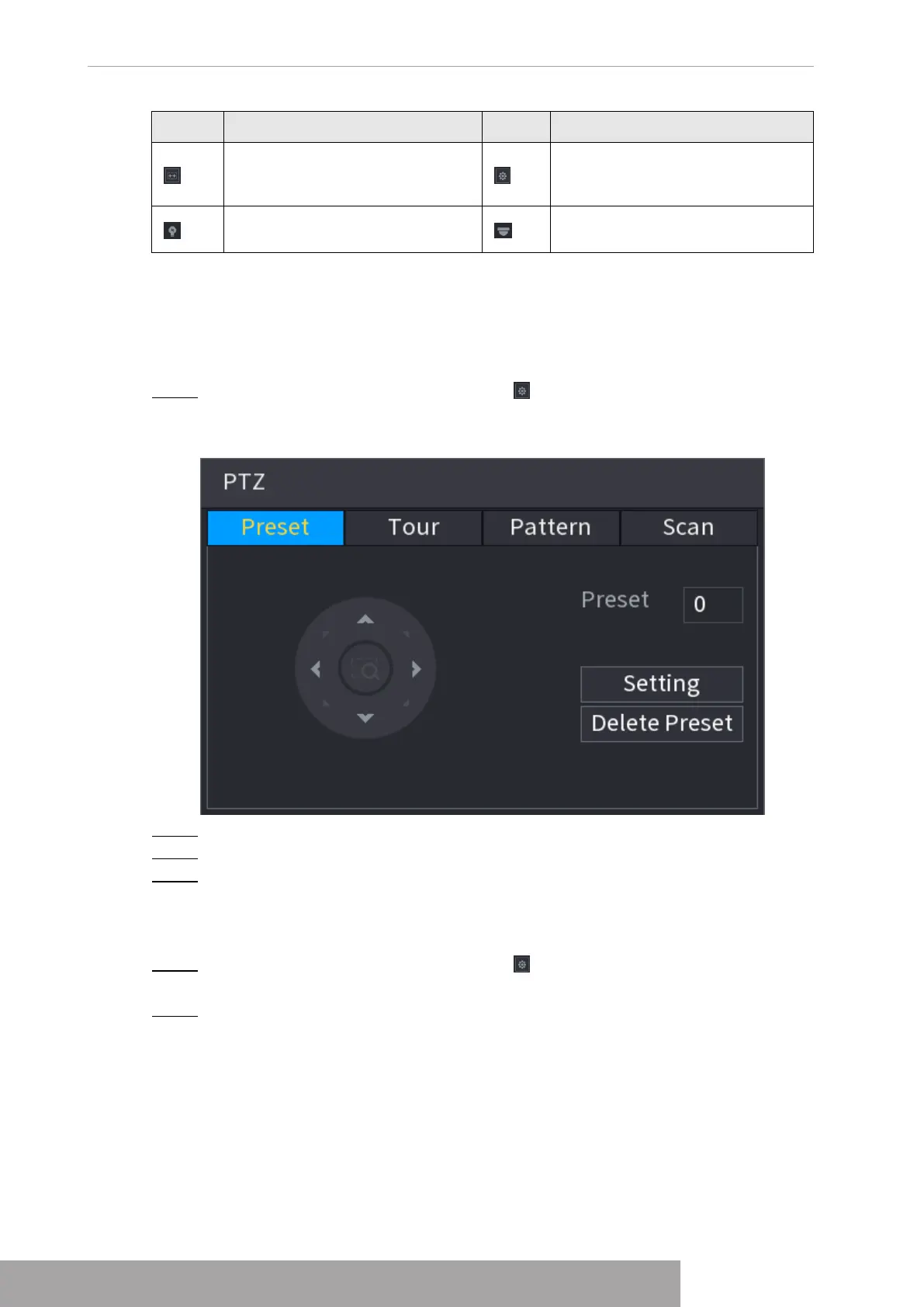
Step 1 On the expanded PTZ control panel, click .
The
Preset
interface is displayed. See Figure 4-96.
Figure 4-96
Step 2 Click the direction arrows to the required position.
Step 3 In the
Preset
box, enter the value to represent the required position.
Step 4 Click
Setting
to complete the preset settings.
1.4.3.2 Configuring Tours
Step 1 On the expanded PTZ control panel, click .
The
PTZ
interface is displayed.
Step 2 Click the
Tour
tab.
The
Tour
tab is displayed. See Figure 4-97.
Copyright © NSS Sp. z o.o.
User‘s Manual 88



 To Next Page