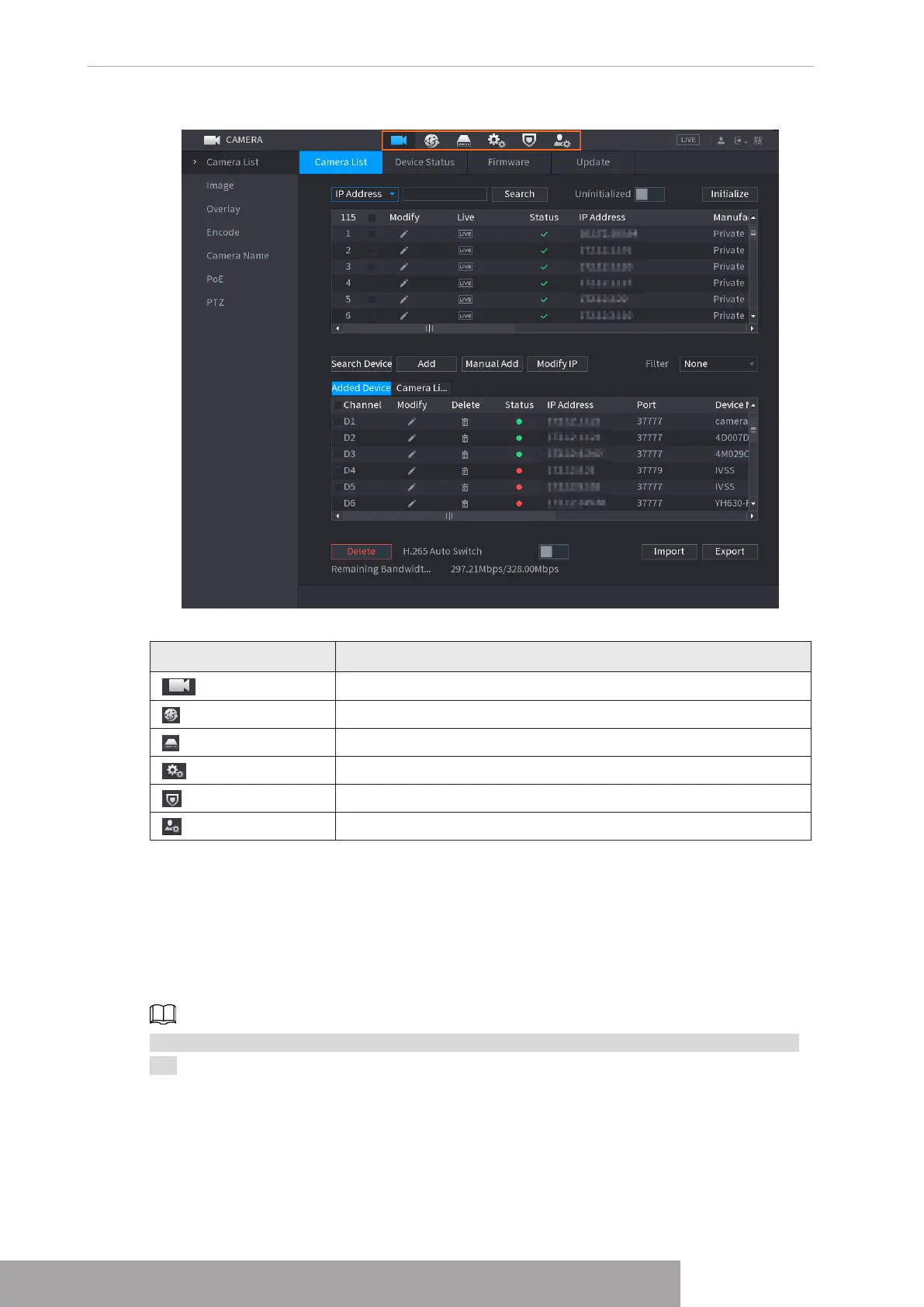
Figure 4-91
Table 4-25
Icon Description
Click to jump to
CAMERA
interface.
Click to jump to
NETWORK
interface.
Click to jump to
STORAGE
interface.
Click to jump to
SYSTEM
interface.
Click to jump to
SECURITY
interface.
Click to jump to
ACCOUNT
interface.
1.4 PTZ
PTZ is a mechanical platform that carries a camera and a protective cover and performs overall
control remotely. A PTZ can move in both horizontal and vertical direction to provide all-around
view to the camera.
Before you control the PTZ, make sure the PTZ decoder and the NVR network connection is
OK.
1.4.1 PTZ Settings
You can set different PTZ parameters for local type and remote type. Before you use local PTZ,
make sure you have set PTZ protocol; otherwise you cannot control the local PTZ.
Copyright © NSS Sp. z o.o.
User‘s Manual 84



 To Next Page