128
select the face database that you want to arm, and then click
OK
.
Click to modify similarity, and click to configure alarm linkages.
●
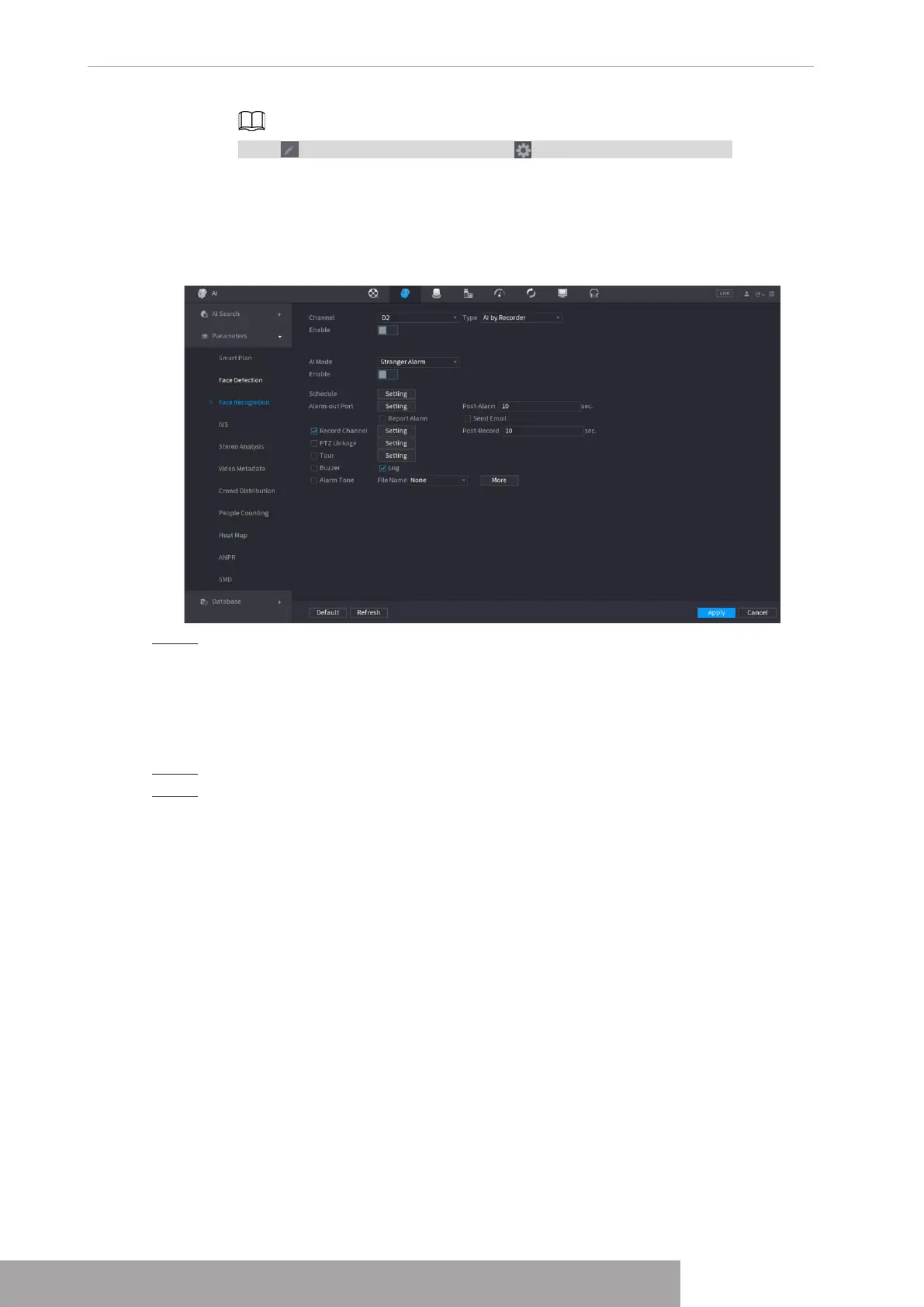
Stranger Alarm
: The alarm is triggered when the similarity of detected faces does
not reach the defined value.
Select
Stranger Alarm
in
AI Mode
, click
Setting
next to
Target Face Database
,
enable the function, and then set alarm linages.
Figure 4-138 Stranger alarm (AI by recorder)
Step 5 Click
Apply
.
1.7.2.3.2 Configuring AI by Camera
You can use the connected camera to realize AI function. Make sure the connected camera
supports human face detection function.
Step 1 Select
Main Menu
>
AI
>
Parameters
>
Face Recognition
.
Step 2 Select the channel, enable the function, and select
AI by Camera
in the
Type
list.
Copyright © NSS Sp. z o.o.
User‘s Manual 128



 To Next Page