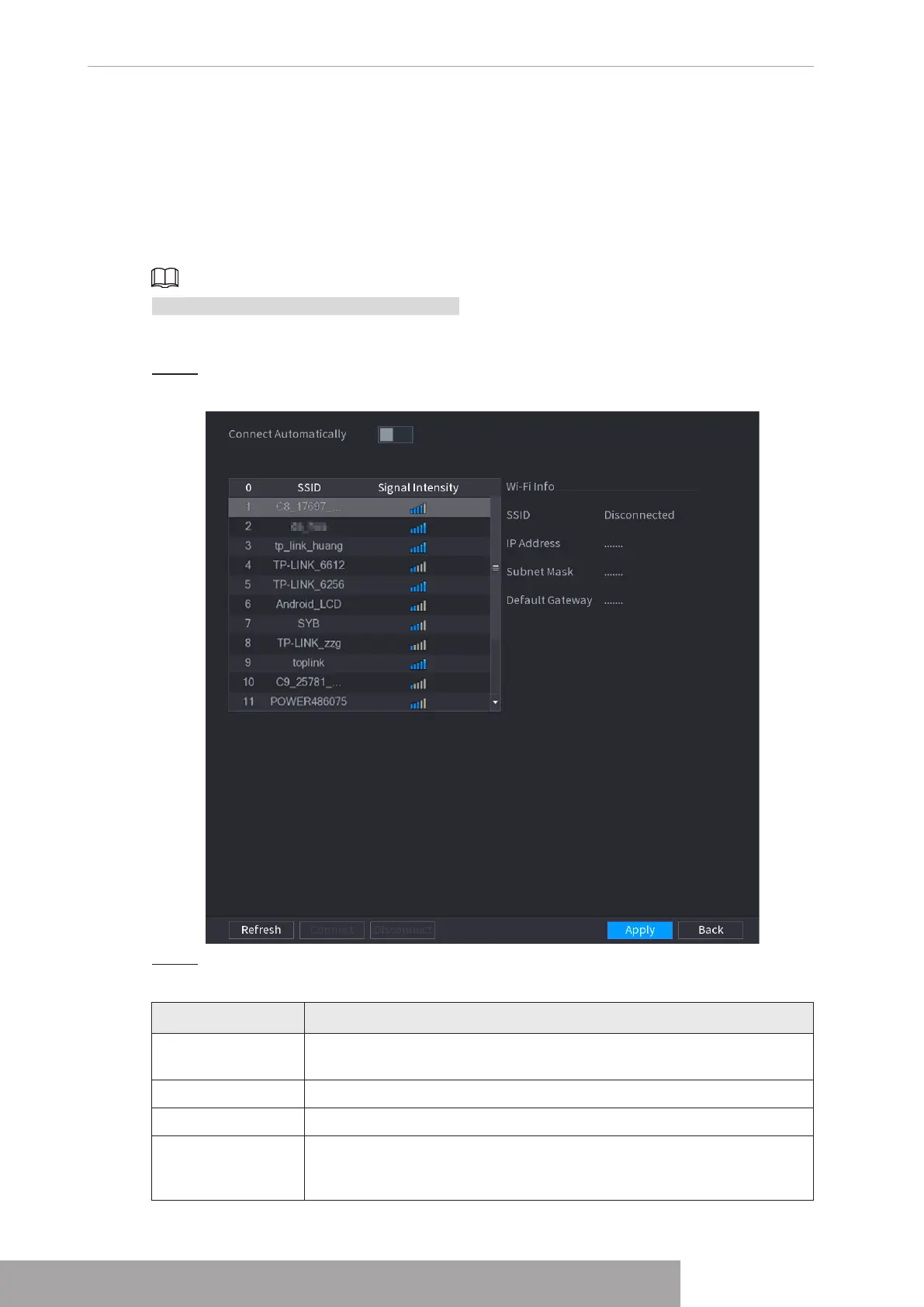
1.11.3 External Wi-Fi
The device can be connected via wireless network with an external Wi-Fi module, and it can
reduce the difficulty of device connection without a network cable.
Prerequisites
Make sure that external Wi-Fi module is installed on the device.
This function is supported on select models.
Procedure
Step 1 Select
Main Menu
>
NETWORK
>
Wi-Fi
.
Figure 4-224
Step 2 Select a site and click
Connect
.
Table 4-67
Parameter Description
Connect
Automatically
After it is enabled, the NVR will connect to the nearest site that was
previously successfully connected after boot-up.
Refresh Re-search the site.
Disconnect Disconnect the current connection.
Connect
Select the available sites that you want to connect to. When the NVR
is connected to a site and then select another site to connect, the
current site will be disconnected before the new site is connected.
Copyright © NSS Sp. z o.o.
User‘s Manual 218



 To Next Page