1.2.8 Checking PoE Status
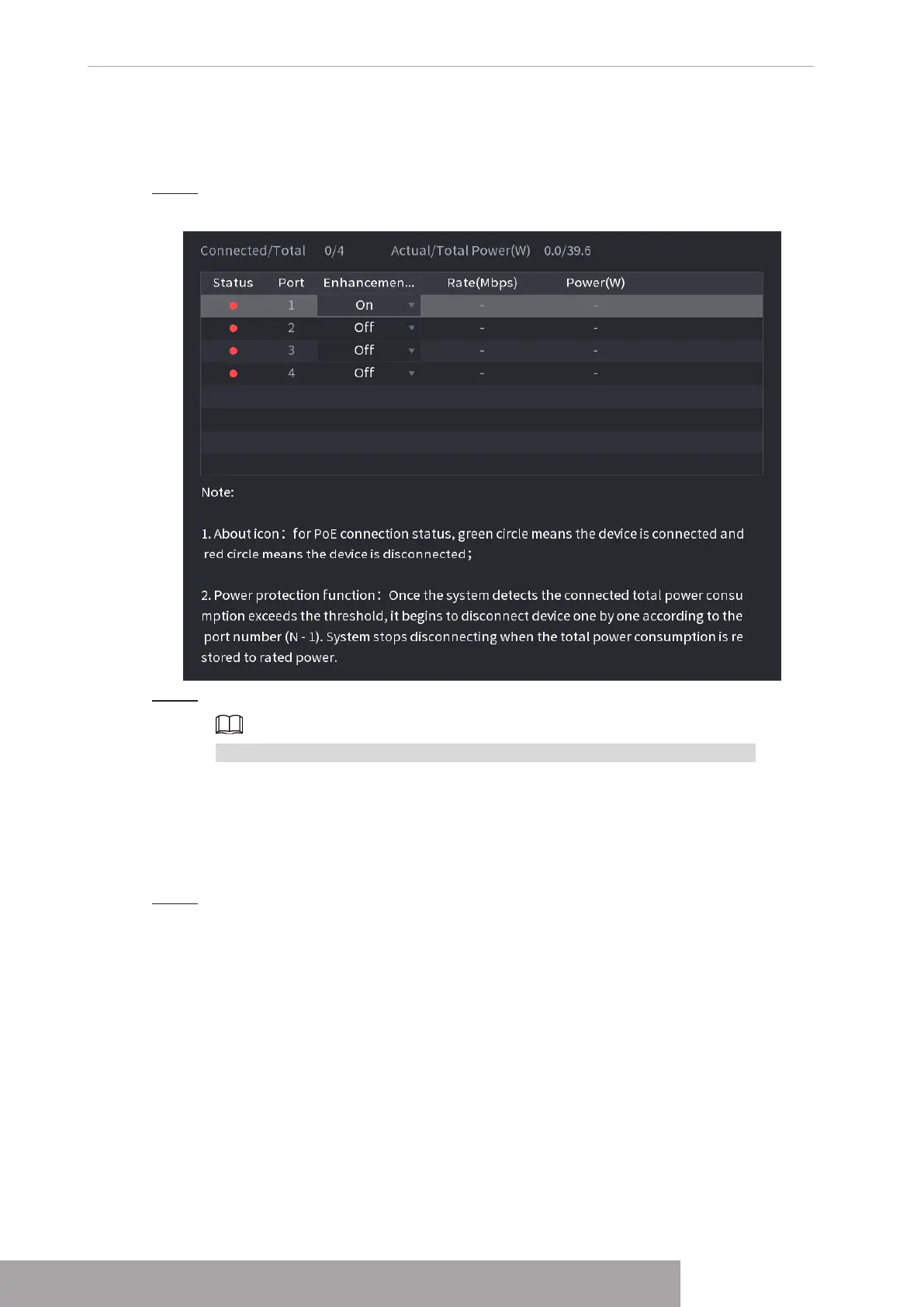
You can check PoE ports status and set enhancement mode for each individual PoE port.
Step 1 Select
Main Menu
>
Camera
>
Camera List
>
PoE
.
Figure 4-61
Step 2 (Optional) Set
Enhancement Mode
to
On
or
Off
.
When
On
is selected, the transmission distance of PoE port will be extended.
1.2.9 Remote Update
You can upgrade the connected network camera firmware. It includes online upgrade and file
upgrade.
Step 1 Select
Main Menu
>
Camera
>
Camera List
>
Update
.
The
Update
interface is displayed. See Figure 4-62.
Copyright © NSS Sp. z o.o.
User‘s Manual 58



 To Next Page