of the main device.
Procedure
Step 1 Click
Manual Add
.
Figure 5-5
Step 2 Configure parameters.
Table 5-2
This parameter is user defined.
Enter the IP address of the NVR.
Set the TCP port number of the server. The default vaule is 37777.
You can view the current TCP port number in
SETTING
>
Network
>
Port
Enter the username and password of the NVR.
Step 3 Click
OK
.
Step 4 (Optional) Click to view event occurrence time, name, operation and reason.
296
can still work until you use the web to fix manually.
During the whole process (the master device is working properly > master device is in
malfunction > master device becomes working properly again), you can use this virtual IP to
access the device all the time.
Procedure
Step 1 Log in to the web as the admin user.
Step 2 Select
SETTING
>
Cluster Service
>
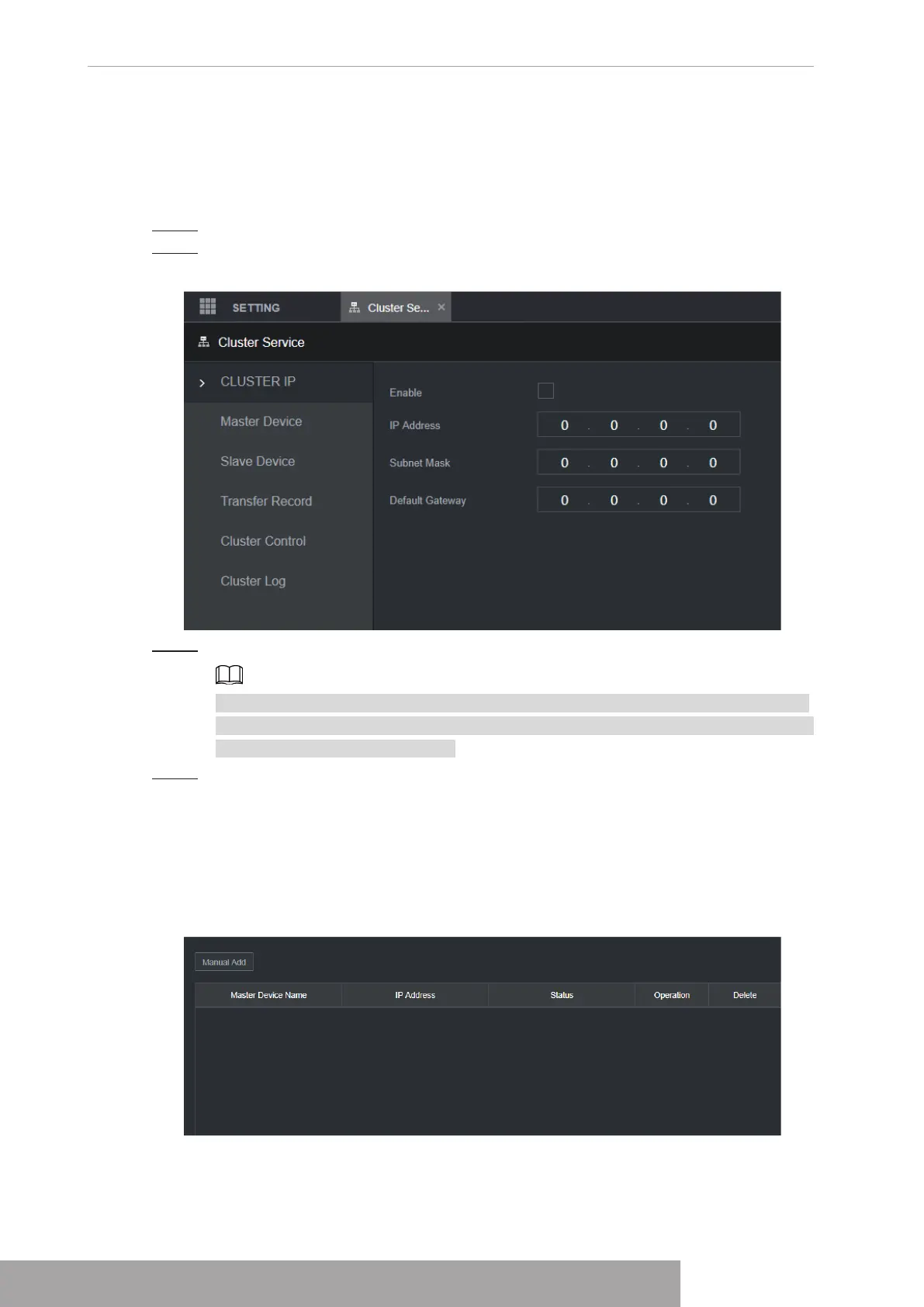
CLUSTER IP
.
Figure 5-3
Step 3 Configure
IP Address
,
Subnet Mask
and
Default Gateway
.
The first IP is for cluster internal control(For interactive communications between the
master device and slave device .), the virtual IP address is for cluster external control
(For external network connection).
Step 4 Click
OK
.
2.4.2 Master Device
From
SETTING
>
Cluster Service
>
Master Device
, you can go to the following interface. See
Figure 5-4.
Figure 5-4
On this interface, you can add several master devices manually. After you enable the cluster
function, you can view device IP, work status. Click operation, you can view the connection log
Copyright © NSS Sp. z o.o.
User‘s Manual 296



 To Next Page