The change of black list/white list configurations on NVR will be synchronized to ITC
that supports black list/white list function.
1.7.3.3.2 Deleting Black/White List
Set type as
White List
,
Black List
, or
All
, and then click
Search
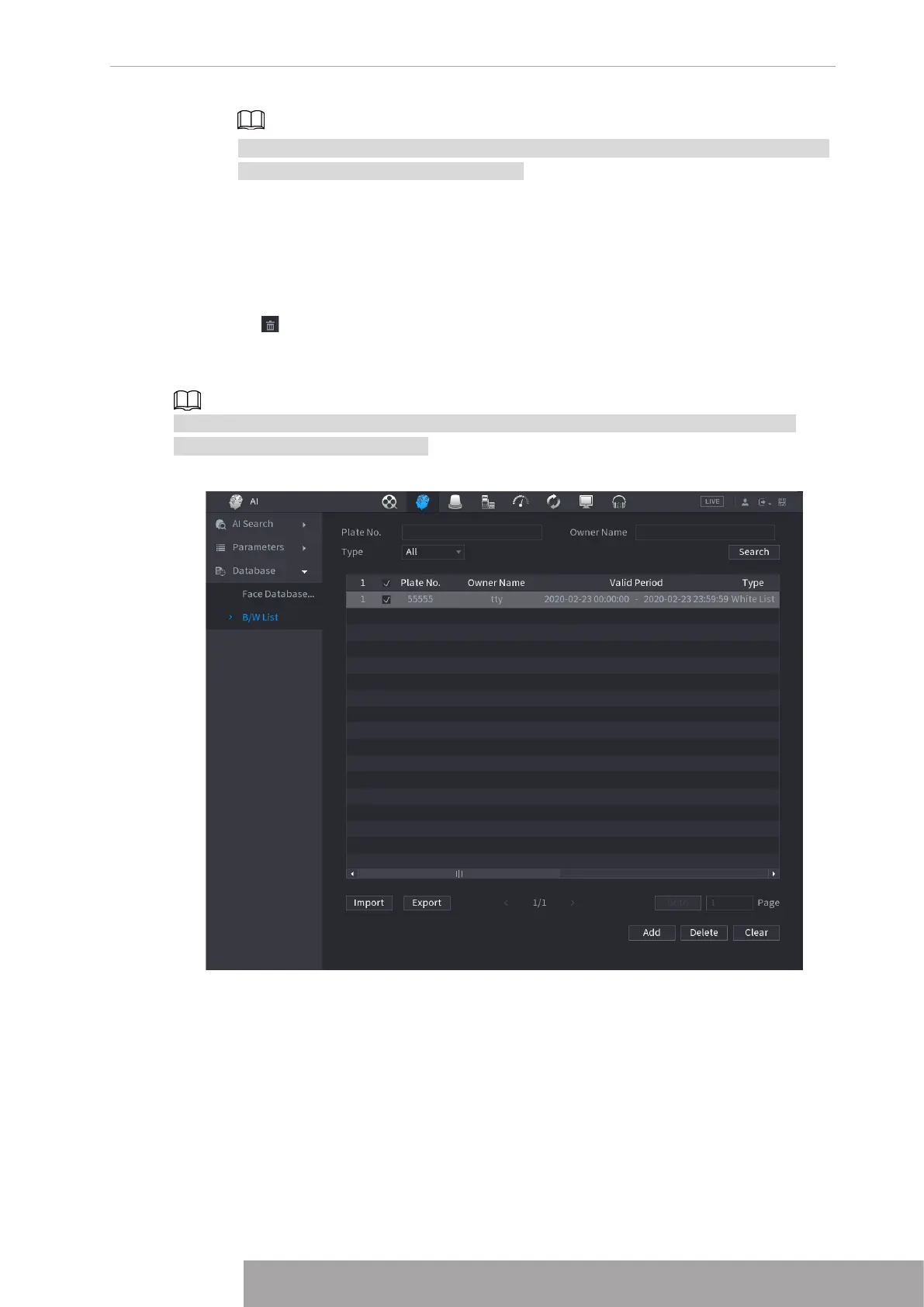
. System displays
black/whitelist information. See Figure 4-185.
● On the searched results list, check the box before the plate number and then click
Delete
, or
click the of the corresponding plate number, you can delete the plate information on the
black/white list.
● Click
Clear
to delete all plate information on the black/white list.
The change of black list/white list configurations on NVR will be synchronized to ITC that
supports black list/white list function.
Figure 4-185
1.7.3.3.3 Import/Export Black/whitelist
System supports export black/whitelist to the USB device, or import black/whitelist from the
USB device. System supports .csv or .xlsx file. The export file format is .csv.
● Import black/whitelist: Click
Import
and then select the corresponding file, click
Browse
to
import the file.
● Export black/whitelist: Click
Export
and then select the file storage path and then click
Save
.
Copyright © NSS Sp. z o.o.
173 User‘s Manual



 To Next Page