You need to have storage authorities to implement the Manual record operation. Make sure the
HDD has been properly installed.
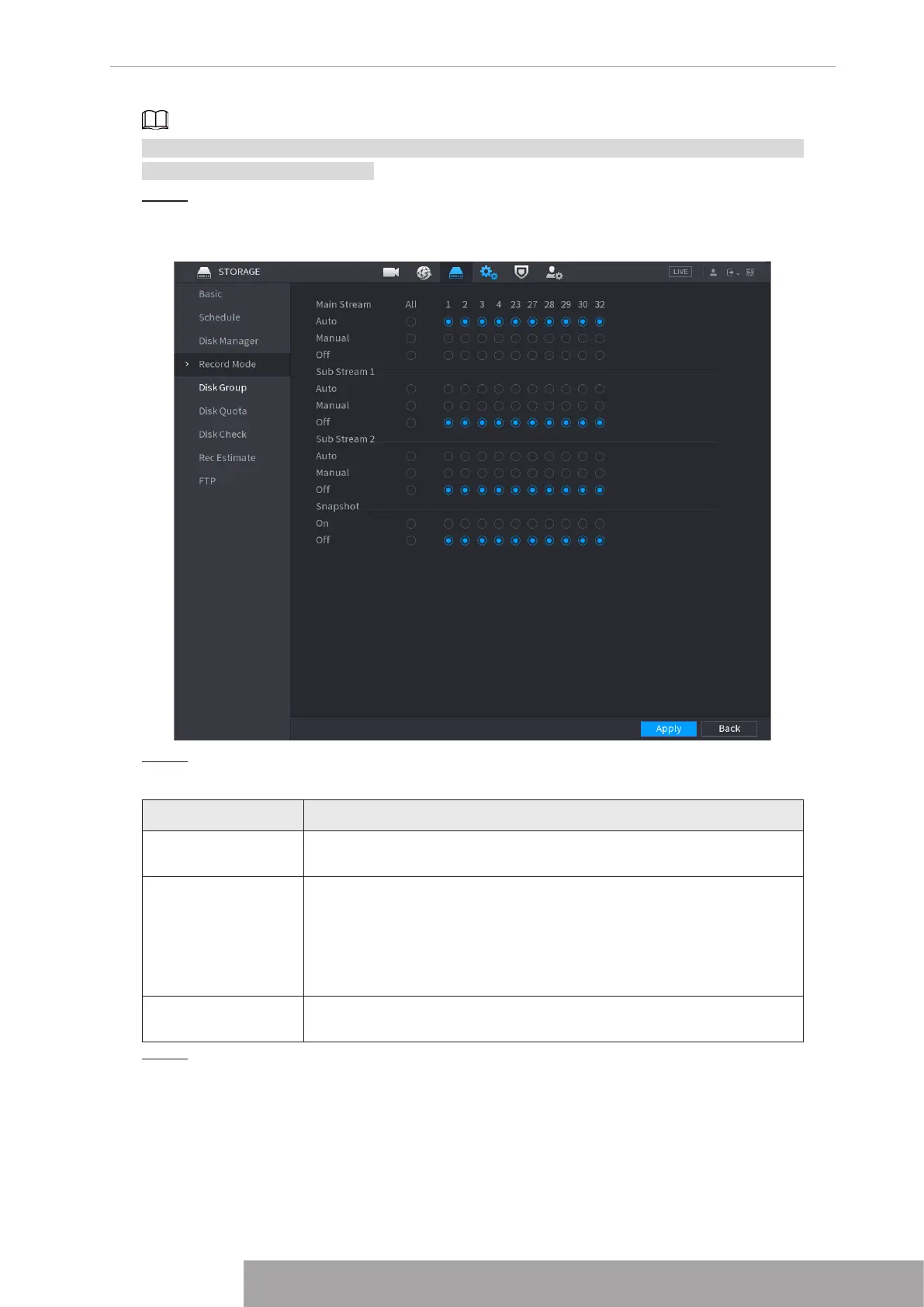
Step 1 Right click mouse and then select
Manual Control
>
Record Mode
or select
Main
Menu
>
STORAGE
>
Record
. See Figure 4-43.
Figure 4-43
Step 2 Configure parameters.
Table 4-10
Parameter Description
Channel
Displays all the analog channels and the connected digital channels.
You can select a single channel or select All.
Record status
● Auto: Automatically record according to the record type and
recording time as configured in the recording schedule.
● Manual: Keep general recording for 24 hours for the selected
channel.
● Off: Do not record.
Snapshot status
Enable or disable the scheduled snapshot for the corresponding
channels.
Step 3 Click
Apply
to complete settings.
Copyright © NSS Sp. z o.o.
39 User‘s Manual



 To Next Page