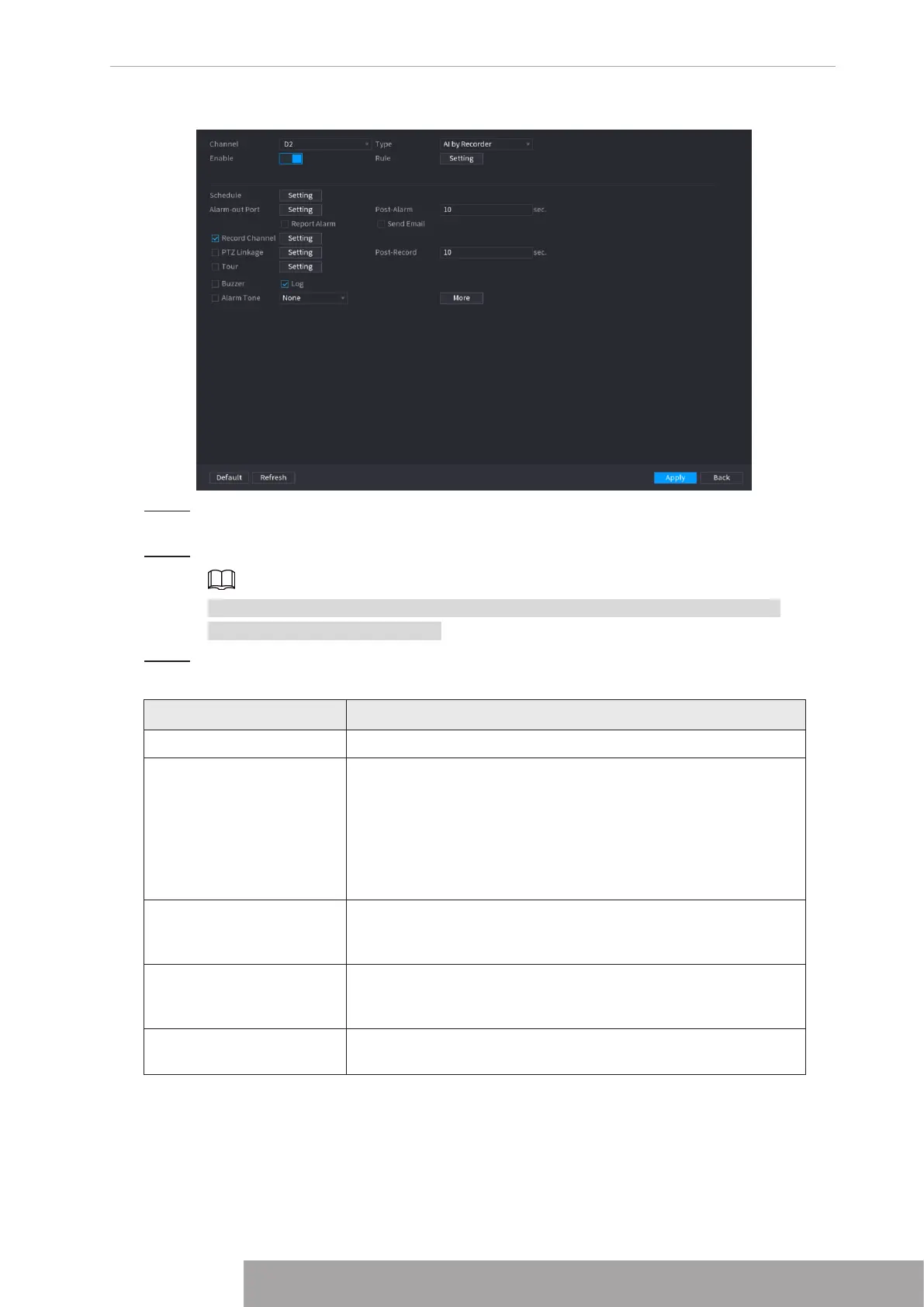
Figure 4-136
Step 2 In the
Channel
list, select a channel that you want to configure face detection
function.
Step 3 In the
Type
list, select
AI by Reorder
or
AI by Camera
as needed.
When
AI by Camera
is selected, you can enable
Face Enhancement
function to
improve face detection efficiency.
Step 4 Configure the parameters. See Table 4-35.
Table 4-35
Parameter Description
Enable Click to enable or disable the face detection.
Rule
Click
Setting
to draw areas to filter the target.
You can configure two filtering targets (maximum size and
minimum size). When the target is smaller than the minimum
size or larger than the maximum size, no alarms will be
activated. The maximum size should be larger than the
minimum size. Left click to drag the four angles to adjust the
size.
Schedule
Configure the period and in the set time range, the
corresponding configuration item will be linked to start the
alarm.
Alarm-out Port
The alarm device (such as lights, sirens, etc.) is connected to
the alarm output port. When an alarm occurs, the NVR device
transmits the alarm information to the alarm device.
Post-Alarm
When the alarm ends, the alarm extended for a period of time.
The time range is from 0 seconds to 300 seconds.
Copyright © NSS Sp. z o.o.
125 User‘s Manual



 To Next Page