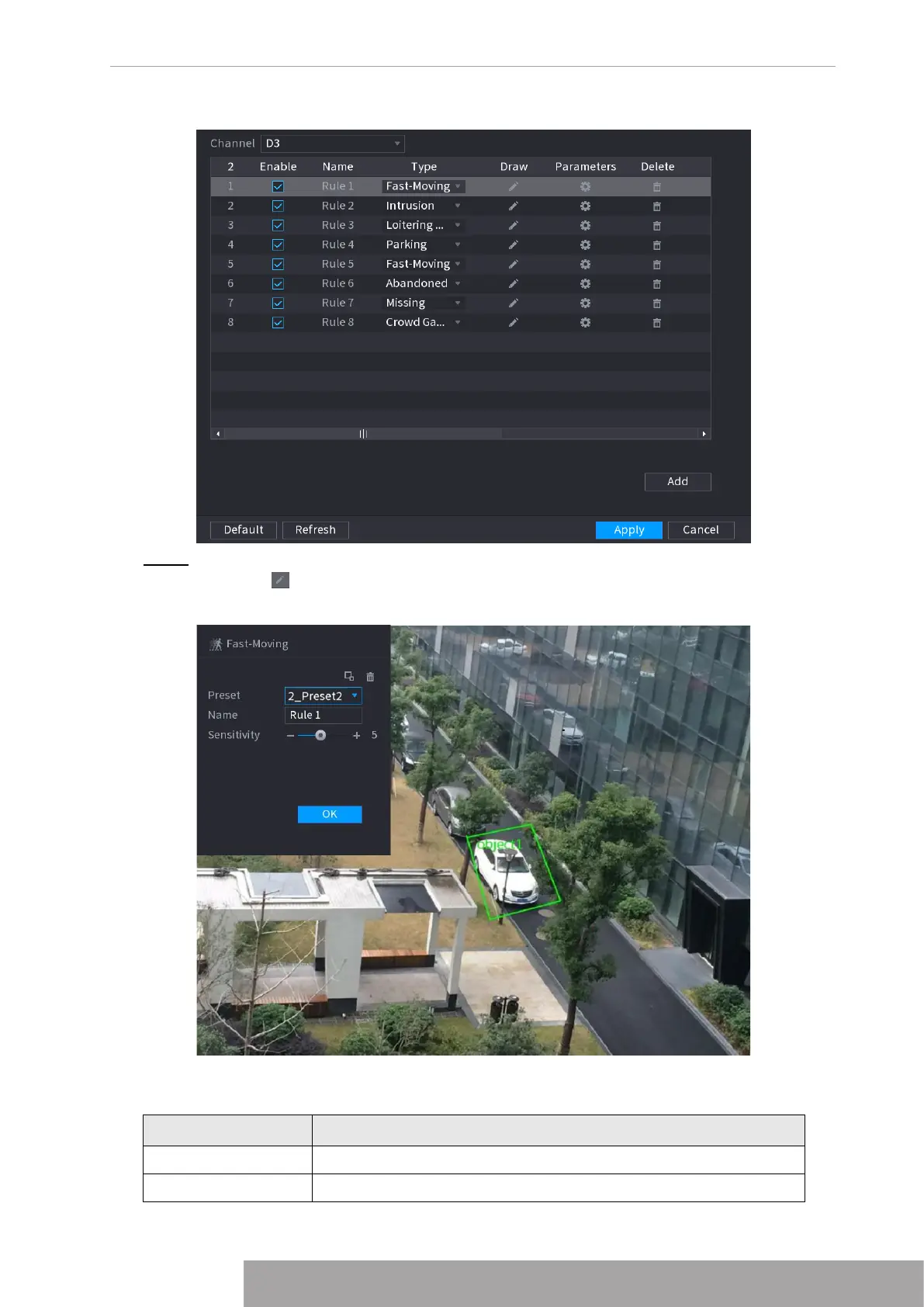
Figure 4-149
Step 2 Draw the detection rule.
1) Click to draw the rule on the surveillance video. See Figure 4-150.
Figure 4-150
2) Set parameters. See Table 4-40.
Table 4-40
Parameter Description
Preset Select a preset you want to use IVS
Name Input customized rule name
Copyright © NSS Sp. z o.o.
139 User‘s Manual



 To Next Page