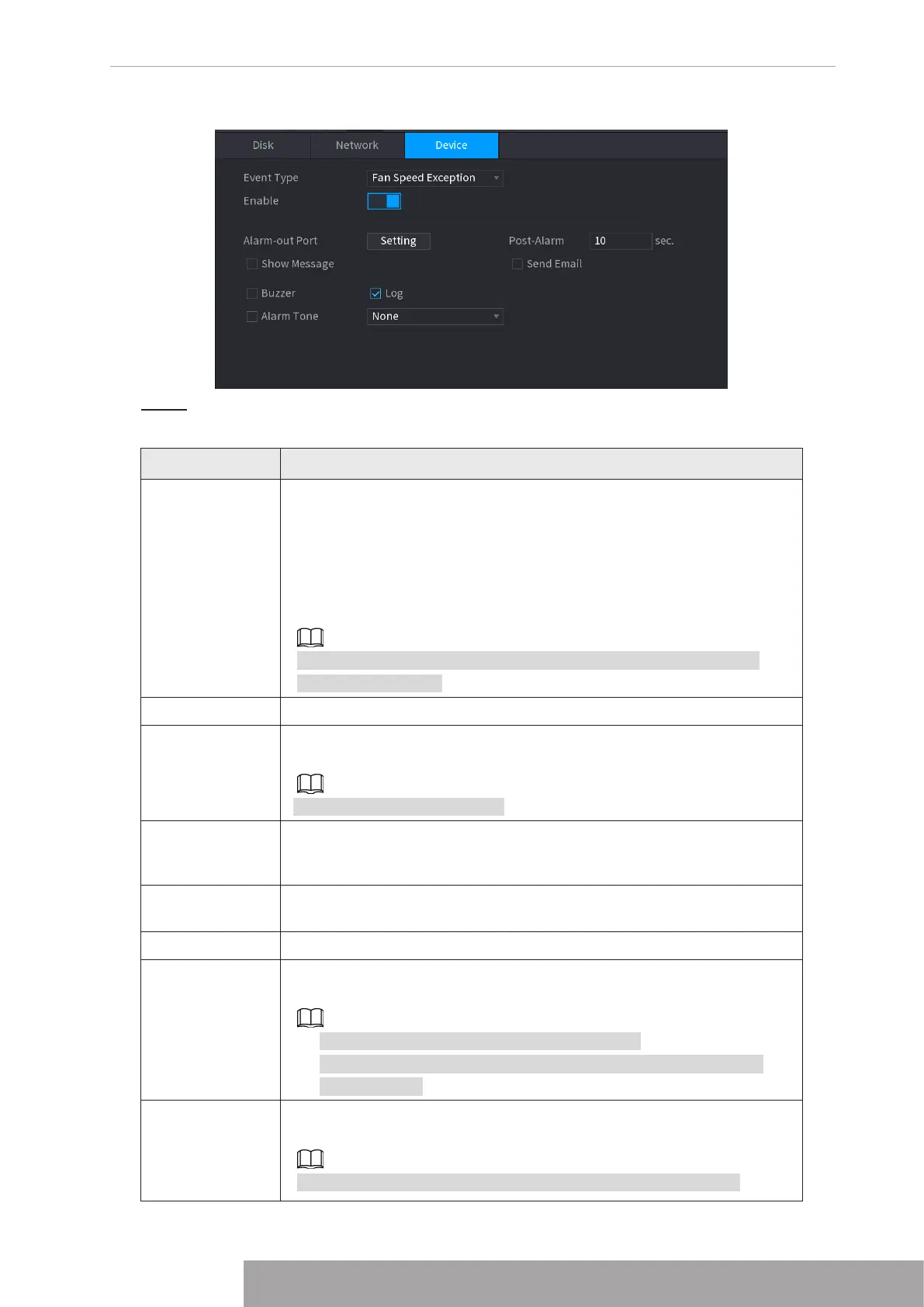
Figure 4-201
Step 2 Configure parameters. See Table 4-61.
Table 4-61
Parameter Description
Event Type
● Disk: Sets process method when there is a HDD event such as HDD
error, no HDD, no space.
● Network: Sets process method when there is a network event such
as disconnection, IP conflict, MAC conflict.
● Device: Sets process method when there is a device event such as
fan speed exception.
Different series products support different event types. The actual
product shall prevail.
Enable Check the box to enable the function.
Less than
System generates an alarm once the HDD space is less than the
threshold.
For
HDD No Space
type only.
Alarm-out Port
The alarm device (such as lights, sirens, etc.) is connected to the alarm
output port. When an alarm occurs, the NVR device transmits the alarm
information to the alarm device.
Post-Alarm
When the alarm ends, the alarm extended for a period of time. The time
range is from 0 seconds to 300 seconds.
Show Message Check box to enable a pop-up message in your local host PC.
Report Alarm
Select the check box. When an alarm occurs, the NVR device uploads
an alarm signal to the network (including the alarm center).
● This function is for some series products only.
● You need to set the alarm center first. For details, see "1.11.13
Alarm Center".
Send Email
Select the check box. When an alarm occurs, the NVR device sends an
email to the set mailbox to notify the user.
You need to set the email first. For details, see "1.11.10 Email".
Copyright © NSS Sp. z o.o.
193 User‘s Manual



 To Next Page