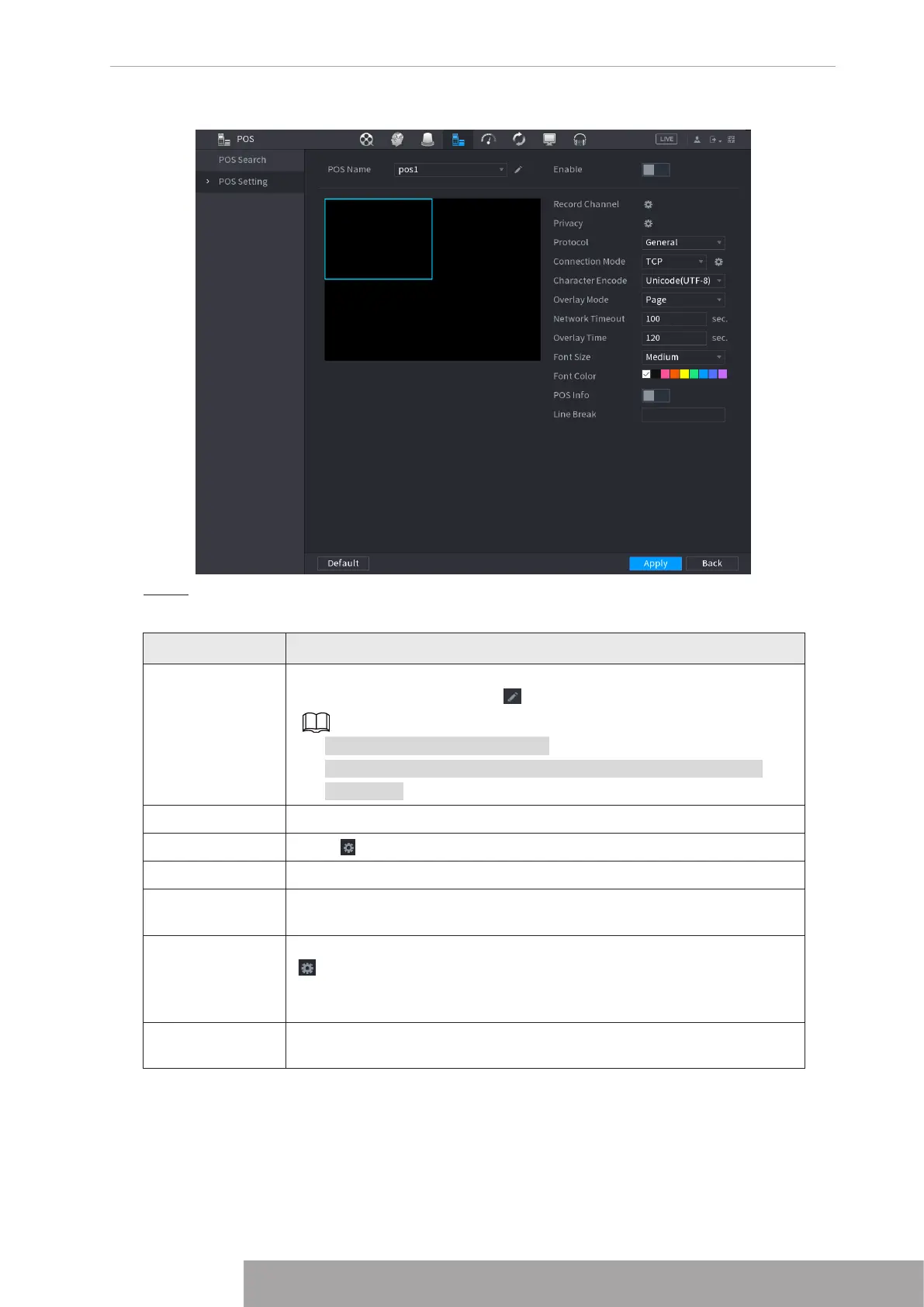
Figure 4-204
Step 2 Configure the settings for the POS parameters. See Table 4-62.
Table 4-62
Parameter Description
POS Name
In the POS Name list, select the POS machine that you want to
configures settings for. Click to modify the POS name.
● The POS name shall be unique.
● The POS name supports 21 Chinese characters or 63 English
characters.
Enable Enable the POS function.
Record Channel Click to select a channel to record.
Privacy Enter the privacy contents. Refer to "1.9.2.1 Privacy Setup".
Protocol
Select
POS
by default. Different machine corresponds to different
protocol.
Connection
Mode
In the
Connection Mode
list, select the connection protocol type. Click
, the IP Address interface is displayed.
In the
Source IP
box, enter the IP address (the machine that is
connected to the Device) that sends messages.
Character
Encode
Select a character encoding mode.
Copyright © NSS Sp. z o.o.
197 User‘s Manual



 To Next Page