Figure 4-34
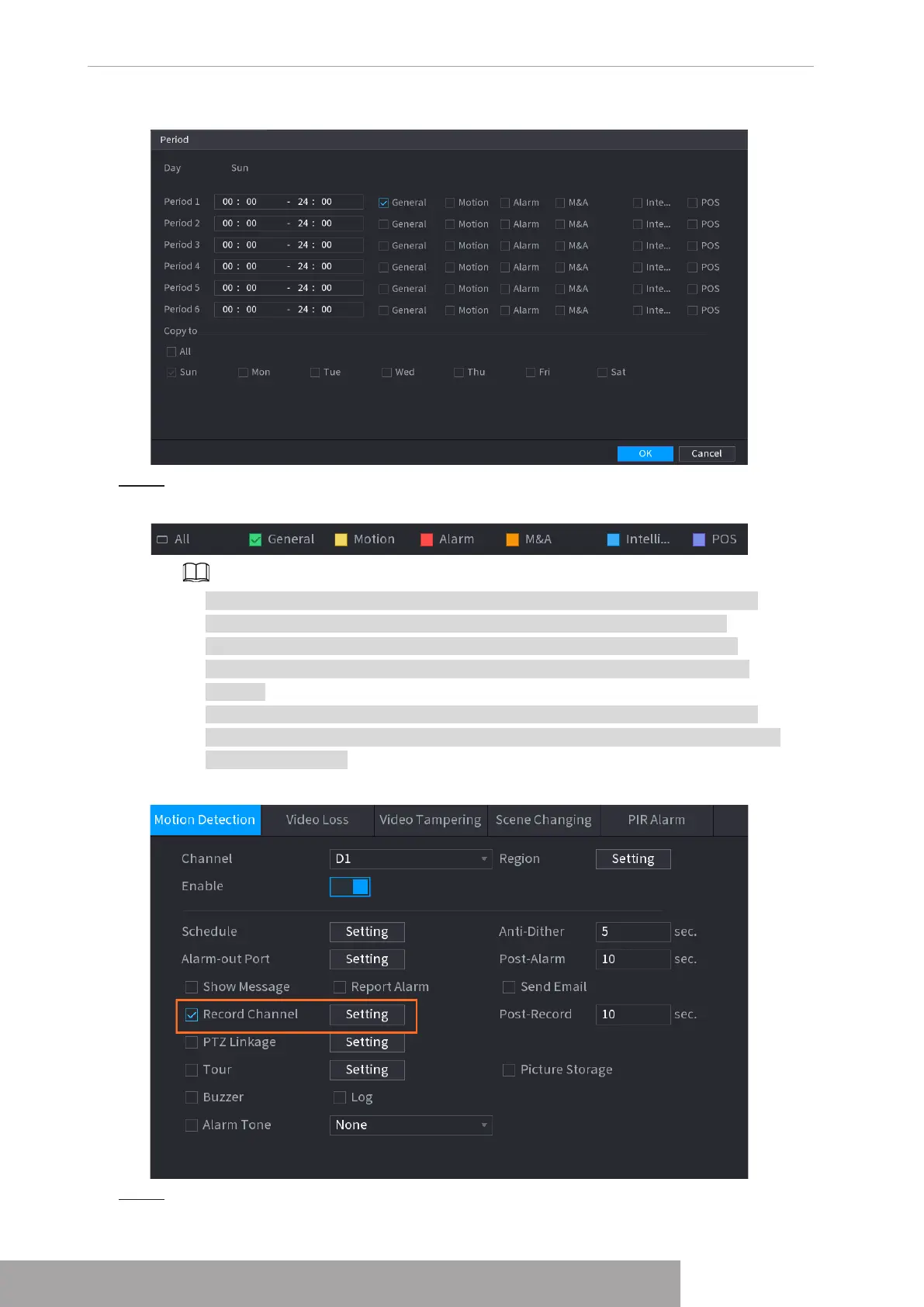
Step 3 Set record type. See Figure 4-35.
Figure 4-35
● When the record type is Motion (motion detection), alarm, M&A, IVS and POS,
enable the channel record function when corresponding alarm occurs. For
example, when the alarm type is MD, select
Main Menu
>
ALARM
>
Video
Detection
>
Motion Detection
, select the record channel and enable record
function.
● When the record type is Motion (motion detection), alarm, M&A, IVS and POS,
refer to "1.8.5 Video Detection", 1.8.3 Alarm Input", "1.7.1.3 IVS" and "4.9 POS" for
detailed information.
Figure 4-36
Step 4 Set record period. It includes edit mode and draw mode. See Figure 4-39.
Copyright © NSS Sp. z o.o.
User‘s Manual 34



 To Next Page