Operation C 2
ekrPro Com
60
web guide controller EDV-No.: MD.191.01.05/1.6.x Chapter: C 2
with analog sensors Date: 23.11.2007 Page: 16/19
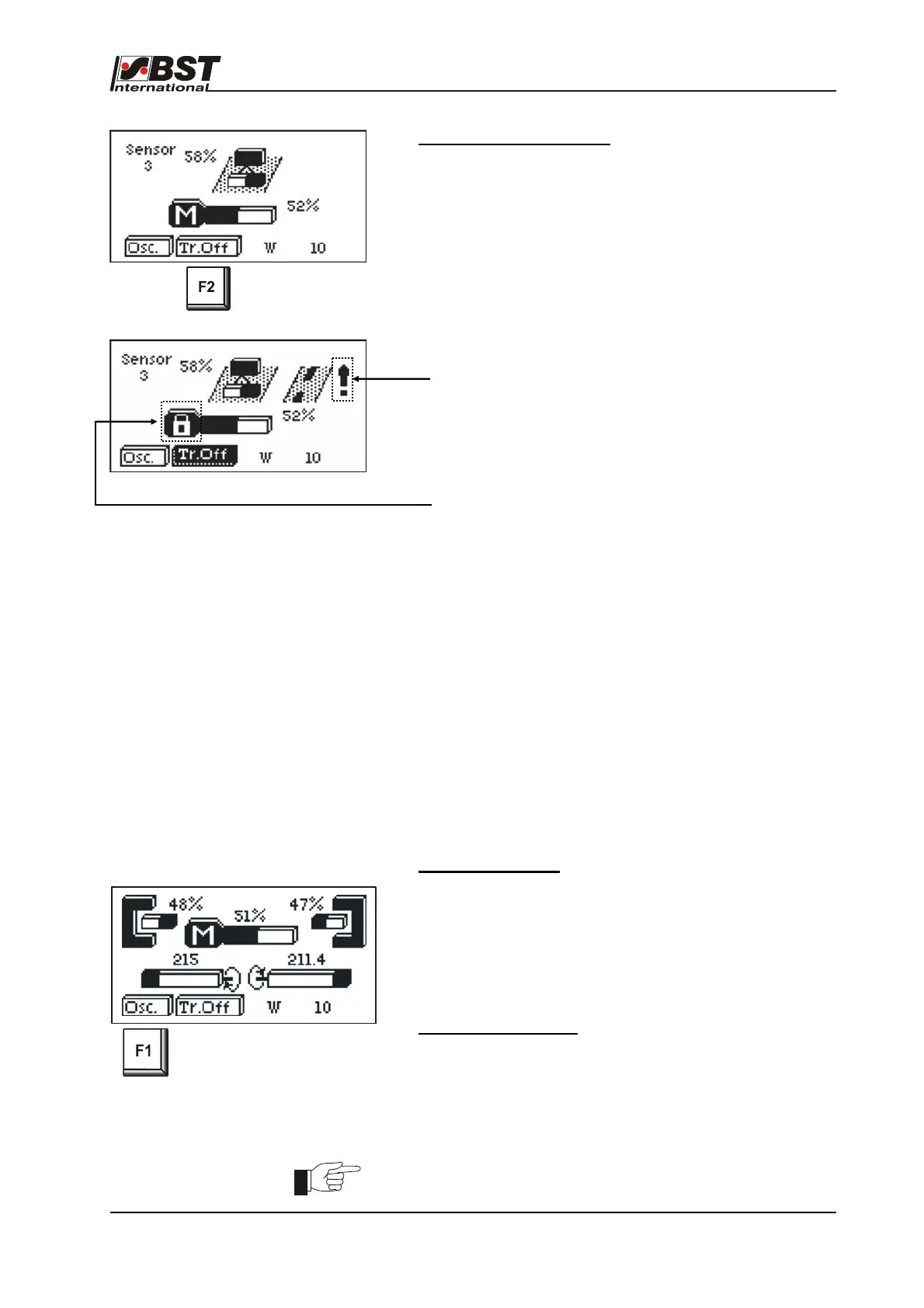
Activate tear-off detection
1. Press the F2-key.
The function “Tear-off detection” is activated.
If an outward or inward tear is detected, this is indicated
in the display by an exclamation mark.
As soon as the guiding system is blocked, a lock appears
in the actuator symbol.
C 2.6 Oscillation
The function ”oscillation“ enables a position displacement of the
material web within the sensor scanning area with adjustable
amplitude (size of the transverse displacement) and frequency
(speed of the displacement).
The amplitude of the oscillation can be set separately for the
operating modes "automatic" and "SC".
The function is automatically switched on when changing to the
operating modes "automatic" and / or "SC".
Matching of the individual parameters of the function to the
application is implemented in the menu
Add. Functions > Oscillation. or
General Setup > Add. Functions > Oscillation.
Activate oscillation
1. Press the F1-key.
The "Oscillation" function is activated.
When changing from manual operation into the mode set
for oscillation in the general setup (Auto, SC or Auto &
SC), the function is automatically switched on.
Deactivate oscillation
1. Press the F1-key.
The "Oscillation" function is deactivated.
The oscillation zero position is used as a set point for
further guiding.
There is no shifting of the web possible during oscillation.
A message appears on the display at the attempt to carry out this.



 To Next Page