Controls B 2
ekrPro Com
60
web guide controller EDV No.: MD.191.01.05/1.6.x Chapter: B 2
with analog sensors Date: 23.11.2007 Page: 6/6
Checkbox
Use the vertical arrow keys
Arrow keys option using the checkbox control element.
Example:
Read-only Checkbox
Read-only checkboxes only have a display function.
These give the operator reports about the current status of the
components (e.g. stop switch statuses).
Example:
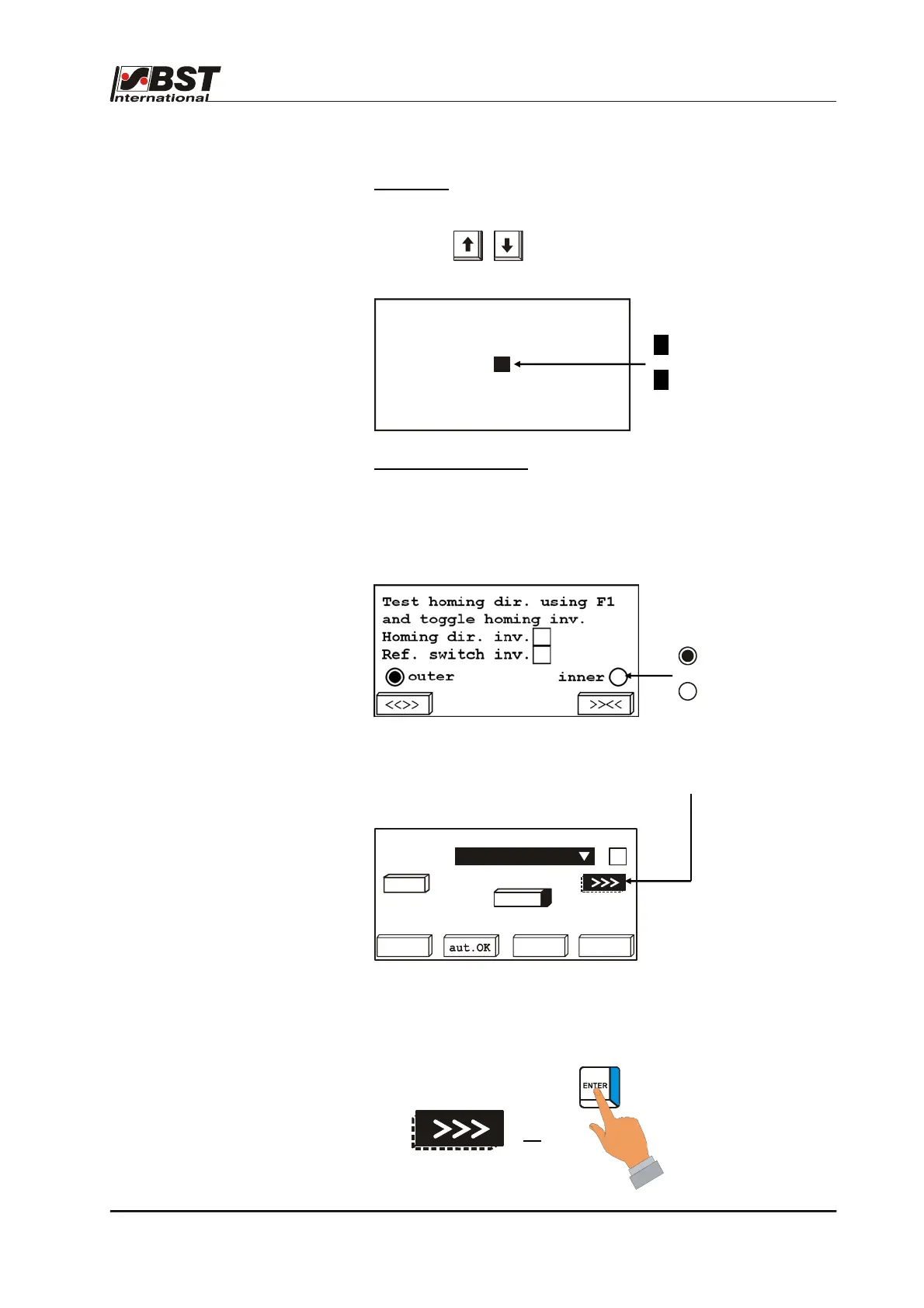
B 2.2.3 Buttons
Button control elements are present in certain dialog windows
If a button is marked and the ENTER button is pressed afterwards,
an action will be executed (e.g. traversing the actuator).
The button will be displayed as being pressed down and the action
will continue to be executed all the time that the ENTER button is
kept pressed down.
=
= activated
= not activated
X = Option active
= Option inactive
(de)activate speed control
active
X
Select a sensor type
sensor1
dark
bright
-2048 abs. 1775
2047
auto
dark
bri.
<<<
IR 2005
Inv.
7%



 To Next Page