Commissioning B 3
ekrPro Com
60
web guide controller EDV No.: MD.191.01.05/1.6.x Chapter: B 3
with analog sensors Date: 23.11.2007 Page: 44/73
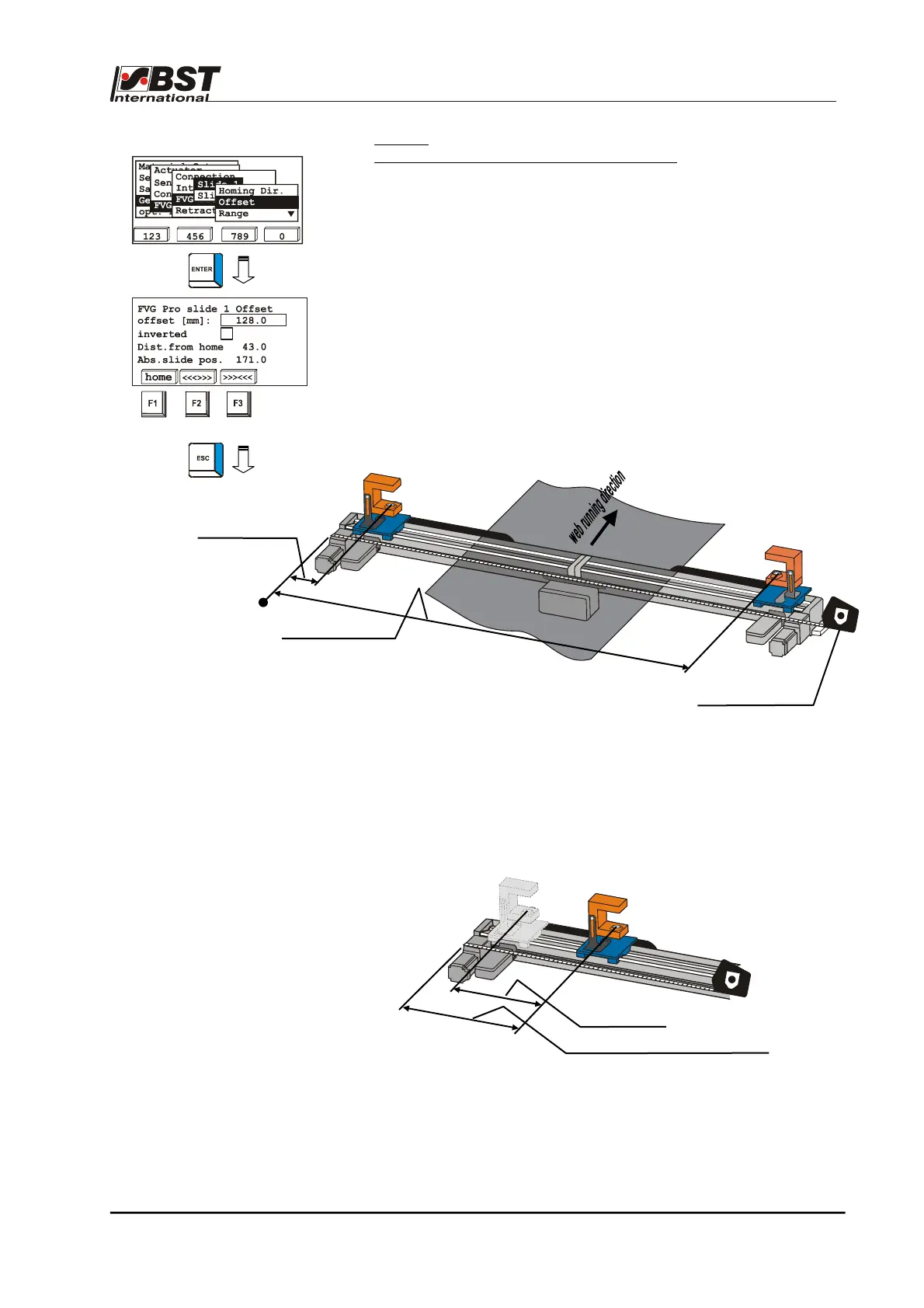
Offset –
positional offset to position of first FVG slide
You can create a reference system with an absolute reference point
using the positional offset. This reference point can, for example, be
the machine wall or another obvious point on the machine. It is also
possible to use an outer position or the centre of the FVG. If the
centre of the FVG is used, one of the FVG slides will move in a
negative direction.
The offset value is added to the current FVG position and results in
the absolute distance to this reference point (Abs. slide pos.).
The setting up of an absolute reference system is necessary for use
of the Pre-positioning function.
Example:
1. Press the F1-key. The FVG slides move to the home
position.
2. Measure offset FVG1 (distance between reference point Î
centre sensor measurement window) and enter the value
under offset [mm].
3. Use the F2 and F3 buttons to traverse the FVG a short path.
4. Now compare the value shown under Abs. slide pos. with
the measured value.
If the measured value is larger and the displayed value
smaller, then you must activate the inverted checkbox.
5. Carry out settings for the second FVG slide (Slide 2) in the
same manner.
Offset FVG 1
FVG 1
FVG 2
Offset FVG 2
Tape measure
FVG 1
path travelled (Dist. from home)
absolute position measured
Reference point
(zero position)



 To Next Page