Commissioning B 3
ekrPro Com
60
web guide controller EDV No.: MD.191.01.05/1.6.x Chapter: B 3
with analog sensors Date: 23.11.2007 Page: 70/73
B 3.7.5.10.3 Reset – Reset of the firmware
Resetting the firmware might be necessary, for example, if the
controller:
• The display settings are wrong
• The LEDs in the buttons do not illuminate
• The error LED cannot be extinguished.
A defined state is set up when the unit is reset.
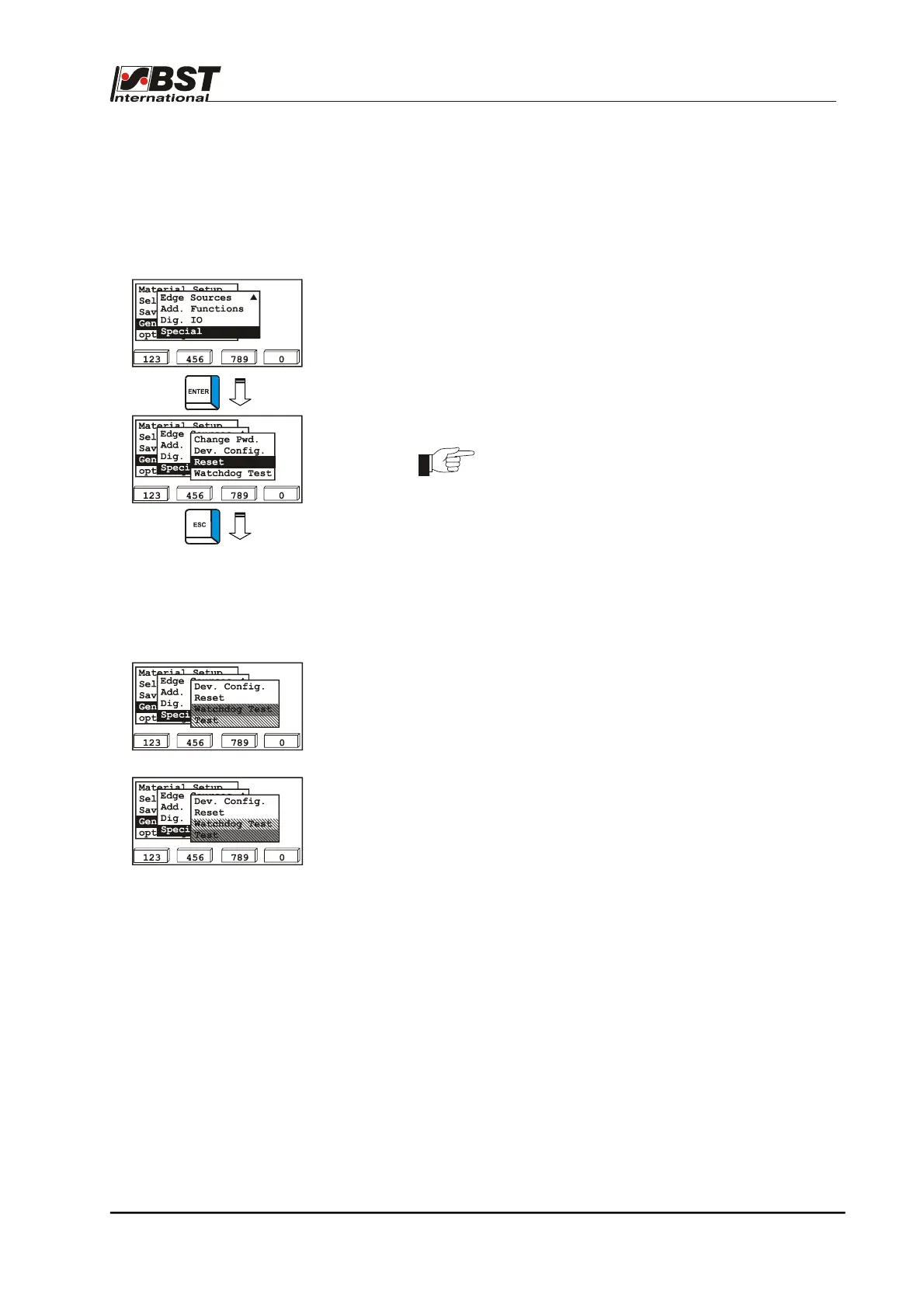
1. Select Special in General Set-up and confirm by pressing
ENTER afterwards.
2. Select Reset in the following window.
3. Press the ENTER button to execute a restart.
The restart will not change any of the saved data.
4. Press the ESC button to exit the window.
B 3.7.5.10.4 Watchdog Test – Test program for service purposes
Test
These functions are only used for service purposes.
They cannot be selected by the customer.



 To Next Page