Commissioning B 3
ekrPro Com
60
web guide controller EDV No.: MD.191.01.05/1.6.x Chapter: B 3
with analog sensors Date: 23.11.2007 Page: 30/73
Digital blocking output (oil blocking)
If a hydraulic actuator is used, then a blocking valve can be
connected to terminal 67 (X15), in order to interrupt the oil flow.
Oil blocking is only active with a hydraulic actuator and when one of
the following conditions is fulfilled:
• Man output = 0 and position controller deactivated.
• A limit switch position is reached.
• An over-temperature and a short circuit exist.
• Missing enable for the actuator:
(see actuator enable terminal 53)
Behaviour when oil blocking is switched on:
• PWM and analogue output are blocked.
• Blocking is activated after a 150 ms delay
(OV at terminal 67 (X15)
Behaviour when oil blocking is switched off:
• Blocking is deactivated
(24 V DC at terminal 67 (X15))
• Blocking is deactivated after a 150 ms delay.
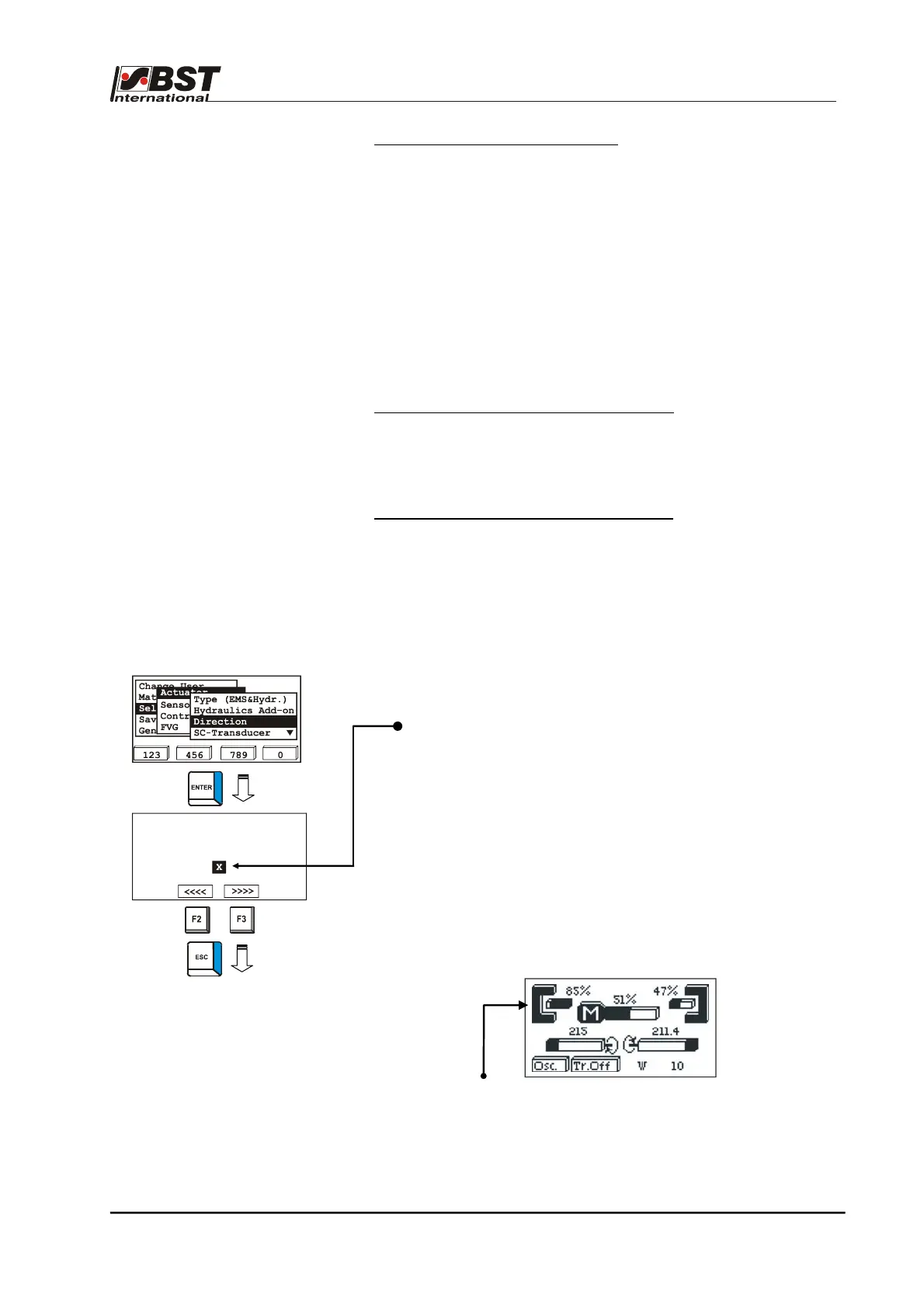
B 3.7.5.2.3 Direction – setting the
actuator guiding direction
1. Select the sub-directory Direction from the menu Actuator.
Confirm the selection by pressing ENTER.
If necessary, the actuator guiding direction for manual mode
can be reversed by activating the checkbox Mot. Dir.
Inverted.
The rotational direction can be checked on the spot.
Drive the actuator using the F2 or F3 key.
If key F2 is pressed, the actuator must move the material web
in the direction of sensor 1, if F3 is pressed it must move it
towards sensor 2!
Pressing F2 or F3 automatically changes the controller to
manual operating mode.
The sensor allocation can be checked on the spot. Press the
MENU button. The operating display is shown.
Cover a sensor. The change to the coverage range shows the
allocation.
After this, press the menu key to ENTER to the settings menu.
2. Press the ESC button to exit the window.
Toggle Man Dir. until
F2 moves to sensor 1
Mot. Dir. Inverted



 To Next Page