Commissioning B 3
ekrPro Com
60
web guide controller EDV No.: MD.191.01.05/1.6.x Chapter: B 3
with analog sensors Date: 23.11.2007 Page: 29/73
B 3.7.5.2.2 Hydraulics Add-on – Hydraulic settings
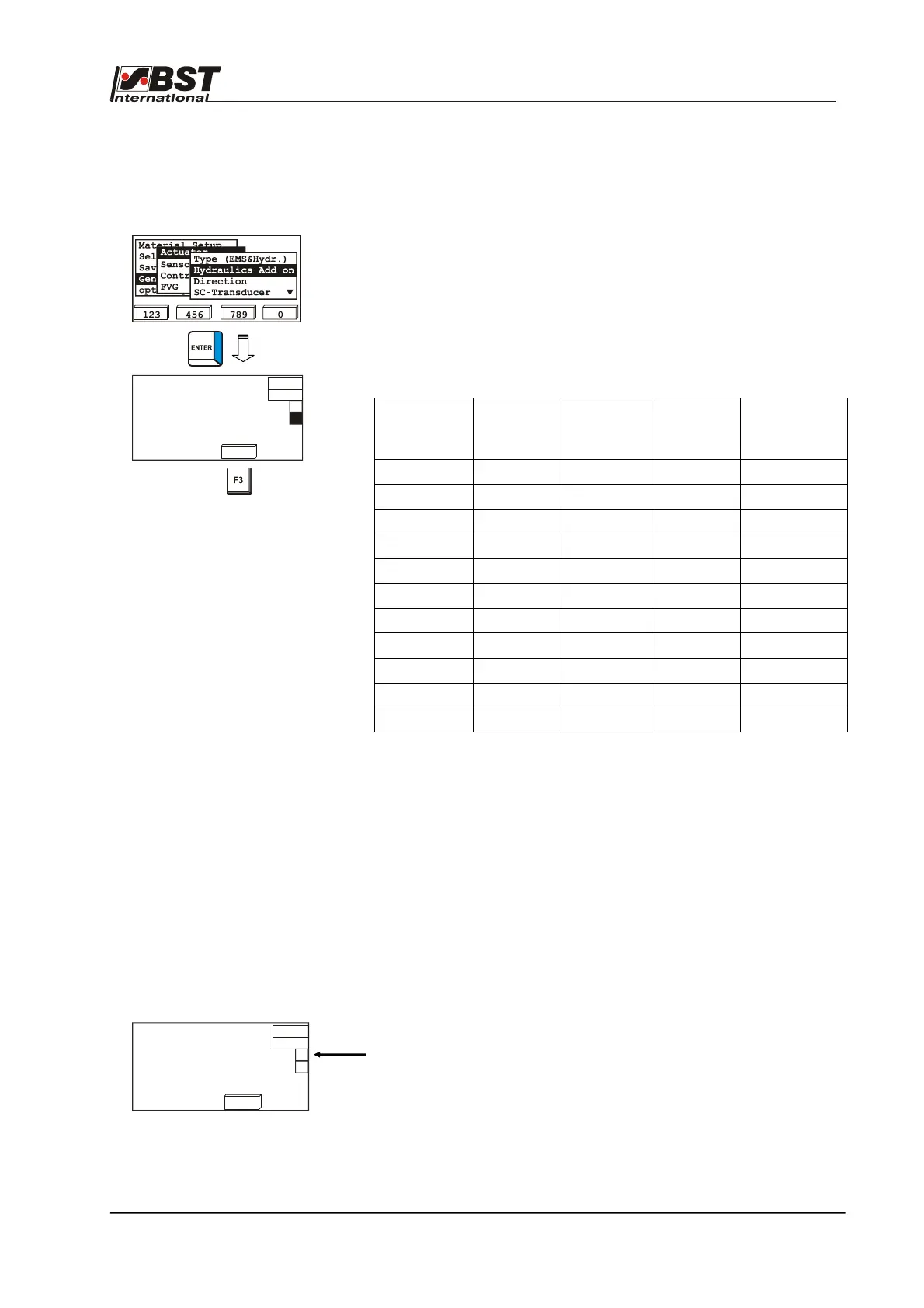
If a hydraulic actuator is used, then additional hydraulic settings
must be made in the menu Hydraulics Add On.
1. Select Actuator in General Setup and then select the
Hydraulics Add-on sub-directory afterwards.
Confirm the respective selection by pressing ENTER.
2. This will open an inputting window, in which the settings for
the connected hydraulic actuator have to be entered.
The relevant settings are listed in the following table:
Unit
name
Actuator
Type
Dither
amplitude
[mA]
Zero
elevation
[%]
Specific
current
control
SV 1-10/4 300 mA 10 0 No
SV 1-10/8 300 mA 10 0 No
SV 1-10/16 300 mA 20 0 No
SV 1-10/32 300 mA 20 0 No
SV 1-10/48 1000 mA 40 0 No
SV 1-6 300 mA 20 0 No
HR 024 300 mA
1*
No
HR 040 300 mA 20 0 No
EH-St 9/3 300 mA 25 5 No
The dither frequency is 50Hz.
1* This setting is dependent on the fitted continuously operated
valve SV 1-10/x.
3. The system must be optimized to the actual settings after the
parameters have been entered. This is realised by an
integrated self-teach function.
Press the F3 key to start this function.
This will import the throughput curve for the hydraulic
actuator. The measured values are saved in table as non-
volatile settings.
Attention! The hydraulic actuator will traverse during the
teach process. The relevant safety arrangements
must be implemented.
The flow curve determined for the controller must be activated in the
window if it is to be used.
Zero elevation [%]
Dither amplitude [mA]
Use teach table
Specific current control
0
0
Teach
X
Zero elevation [%]
Dither amplitude [mA]
Use teach table
Specific current control
0
0
Teach



 To Next Page