Commissioning B 3
ekrPro Com
60
web guide controller EDV No.: MD.191.01.05/1.6.x Chapter: B 3
with analog sensors Date: 23.11.2007 Page: 36/73
Attention! If a reflection sensor is being used as Sensor 3
then only this sensor must be selected and
entered from the option list. You do not have to
run a master set-up.
B 3.7.5.3.2 EFE Remote Adj. –
Commissioning of remote electronic fine adjustment (EFE)
A remote electronic fine adjustment unit is not identified
automatically by the controller.
It must be entered in the set-up menu.
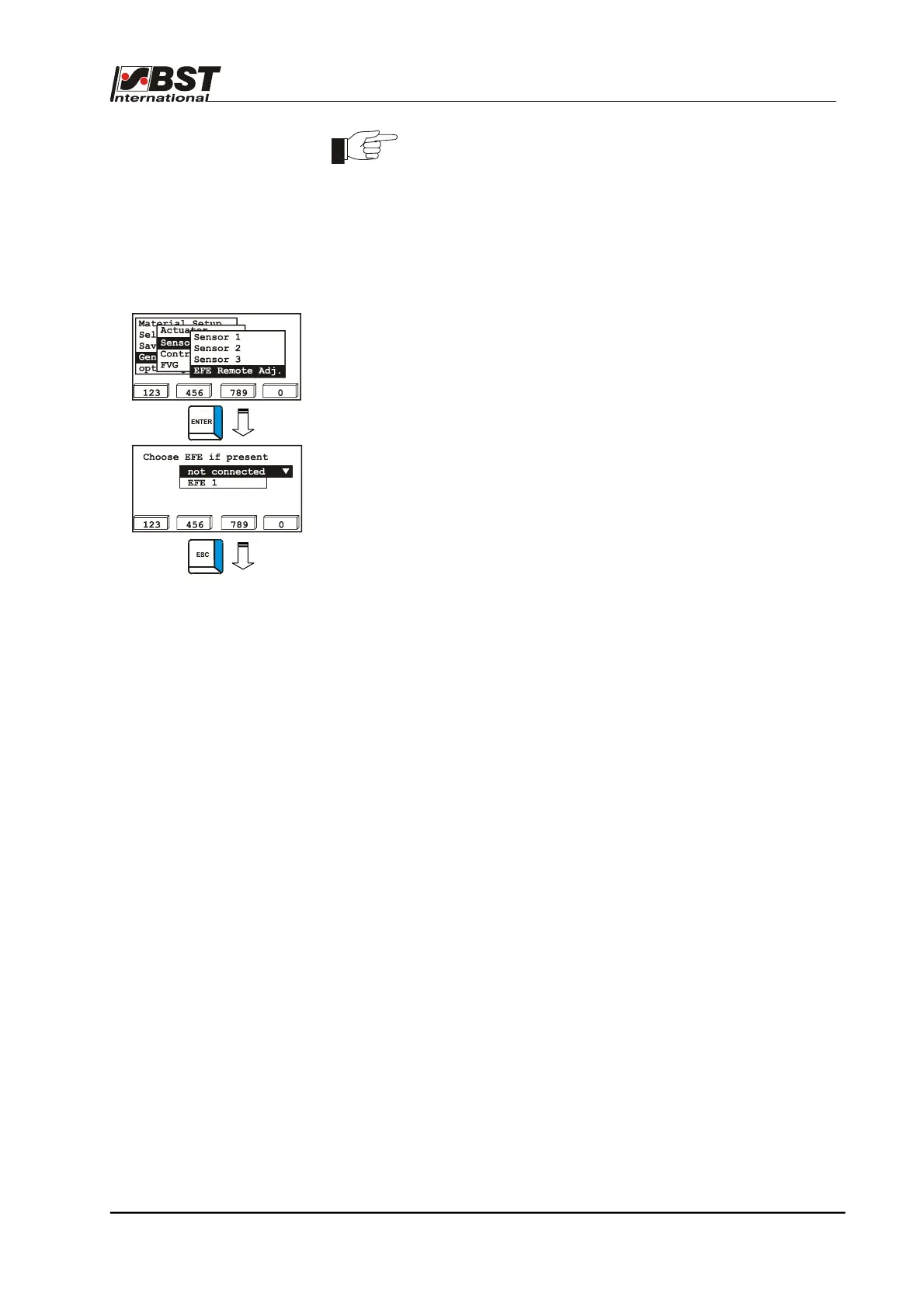
1. Select Sensors/EFE in General Setup and then select the
EFE Remote Adj. sub-directory afterwards.
Confirm the respective selection by pressing ENTER.
2. Not connected is the default factory setting.
Select EFE 1 if a remote adjustment device is available.
3. Press the ESC button to exit the window.



 To Next Page