Commissioning B 3
ekrPro Com
60
web guide controller EDV No.: MD.191.01.05/1.6.x Chapter: B 3
with analog sensors Date: 23.11.2007 Page: 47/73
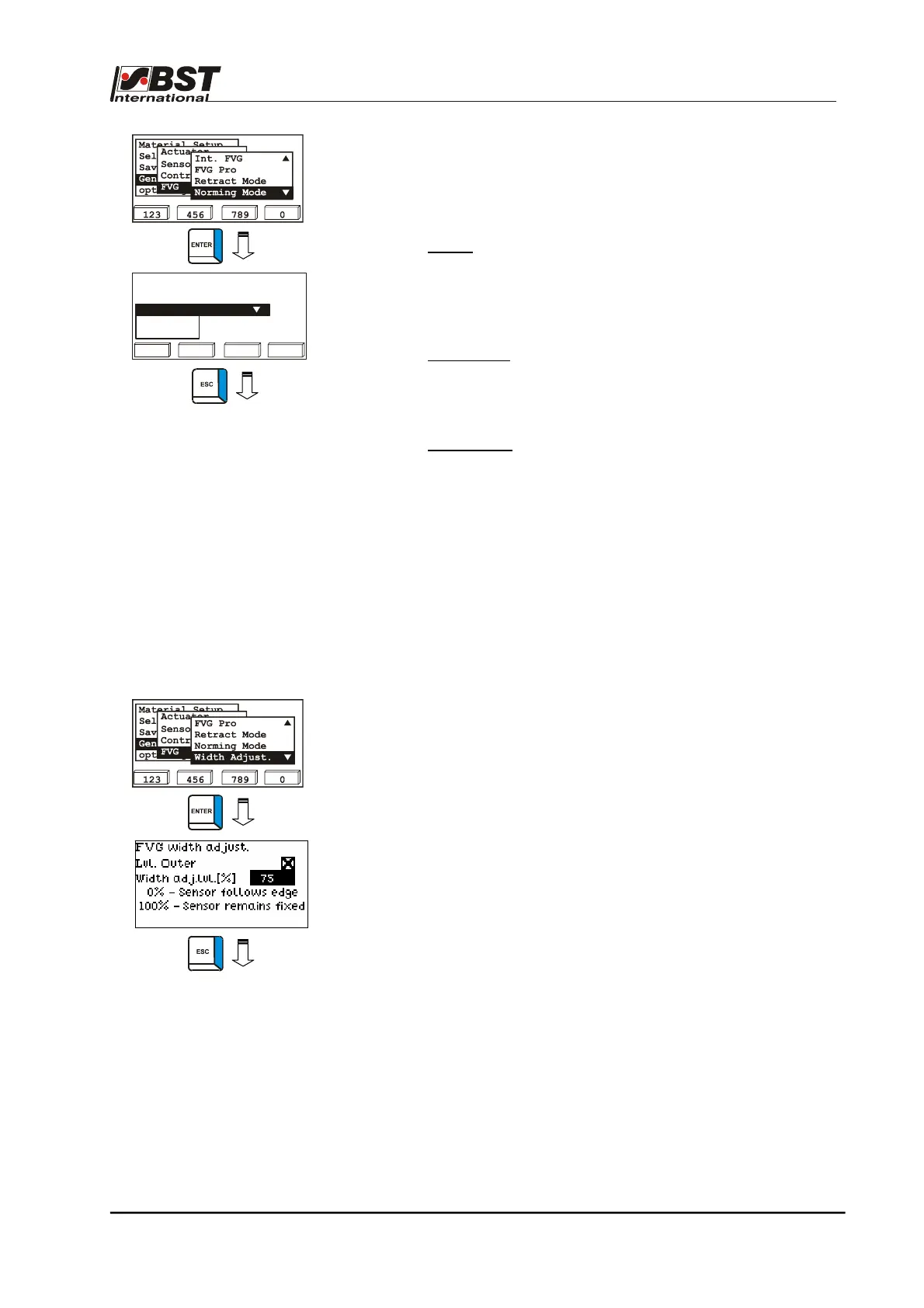
1. Select Norming Mode from the sub-directory and then press
ENTER to open the selection menu.
2. The following norming modes are available in the selection
menu:
• Bright:
Only a bright setting standardisation will be
carried out.
This standardisation mode is normally used
for the infrared sensor IR 2002 with
reflection bar.
• Bright/Dark:
Both bright and dark setting standardisations
will be carried out.
This standardisation mode is normally used
for infrared sensors with film material.
• No norming:
Sensor standardisation will not be carried out.
This standardisation mode is normally used
for ultrasonic sensors.
3. Press the ESC button to exit the inputting menu after you
have made the selection.
B 3.7.5.5.7 - Width Adjust – FVG operating mode for center line guiding
Use Width Adjust to select FVG operating mode for center line
guiding.
1. Select Width Adjust from the sub-directory and then press
ENTER to open the inputting menu.
2. The standard values are already entered in the settings
menu. These should be adapted in accordance with the
application.
The sensor positioning unit follows the material web if more
than the portion set in the editing box Width adj. Level [%] of
the sensor scanning area is covered.
The example setting entered her (75%) means that the sensor
will follow the material web if less than 25% or more than 75%
of the sensor scanning area is covered.
3. Press the ESC button to exit the window.
Select a norming mode
Bright/Dark
No Norming
Bright
123 456 0789



 To Next Page