Commissioning B 3
ekrPro Com
60
web guide controller EDV No.: MD.191.01.05/1.6.x Chapter: B 3
with analog sensors Date: 23.11.2007 Page: 69/73
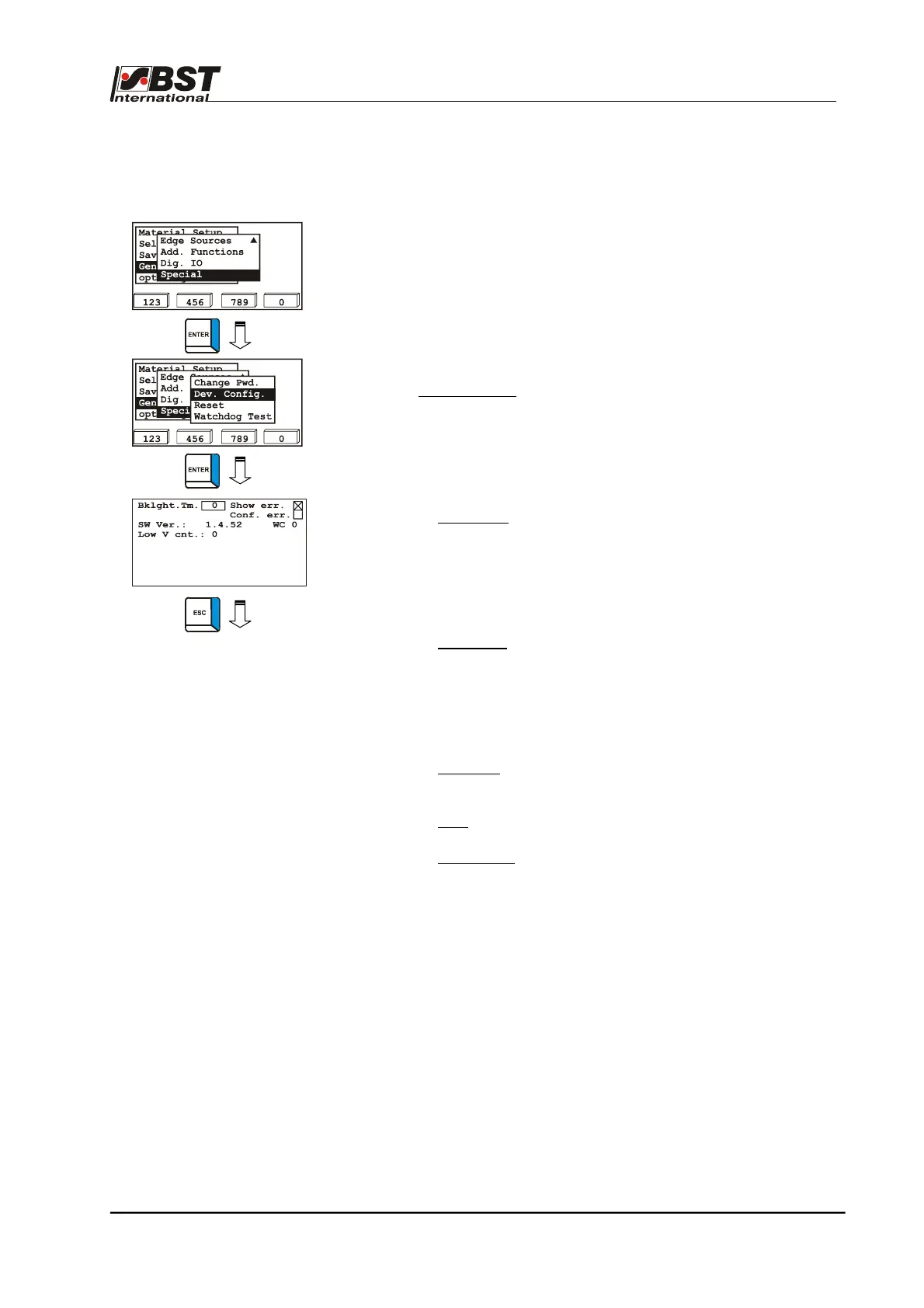
B 3.6.4.10.2 Dev. Config. – General unit settings
The general ekrPro Com
60
unit settings are entered in the
Dev. Config. sub-menu.
1. Select Special in General Set-up and confirm by pressing
ENTER afterwards.
2. Select Dev. Config. in the following window.
3. This will open up the unit settings window for the general
device settings. This contains the following separate
parameters:
► Bklght Tm.:
Duration that the screen background
lighting will remain switched on after the
last button
The setting is entered in 1/10 second.
Entering ’0’ will switch the background
illumination on permanently.
► Show err.:
The display is activated by default 7.
Every error occurring will be displayed and
a message will be generated. However,
the error will only be displayed for as long
as the error lasts (i.e. the error LED
illuminates).
► Conf. err.:
Confirms the displayed error.
If the function has been activated, the error
will remain displayed until the operator
confirms it by pressing the ENTER button.
The report will continue to be displayed if
the error has not been eliminated.
► SW Ver.:
Displays the version number of the firm-
ware which is installed in the controller.
► WC:
only for service purposes!
► Low V cnt.:
Counter for undershooting of the
admissible operating voltage range
4. Press the ESC button to exit the window.



 To Next Page