Commissioning B 3
ekrPro Com
60
web guide controller EDV No.: MD.191.01.05/1.6.x Chapter: B 3
with analog sensors Date: 23.11.2007 Page: 50/73
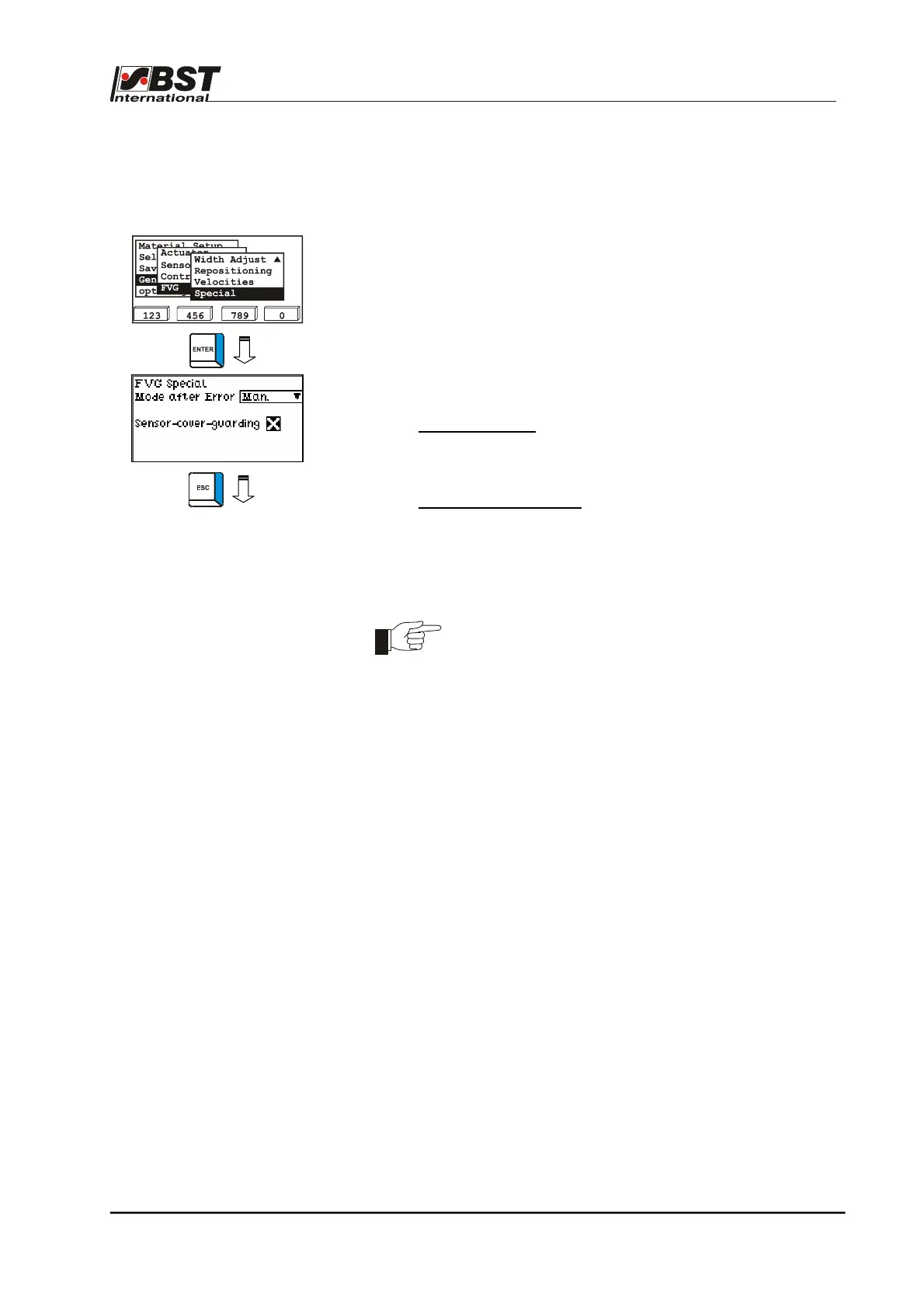
B 3.7.5.5.10 - Special – Special settings for moving the FVG slides
during edge searching
1. Select Special from the sub-directory and then press ENTER
to open the inputting menu.
2. Standard values have already been entered.
These can be accepted as is or adapted to the application.
3. Press the ESC button to exit the window.
Mode after Error:
Operating mode which the system switches to after an error
occurs (e.g. web tear).
Sensor-cover-guarding:
This monitoring function prevents destruction of the material
web due to unwanted contact with the sensors.
If the coverage of the sensor scanning area, with the
checkbox activated, exceeds 90 % of full coverage, then the
FVG slides are automatically stopped.
This monitoring function is only active when oscillation
is activated or during sensor positioning.



 To Next Page