Commissioning B 3
ekrPro Com
60
web guide controller EDV No.: MD.191.01.05/1.6.x Chapter: B 3
with analog sensors Date: 23.11.2007 Page: 13/73
B 3.5.6 Carry out material setup
Automatic adjustment of the controller to match the characteristics of
the material to be scanned is carried out during material set-up
(e.g. different material transparency at the optical sensors or
different sound absorption in the case of ultrasonic sensors).
The material set-up is the same for all three sensors.
The procedure for sensor 1 is used as the example here:
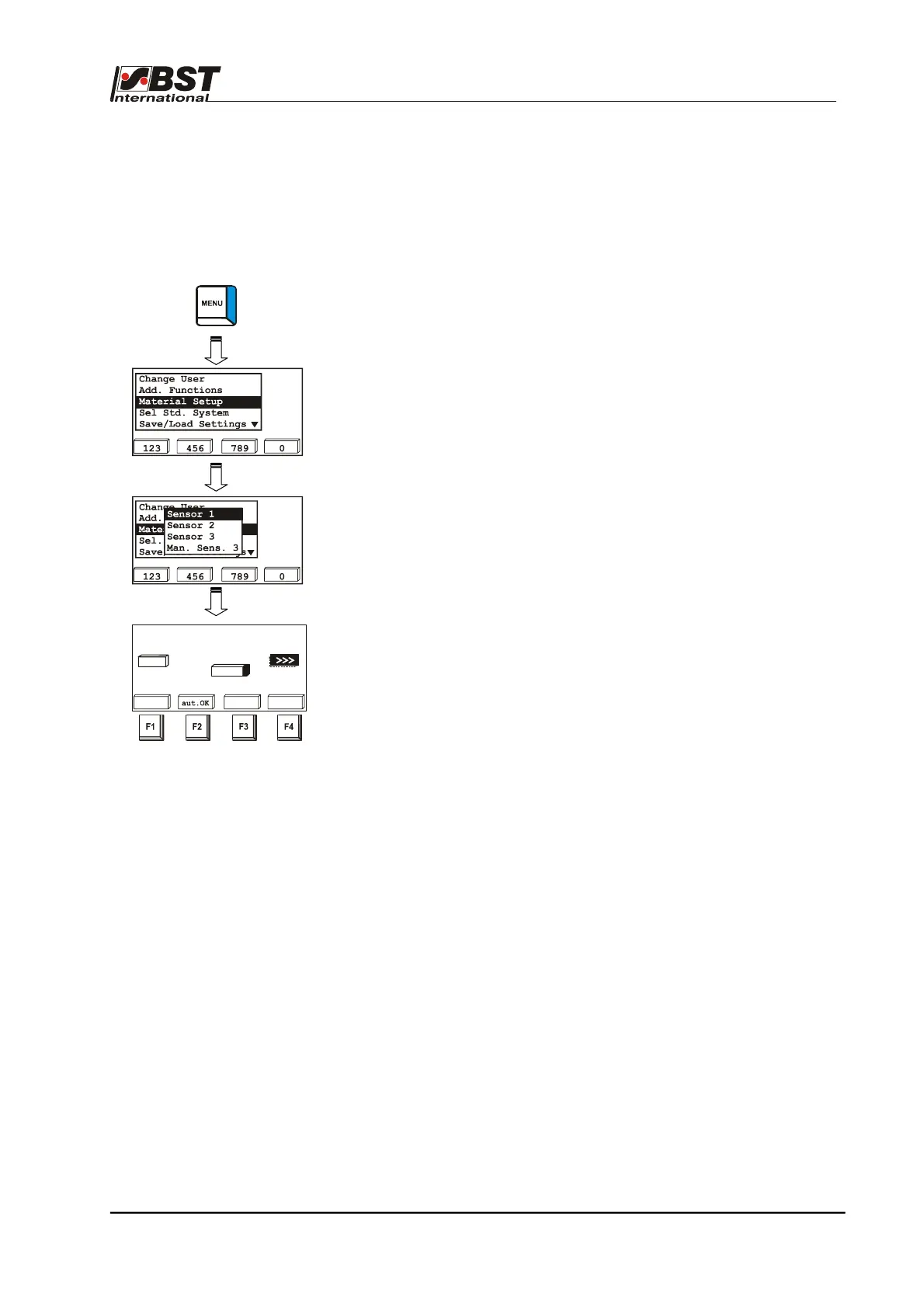
1. Press the MENU button to open the set-up menu.
2. Select Material set-up and confirm by pressing ENTER.
3. Select Sensor 1 and confirm by pressing ENTER.
This will open the Sensor 1 material set-up window.
Material set-up can now be carried out either automatically or
manually.
The manual procedure should always be used if the contrast that
has to be scanned is critical.
Material Setup - Sensor 1
dark
bright
-2048 abs. 1775
2047
auto
dark
bri.
<<<
7%



 To Next Page