Commissioning B 3
ekrPro Com
60
web guide controller EDV No.: MD.191.01.05/1.6.x Chapter: B 3
with analog sensors Date: 23.11.2007 Page: 24/73
• SC:
Activation in operating mode SC
using the servo-center component.
• FVG Auto:
Oscillation with connected FVG
An FVG oscillation with sine-shaped
web repositioning.
3. Press the ESC button to exit the window.
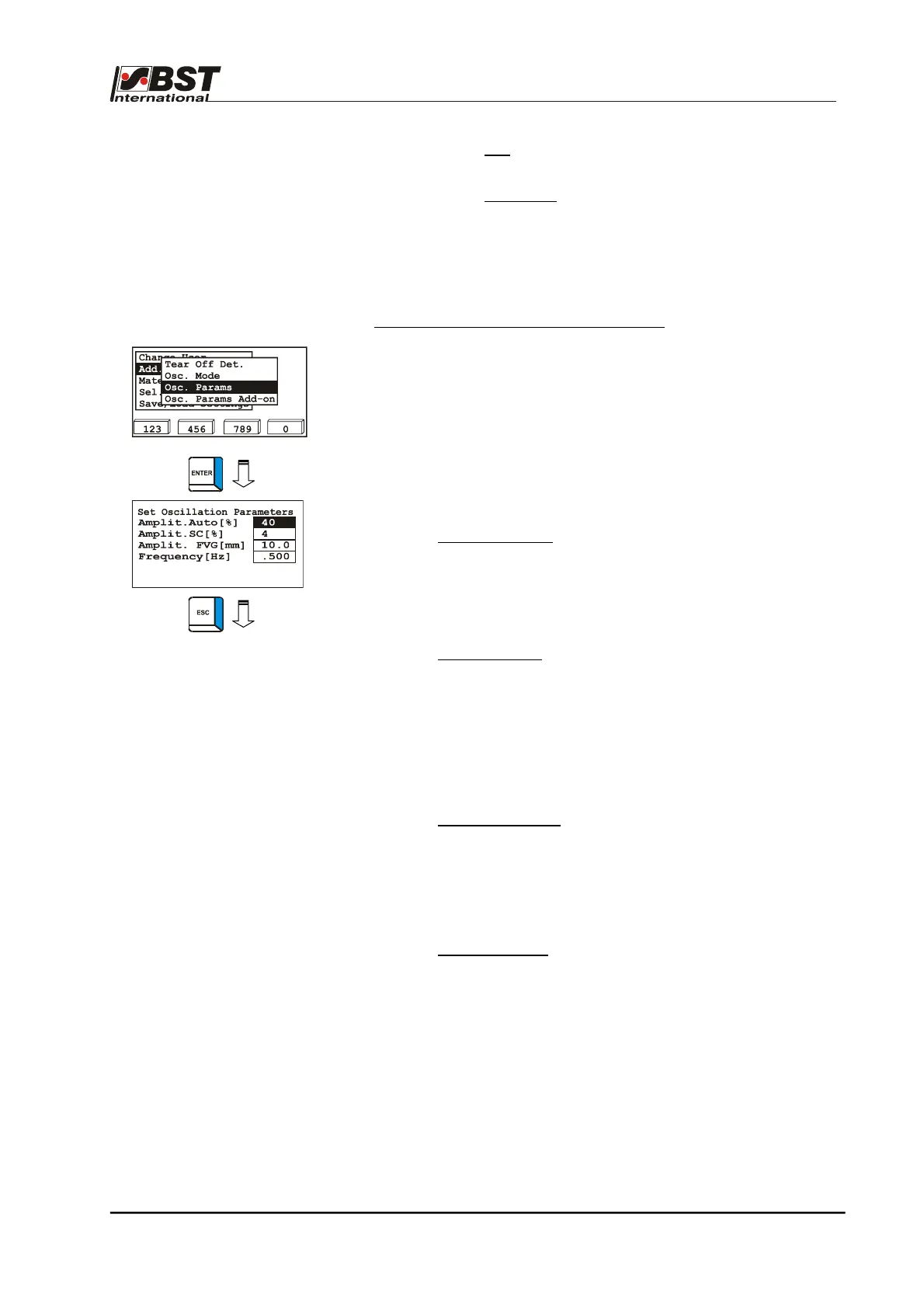
Osc. Params. – Set oscillation parameters
The oscillation parameters, i.e. amplitude and frequency, are
set in this submenu.
1. Select the Osc. Params submenu and confirm by pressing
ENTER.
2. The parameters have the following meanings:
► Amplit. Auto [%]:
Amplitude of the oscillation in operating
mode Automatic.
The percentage value relates to the size
of the sensor scanning area.
Setting range: 1 % to 99 %
► Amplit. SC [%]:
Setting up the amplitude for the SC
operating mode
The percentage wise input of the
amplitude relates to the distance
between the software limit switches.
One limit switch represents 0 % and the
other 100 %.
Setting range: 1 % to 99 %
► Amplit. FVG [mm]
Amplitude of oscillation when using a
sensor positioning device.
The sample value shown here of
10 mm results in repositioning of the
web by ± 5 mm.
Setting range: 0 to 999.9 mm
► Frequency [Hz]:
Oscillation frequency.
Setting range: 0.016 … 1.000 Hz
3. Press the ESC button to exit the window.



 To Next Page