Note
• If the Tab Selection screen is not displayed, press the Menu button.
2
Press the OK button.
The Set./Adj. Menu is displayed.
3
Press ▲ or ▼ to select Maintenance, and then press the OK button.
4
Press ▲ or ▼ to select Repl. S. Cleaner, and then press the OK button.
The Carriage moves. When it finishes moving, instructions are displayed on the Display Screen.
5
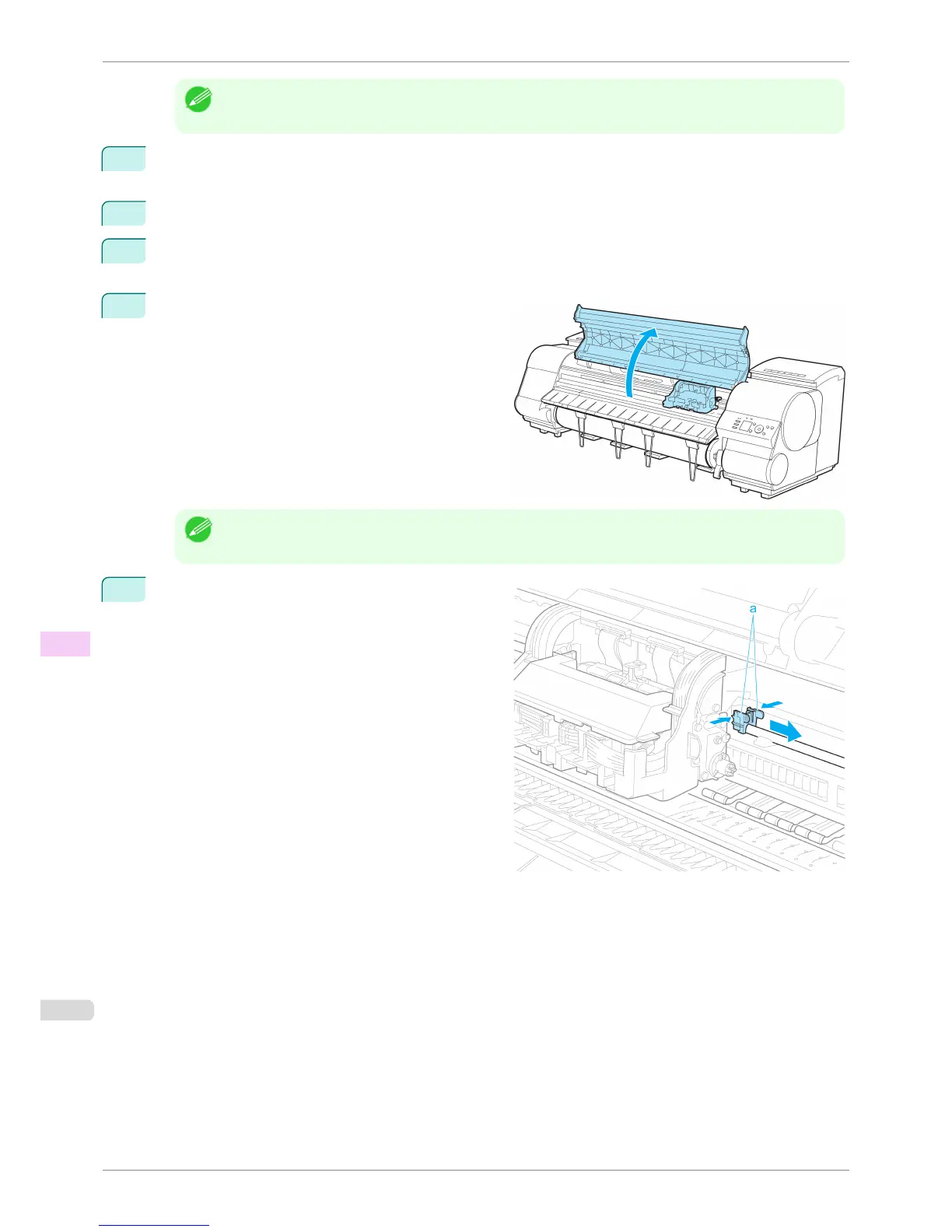
Open the Top Cover.
Note
• If you do not respond within two minutes, shaft cleaner replacement is canceled. In this case, repeat the proce-
dure.
6
Hold the Shaft Cleaner on the right side of the Car-
riage by the grips (a) and pull it to the right to remove
it.
Replacing the Maintenance Cartridge
iPF8400S
User's Guide
Maintenance and Consumables Maintenance Cartridge
836














 To Next Page