Advanced Guide
Troubleshooting
Contents
>
Preparing for Faxing
>
Specifying the Basic Settings for Faxing
> Entering Numbers, Letters, and Symbols
Entering Numbers, Letters, and Symbols
With the Numeric buttons on the machine, you can enter the unit name and the recipient's name for the
coded speed dial.
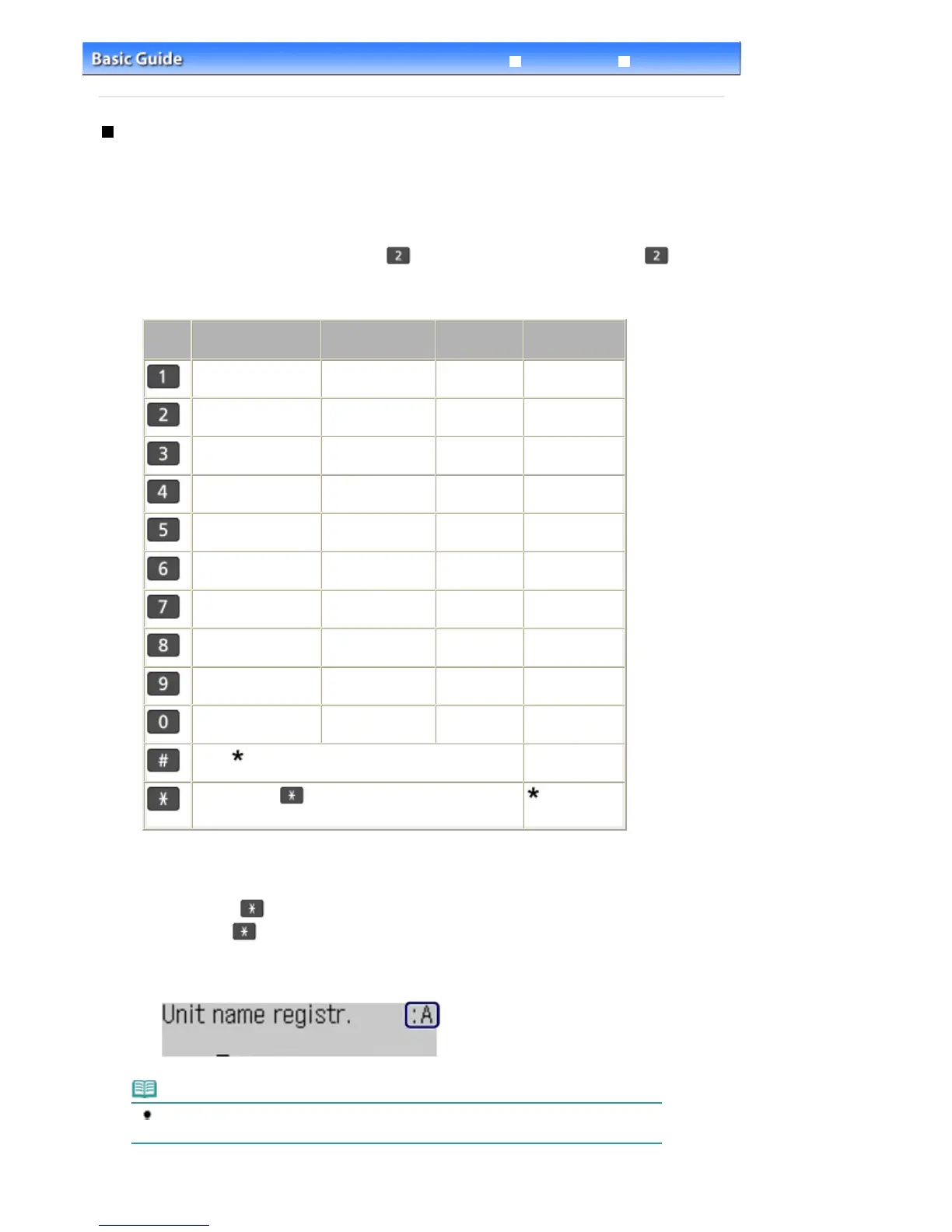
The machine has three input modes: uppercase mode, lowercase mode, and numeric mode. The table
below shows the characters that can be entered in each mode.
For example, in the uppercase mode, press the
button once to enter "A" and press the
button
twice to enter "B". Thus, the characters in the table can be entered by pressing the appropriate button
repeatedly.
Button
Uppercase mode
(:A)
Lowercase
mode (:a)
Numeric
mode (:1)
Fax/Telephone
no.
1
1
9
9
0
0
- . SP
*1
# ! " , ; : ^ ` _ = / | ' ? $ @ % & + ( ) [ ] { } < >
#
Press the
Tone
button to switch to the uppercase
mode (:A), lowercase mode (:a), or numeric mode (:1).
*1
"SP" indicates a space.
1.
Press the
Tone
button to switch the input mode.
Each time the
Tone
button is pressed, the input mode will be switched to the uppercase mode (:A),
lowercase mode (:a), then numeric mode (:1).
The current input mode appears at the upper right corner of the LCD (:A, :a, :1).
Example: uppercase mode
Note
Here describes the procedure to enter the unit name as example. To display the Unit name
registr. screen, see
Registering User Information.
Seite 26 von 922 SeitenEntering Numbers, Letters, and Symbols















 To Next Page