Advanced Guide
>
Printing from a Computer
>
Printing with the Bundled Application Software
>
Other
Settings
> Opening Saved Files
A103
Opening Saved Files
You can open files created with Easy-PhotoPrint EX.
1.
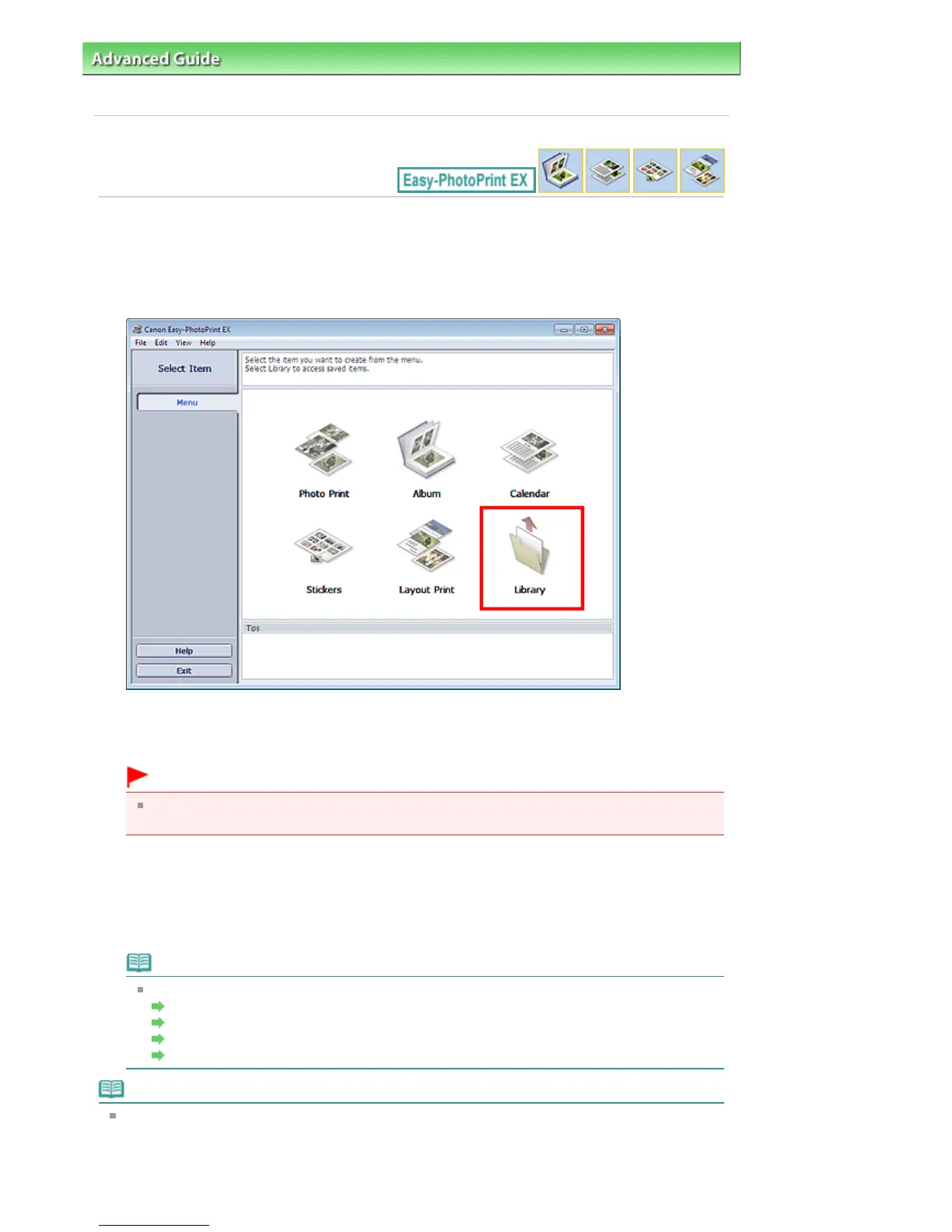
Click Library from Menu.
The Open dialog box appears.
You can check files created and saved with Easy-PhotoPrint EX in icon view (only for Windows 7/
Windows Vista) or thumbnail view.
Important
When using 64-bit editions of Windows 7, Windows Vista, or Windows XP, the contents of files
cannot be displayed on Explorer.
2.
Select the file you want to open and click Open.
The Edit screen appears.
3.
Edit the file if necessary.
Note
Refer to the following sections for details on the editing procedures.
Editing
Album
Editing Calendar
Editing
Stickers
Editing
Layout Print
Note
Easy-PhotoPrint EX supports the following file formats (extensions).
- Easy-PhotoPrint EX Album file (.el1)
- Easy-PhotoPrint EX Stickers file (.el2)
- Easy-PhotoPrint EX Calendar file (.el4)
- Easy-PhotoPrint EX Layout file (.el5)
Seite 268 von 922 SeitenOpening Saved Files















 To Next Page